
Here’s something nobody tells you about cover letters: hiring managers skim them in seconds. Barely enough time to read your opening paragraph — which means your letter has exactly one job: make a tired human curious about you.
The short answer: I tested 7 free AI cover letter generators hands-on in October 2026, running each one through the same job application scenario. 3 are genuinely free — no signup, no payment, no watermark — and produce usable, human-sounding letters: AsGenerator, ForeignJobs, and Sheets Resume. The rest hit you with signup walls, generation limits, or download blocks at the worst moment. Below: exactly where each paywall lands, with screenshots.
And here’s why a bad AI cover letter is worse than none: a generic, robotic letter signals “I didn’t care enough to try.” I wasn’t looking for the prettiest website — I was looking for tools that write like a person and let you actually use the letter for free.
In this guide you’ll find: the 7 generators I tested hands-on, a comparison table of free limits and paywalls, my picks for different situations, copy-paste prompts for tailoring any letter, a before-and-after humanizing example, and new 2026 data on AI-written applications.
⚡ TL;DR — the 60-second version
- Best truly-free, no-signup: AsGenerator — generate, copy, done. No account, no watermark.
- Best output quality: AsGenerator — the most human-sounding drafts of the 7.
- Watch out: Himalayas and Teal gate everything behind a signup (1–2 free letters each), and Kickresume’s free plan doesn’t include AI writing at all.
- The golden rule: AI drafts, you decide. A new 2026 survey found 1 in 4 people who let AI write most of their application materials lost a job over something on it — always fact-check every line before sending.
The honest framing: a cover letter is a tie-breaker, not a gatekeeper. When two resumes look equal, the letter decides who gets the call — it’s your chance to sound like a human the team wants to work with. For remote roles, it doubles as a writing sample; clear, warm prose signals you’ll communicate well async. But here’s the flip side: a generic, obviously-AI letter is worse than none at all. It tells the reader you didn’t care enough to try. Only attach a letter if you can make it specific.
🔬 How we tested
- Same persona everywhere: every generator ran as “Maria Santos” — a fictional customer service rep with 2 years of retail experience, applying for a Front Desk Associate role at a downtown hotel (resolving 40+ customer issues a week at a 96% satisfaction score). Same inputs, fair comparison.
- No accounts created: I only tested what a visitor can do without signing up. Where a tool demanded an account, I screenshotted the wall and stopped — that wall is the finding.
- Followed the money: for each tool I recorded exactly where the free tier ends — generation limits, signup walls, watermarks, download blocks.
- Read like a recruiter: I judged each draft the way a hiring manager skimming in seconds would — does it sound human, use the actual details, or is it generic filler?
- October 2026: all tests and pricing checks were done this month. Free tiers change fast; if you spot a change, tell me via the contact page and I’ll re-test. We’re the ToolsAxis Team — a small crew writing hands-on, job-seeker-first guides.
First, the uncomfortable truth about AI cover letters (new 2026 data)
On October 12, 2026, Novoresume published its Resume Report 2026, a survey of 2,000 U.S. adults. Two findings stopped me cold: 27.1% of respondents had sent an employer an application written almost entirely by AI, with no real edits — and 1 in 4 of those people say they lost a job over something on it. Heavy AI users were three times more likely to admit something on their application was inaccurate (74.8% vs 24.6%).
That’s not an argument against these tools — it’s an argument against using them blindly. The winners above keep you in control: edit freely, keep your facts straight, send something you’d defend in an interview. My promise: the genuinely free tools, exactly where the traps are, and the prompts and steps that keep you as the author.
The 7 tools, ranked: side-by-side comparison
“Free letters” below means letters you can actually generate and keep without paying.
| Tool | Signup needed? | Free letters | Where the paywall hits | Paid price |
|---|---|---|---|---|
| 1. AsGenerator | No | Unlimited (15-sec cooldown) | None found — copy + .txt download free | No paid tier observed |
| 2. Sheets Resume | No (first 3) | 3 as guest, unlimited with free account | Account required after 3rd use | $99 lifetime or $39/mo membership |
| 3. ForeignJobs | No | No stated limit | None — monetized via job board | None |
| 4. DailyRemote | Unclear (upload gate) | 50 credits ≈ 4 letters | PDF download needs Premium; copy is free | $14.95/mo, $69.95/yr, $149 lifetime |
| 5. Teal | Yes | 2 AI generations | Account wall first; unlimited AI needs Teal+ | Teal+ ~$28.80/mo (or $13/wk, $79/qtr) |
| 6. Himalayas | Yes | 1 letter | Signup before anything; 2nd letter needs Plus | $9/mo Plus, $29/mo Max |
| 7. Kickresume | Yes | 0 AI letters (templates only) | AI features are paid-only | $27/quarter |
1. AsGenerator — the best genuinely-free option 🏆
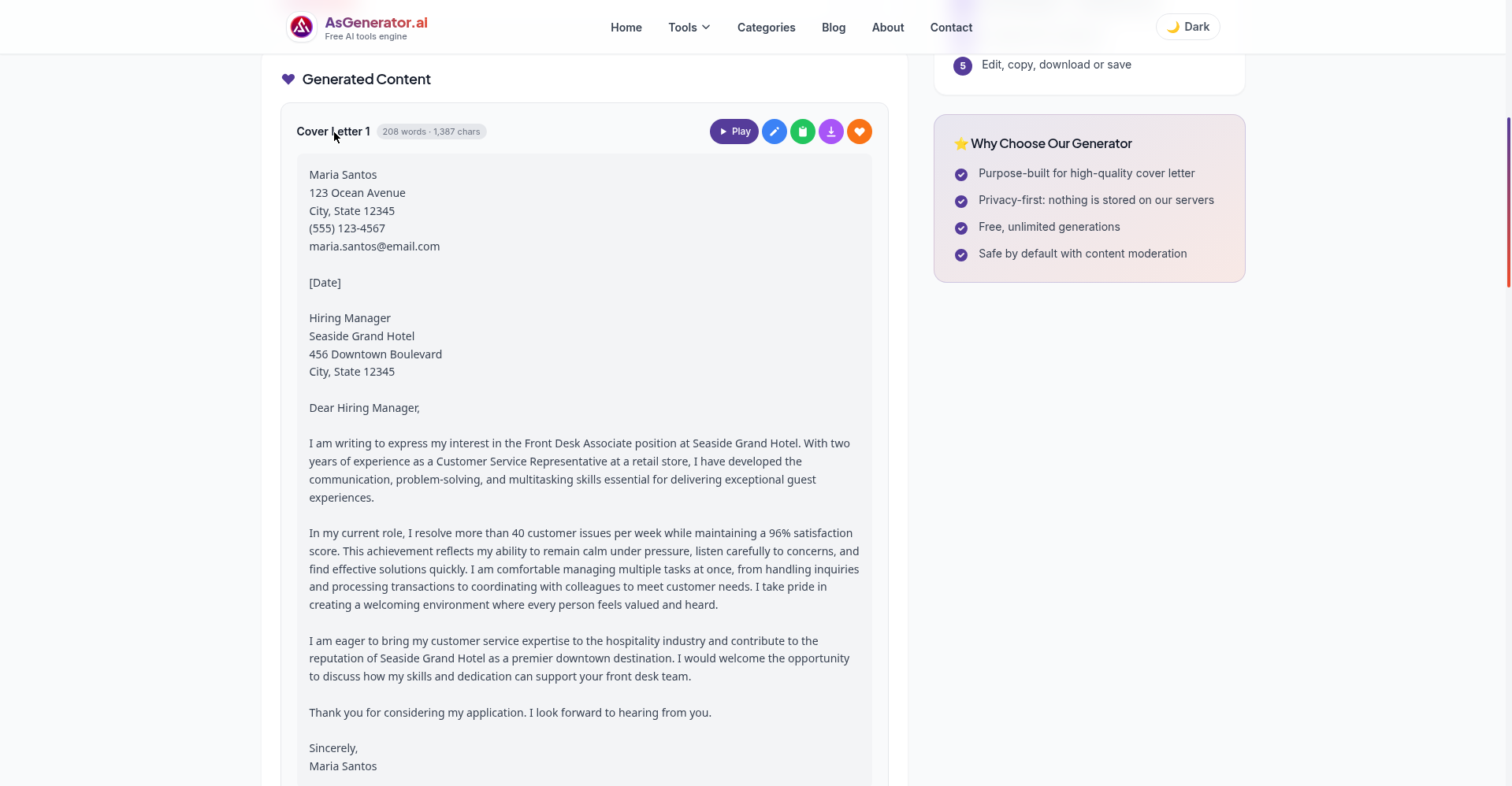
AsGenerator’s cover letter generator was the surprise winner of this test. No signup, no email, no watermark — its FAQ promises “100% free with no sign-up and no usage limits,” and that held up. Each run produces three letters, and you can copy or download each as .txt. A 15-second cooldown between generations is the only friction I found.
Quality-wise it led the pack: it wove every test detail in naturally — the 40+ issues a week, the 96% score, the two retail years, the hotel, the role. The body read like someone who’d thought about the job, not a template with blanks filled in.
Two honest caveats: it invents placeholder contact details (fake street address and email) you must replace, and the opener is the classic AI “I am writing to express my interest” — rewrite the first two lines with the routine below. On privacy it’s the strongest here: “nothing is stored on our servers.”
My take: if you only try one, try this one. Unlimited free generations mean you can iterate until the letter sounds like you.
2. Sheets Resume — best guided experience (3 free, then free account)
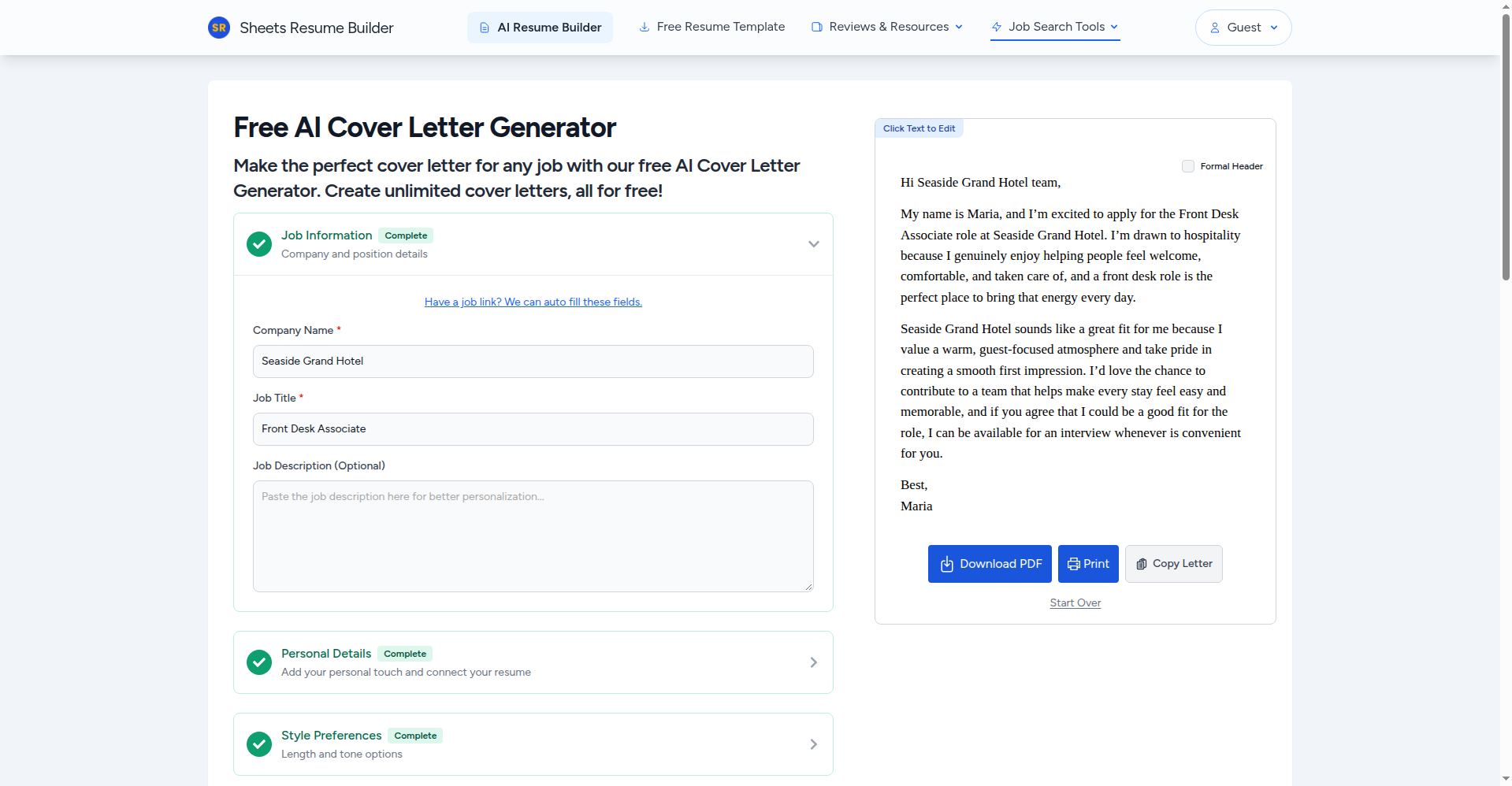
Sheets Resume feels like the work of someone who’s actually helped people get hired — fitting, since its builder was trained by founder Colin McIntosh, an award-winning copywriter. As a guest you get 3 free uses (a visible “uses left” counter), with working Download PDF, Print, Copy, and Start Over buttons and no watermark; after the third use, a free account unlocks unlimited letters. The flow is the most hand-holding of the seven — style preferences, length and tone options — and my test letter opened with a warm “Hi Seaside Grand Hotel team,” needing the fewest fixes of any tool I tested.
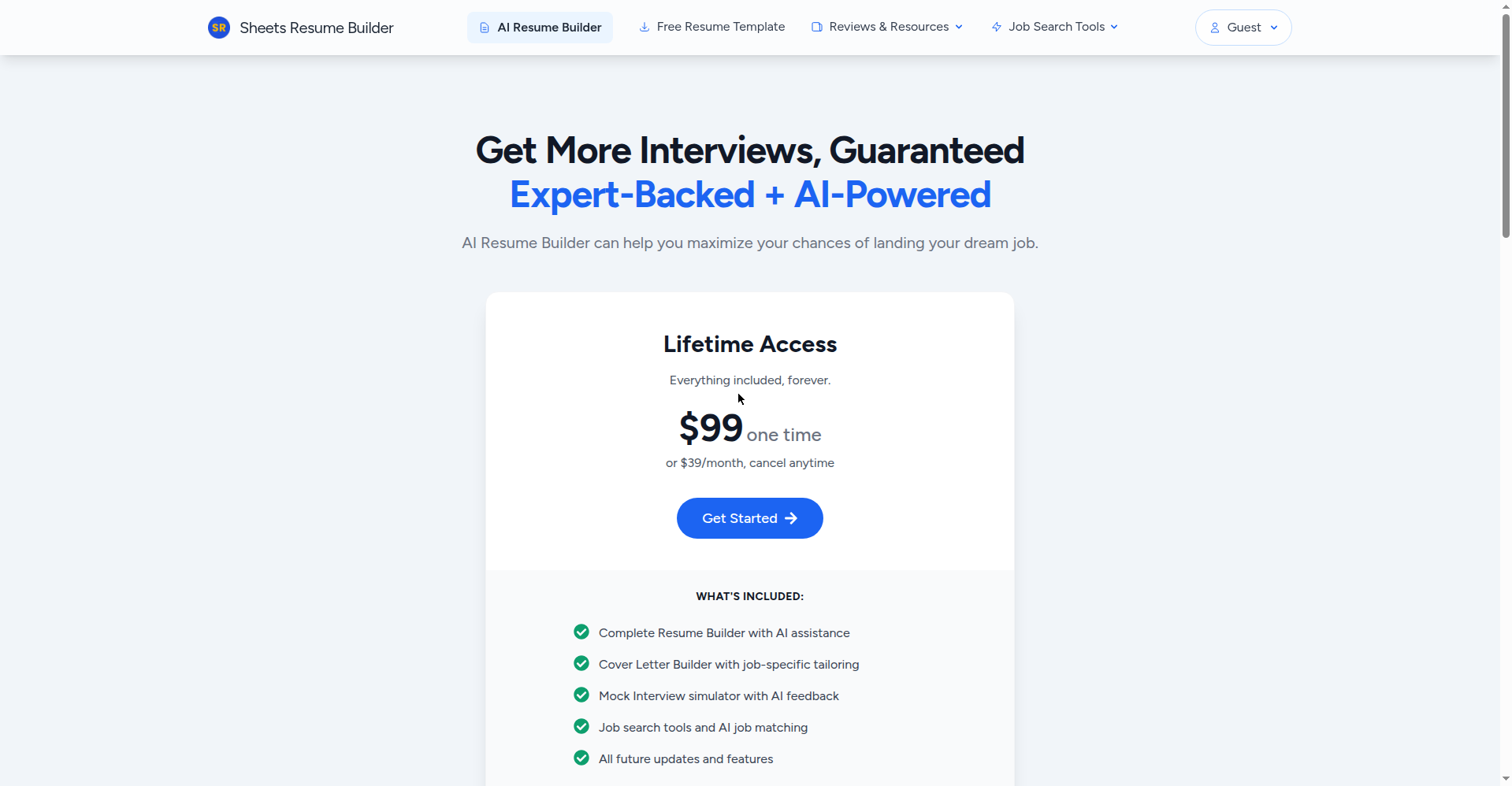
One serious caveat, and I won’t soften it: their privacy policy says content you upload can become company property and be used to train AI models. For a tool where you paste your work history, that’s a real consideration — use guest mode with minimal personal detail, or pick AsGenerator if it bothers you. (Paid membership is $99 lifetime or $39/month for the wider suite; the cover letter tool stays free with a free account.)
My take: great for beginners who want guidance, and the 3 guest uses are genuinely useful. Just go in with eyes open on the data policy.
3. ForeignJobs — zero friction, but bring your red pen
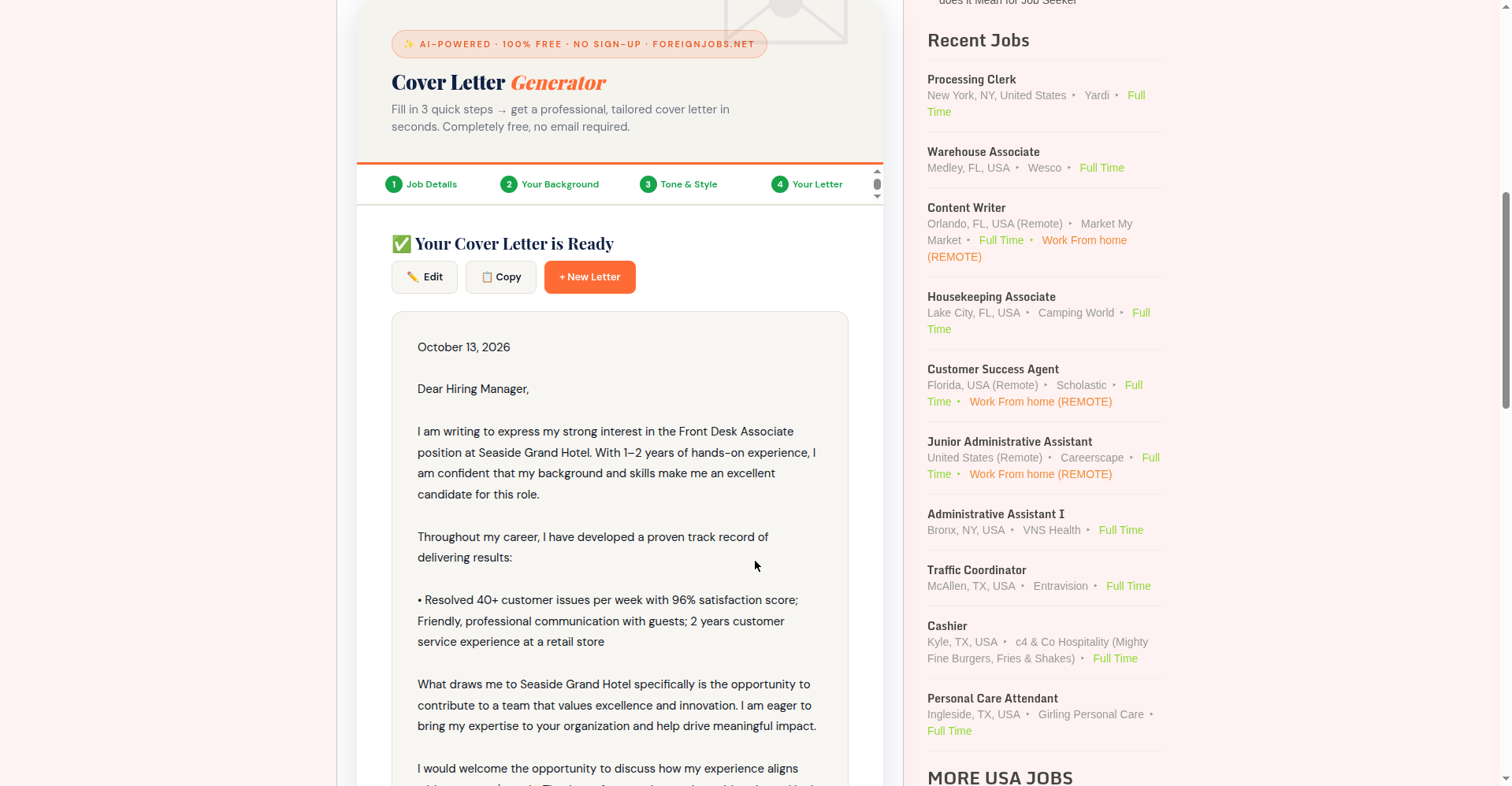
ForeignJobs’ generator is the simplest tool here: a 4-step form (job details → your background → tone & style → your letter), no email, no account, no watermark. “100% free — no email, no account, no watermark” is printed right on the page, and my test confirmed it: I generated, edited, and copied with zero walls.
The catch is output quality. My 153-word letter used every persona detail but read like a template in costume: it opened with “I am writing to express my strong interest,” pasted achievements verbatim as a bullet, and padded the rest with filler like “a team that values excellence and innovation.” The four tone options (Professional, Confident, Conversational, Creative) help, but plan on the humanizing routine below — non-negotiable with this one.
One more flag: their privacy policy (last updated October 2020) covers only cookies and ad partners — nothing about what happens to the details you type in. Their on-page disclaimer is refreshingly honest, though: “Cover letters are AI-generated suggestions. Always review and personalize before sending.”
My take: the fastest path from blank page to editable draft — just budget five minutes to humanize it.
4. DailyRemote — good for remote seekers, but the gates are confusing
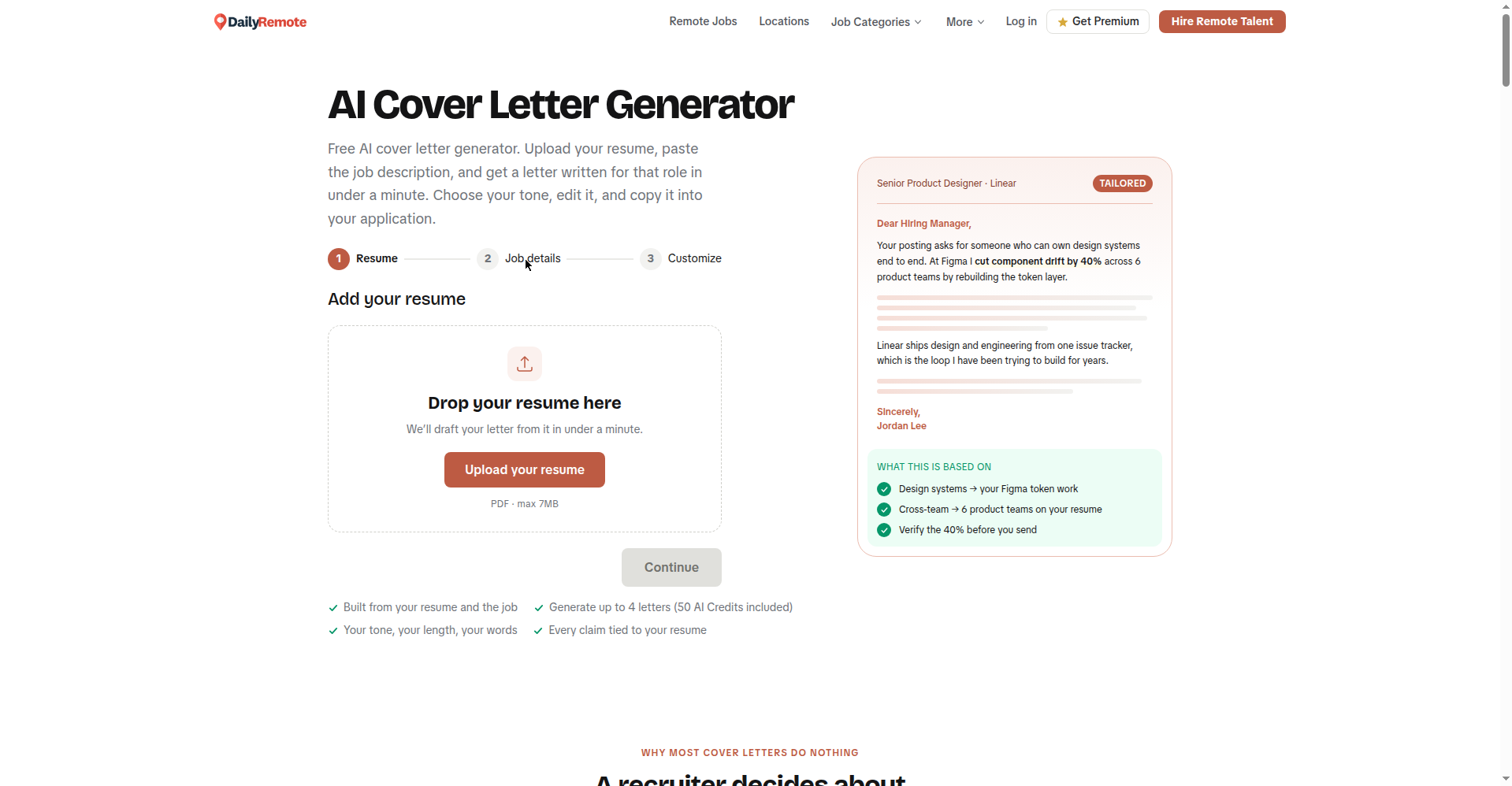
DailyRemote’s generator drafts from your resume: drop in a PDF (max 7MB) and it writes a letter from it in under a minute, with tone and length choices. Smart in principle — grounding the letter in your real resume sidesteps the invented-details problem.
In practice I couldn’t fully test it: the upload gate requires the PDF before Continue enables, and the FAQ sends mixed signals — one entry says “sign up free and get 50 AI credits, up to 4 cover letters,” another implies visitors can use it without an account (their PDFs are “processed to write the letter and not stored”). I don’t create accounts in testing, so I stopped at the gate.
Verified facts: 50 AI credits ≈ 4 letters, copying is free, but PDF download needs Premium ($14.95/month, $69.95/year, $149 lifetime). So the real free workflow is generate → copy → paste into your own document.
My take: promising for remote seekers with a resume PDF ready; don’t expect a free PDF at the end.
5. Teal — solid tool, but “free” means 2 letters behind an account wall
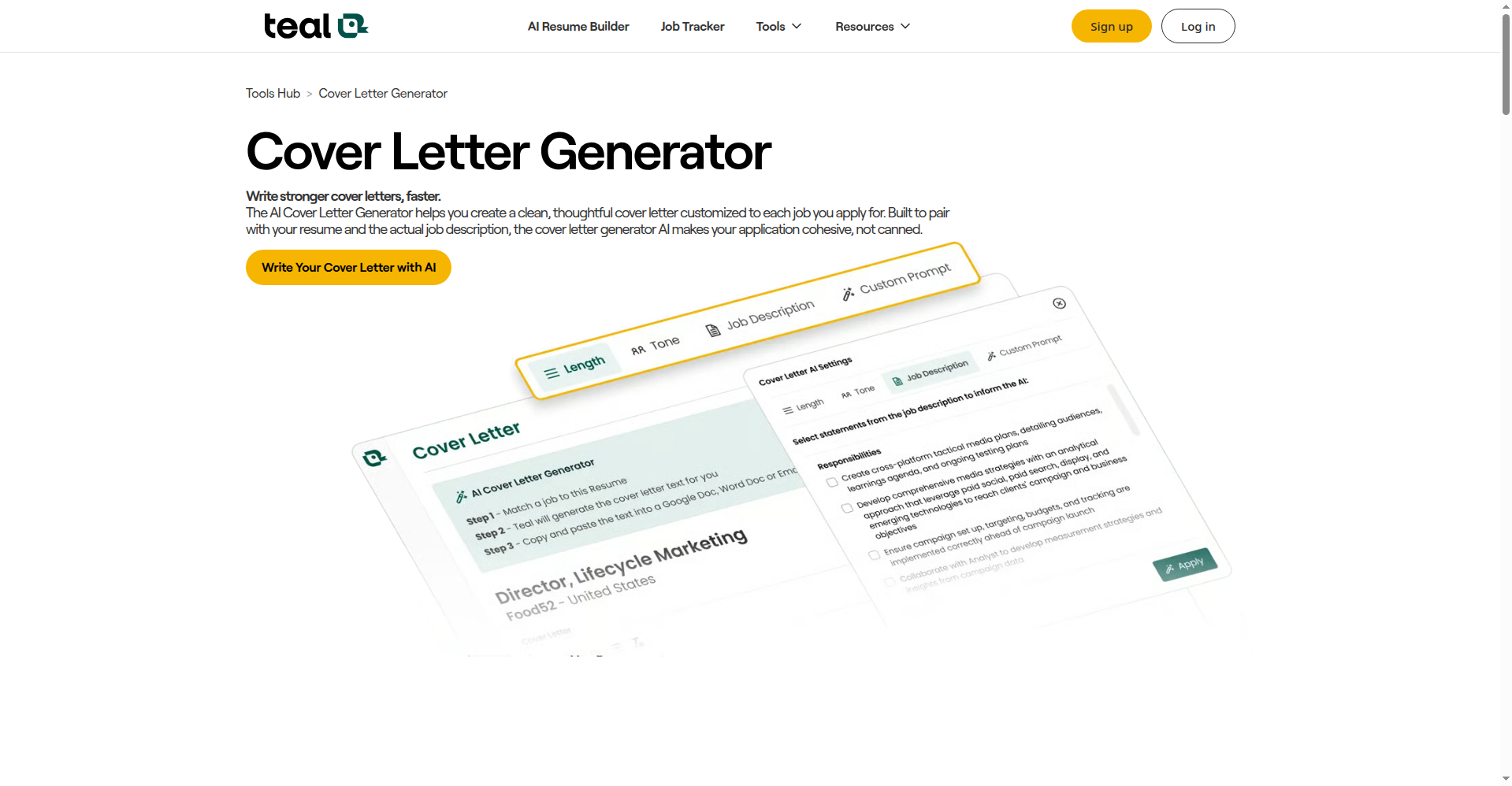
Teal is a well-known job search platform — but let’s be precise about “free.” You must sign up first, and the free plan includes exactly 2 AI cover letter generations. After that, unlimited AI needs Teal+ (about $28.80/month, or $13/week, or $79/quarter).
I couldn’t test generation without an account, so I can’t grade output quality — a shame, since Teal’s resume tools are generally strong. If you already use Teal’s free job tracker, spending your 2 free generations here is reasonable. But as a standalone free generator, two letters behind a signup is thin next to the top three.
My take: worth it if you’re already in Teal’s ecosystem; not worth a new account just for the letters.
6. Himalayas — one free letter, then $9/month
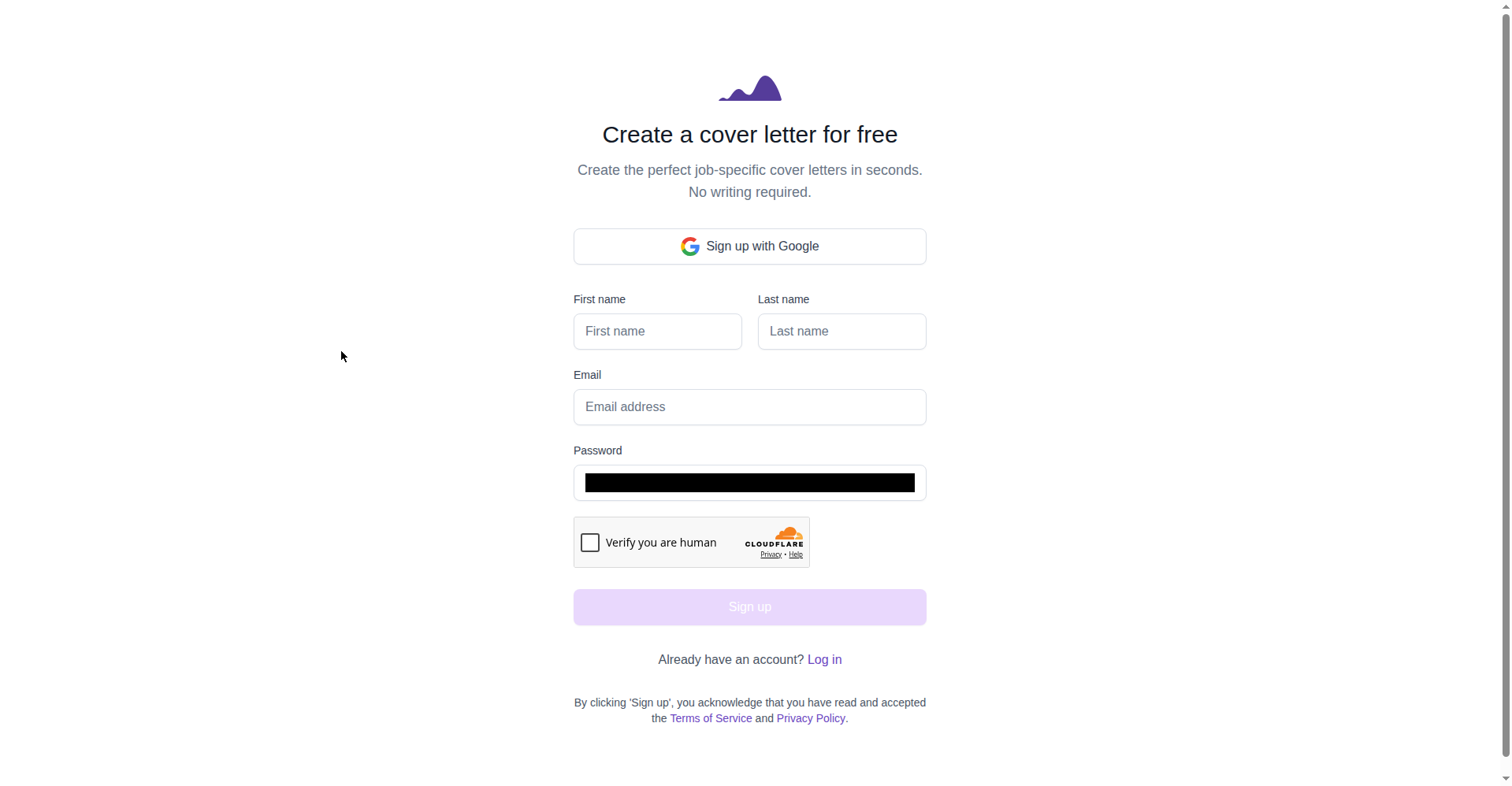
Himalayas puts the wall up front: “Get started for free” leads to a signup page (Google OAuth or email + password) before you can generate anything. Once in, your first letter is free; the second needs Himalayas Plus at $9/month (Max: $29/month).
The free tier also bundles one free resume, one mock interview, and one coaching session — a decent bundle if you want a single polished letter plus a taste of the platform. But one letter is one letter: fine for a single dream-job application, useless for a high-volume search. I couldn’t test letter quality without registering.
My take: honest pricing, but “1 free letter behind a signup” can’t compete with unlimited no-signup tools.
7. Kickresume — great builder, but the AI writing isn’t free
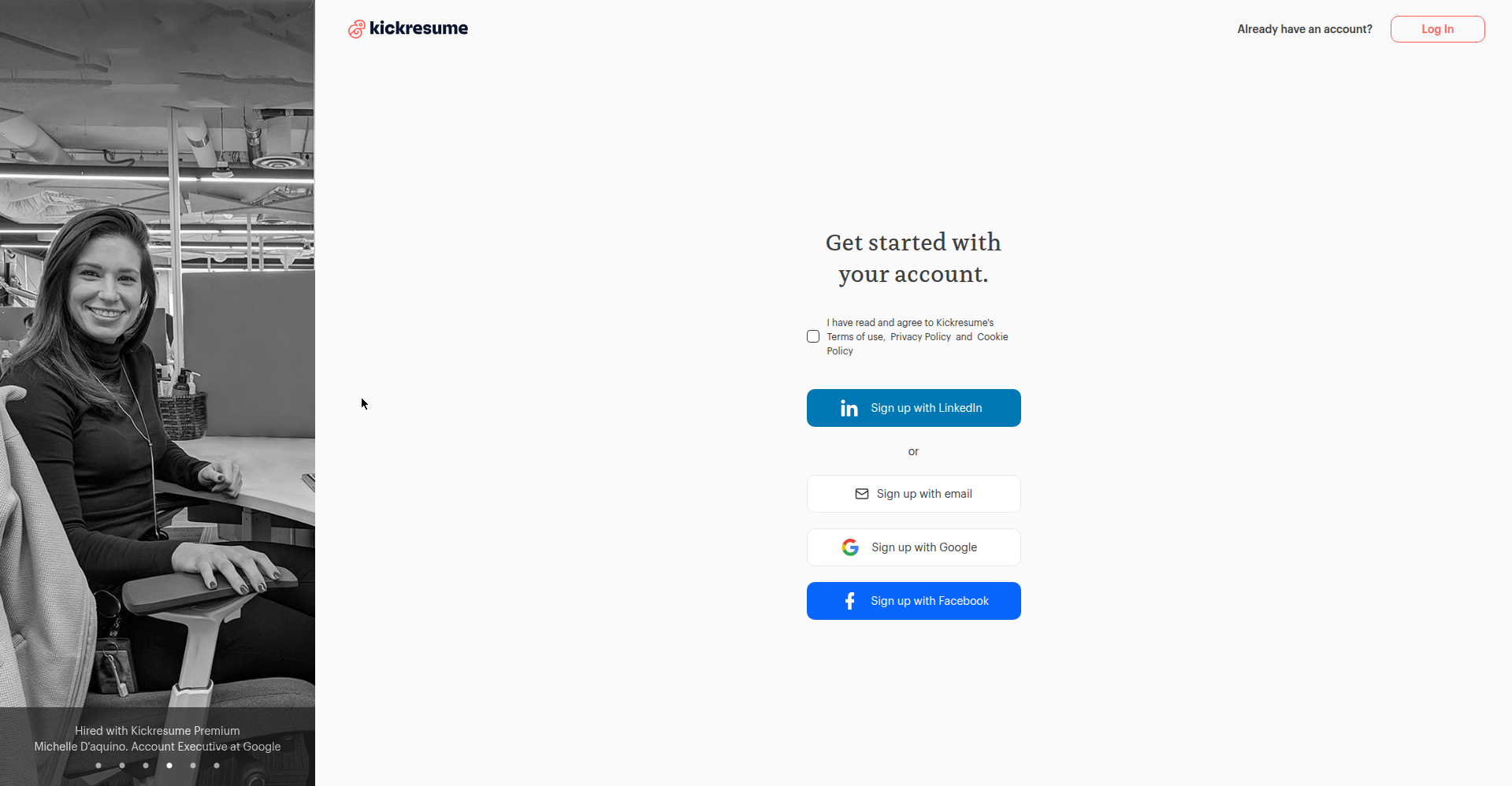
Kickresume makes beautiful documents, and its free $0 plan includes 4 cover letter templates with unlimited downloads. The catch for this list: “Unlimited AI features” is paid-only. Clicking “Build My Cover Letter” redirects straight to registration (LinkedIn, email, Google, or Facebook) — and even registered free users don’t get the AI writer.
Paid plans run $27 per quarter (~$9/month) with a 14-day money-back guarantee. I’m including Kickresume because it ranks for this keyword and I don’t want you discovering the wall the hard way — but as a free AI cover letter generator, it’s a template gallery with a paid AI upsell.
My take: skip for AI writing; consider only if you want pretty templates to paste your own text into.
Which free cover letter generator should you pick?
Match yourself to a situation:
- “Zero hassle — no account, no email.” → AsGenerator — unlimited generations, no watermark. Generate and copy in under two minutes.
- “Best-sounding draft to edit.” → AsGenerator — the most naturally tailored drafts of the 7.
- “Student/fresher, thin experience.” → Sheets Resume — the most beginner-friendly guided flow; the free account gives unlimited letters to iterate on. (Fresher prompts below.)
- “Changing careers.” → AsGenerator — best at weaving your details into a coherent story. (Plus the bridge prompt below.)
- “Dozens of applications a week.” → AsGenerator — unlimited generations, 15-second cooldown.
Copy-paste prompts: tailor any letter to the job description
The tool matters less than what you feed it — a rich prompt beats a lazy one-liner in any generator. Copy these, fill in the brackets, and paste them into any tool above (or straight into ChatGPT, Gemini, or Claude’s free tiers).
The JD-tailoring prompt (my most-used one)
Copy this, fill in the brackets, paste it into the generator:
Write a cover letter for this role.

JOB POSTING (paste the full text or the key requirements):
[ paste here ]

MY BACKGROUND:
- Current/most recent role: [ title, company, years ]
- 2-3 achievements with numbers: [ e.g. "resolved 40+ customer issues per week, 96% satisfaction" ]
- Relevant skills: [ list ]
- Why this company specifically: [ one genuine sentence — check their site ]

RULES:
- Under 250 words. Three short paragraphs plus a one-line closing.
- Open with the specific reason I'm drawn to THIS company, not a generic greeting.
- Mirror 3-4 keywords from the posting naturally (don't stuff them).
- Do NOT invent jobs, degrees, skills, or achievements I didn't list.
- Tone: warm and professional, like a capable human — no "I am writing to express my interest" and no "proven track record".
Why this works: you handle the two things AI is bad at (the genuine “why this company” line, your real numbers) and let it do what it’s good at (structure, flow, keyword mirroring).
The career-changer bridge prompt
Changing fields? The letter must answer the recruiter’s silent question: “why would a [X] want this [Y] job?” Append this to any prompt:
Add one paragraph that bridges my background to this role: name ONE transferable skill from my previous work, give a concrete example of using it, and connect it directly to a requirement in the posting. Keep it confident — no apologizing for the career change.
The fresher / no-experience prompt
Light on work history? Swap the “MY BACKGROUND” block for this:
MY BACKGROUND (student / recent graduate):
- Degree and relevant coursework: [ e.g. "BBA, coursework in customer relations and business communication" ]
- Projects, volunteering, part-time work: [ anything with people, deadlines, or responsibility counts ]
- One moment that shows work ethic: [ e.g. "trained 3 new volunteers during a charity drive" ]
Write the letter around potential and trajectory, not years of experience. Enthusiasm is fine; desperation is not.
How to humanize an AI cover letter (with a real before/after)
Even the best generator hands you a draft. My 5-minute routine, applied to every AI letter before it goes anywhere:
- Kill the openers. Delete “I am writing to express my interest in…” and “As a highly motivated professional…”. Start with something only you could write.
- Add one specific. A number, a name, a moment — one concrete detail does more humanizing work than any rewording.
- Read it out loud. If no human would ever say a sentence, rewrite it the way you’d say it to a friend.
- Fact-check every claim. Remember the 1-in-4 stat. AI sometimes “helpfully” upgrades your achievements. Verify each one.
- Cut 20%. AI overwrites. Shorter almost always reads more confident.
One more rule: be honest about the gaps. If the posting asks for a skill you don’t have, name the closest adjacent experience instead of letting the AI claim it. “Two years of retail taught me de-escalation” is honest and transferable; “proven CRM expertise” when you’ve never opened one is a lie that collapses in the first interview. The AI will happily invent competence — your job is to keep it truthful.
Here’s what that looks like on a real draft from my testing (Maria Santos, hotel front desk role) — before, then after five minutes of the routine:
“I am writing to express my interest in the Front Desk Associate position. As a highly motivated customer service professional with a proven track record of excellence, I am confident I would be a valuable asset to your team…”
“Your posting mentioned the front desk sets the tone for every guest’s stay — that’s exactly the part of hospitality I love. In two years handling 40+ customer issues a week at a busy retail store, I learned that most complaints are really just someone hoping to be heard. My satisfaction scores stayed at 96%, and I’d love to bring that same calm to your lobby.”
Same facts. Completely different letter. The first could be anyone; the second could only be Maria. That’s the bar.
Cover letters when you’re a fresher or changing careers
Quick reassurance: thin experience is not the disadvantage you think it is. Recruiters reading junior applications look for signal — self-awareness, genuine interest, evidence you’ll show up and learn. Short, honest, and specific beats long and vague every time.
Three rules that make a real difference:
- Lead with the “why this company,” not the “why me.” When experience is thin, genuine enthusiasm backed by one researched detail (a project they shipped, a value they state) carries the letter.
- Translate, don’t apologize. Delete “Although I don’t have direct experience…” Instead: “Two years of retail taught me de-escalation, scheduling under pressure, and reading people fast — all daily work at a front desk.”
- Keep it short. 150–200 words is plenty early-career. Respecting the reader’s time is the professionalism signal.
And use the fresher and career-changer prompts above — they’re written exactly for this.
The anatomy of a cover letter (the only structure you need)
Forget the formal business-letter format — no subject line, date, or address block for online applications. The hiring manager sees your name in the application already. Here’s the structure that works:
Opening (2–3 sentences): Name the specific reason you’re drawn to this company, not the role in general. One researched detail — a product they shipped, a value they state, a problem they’re solving — beats “I’m excited to apply” every time.
Body (1–2 short paragraphs): Connect your 2–3 strongest relevant facts to what they need. Numbers help: “resolved 40+ issues a week” lands harder than “strong communicator.” If you’re changing careers or light on experience, this is where the bridge goes — one transferable skill, named explicitly.
Close (2–3 sentences): Say what you want (an interview), make it easy (you’re available, you’ll follow up), and stop. No groveling, no “thank you for your consideration” filler.
Sign-off: Your name. That’s it. “Best,” or “Thanks,” then your name — the application has your contact details.
Total: 200–250 words. If you’re over 300, cut the weakest paragraph.
3 worked examples (steal the structure, not the words)
Example 1: Career change (retail → customer success)
Dear Hiring Manager,
Your posting for a Customer Success Associate caught my eye because [Company] specifically mentions helping frustrated users feel heard — that’s been my actual job for two years. At [Retail Store], I handled 40+ customer issues a week, including the angry ones nobody else wanted, and kept a 96% satisfaction score.
Retail taught me de-escalation, patience, and how to explain complex policies simply — the same skills your role needs for onboarding new users. I’m drawn to [Company] because your help center articles are genuinely clear (I read three before applying), and I want to write that kind of help.
I’d love to discuss how my frontline experience translates. I’m available this week or next.
Best,
[Your Name]
Why it works:
- Names a specific company detail (help center articles) — proves research.
- Bridges retail to customer success with a named transferable skill (de-escalation).
- Numbers (40+/week, 96%) make the claim concrete.
- Doesn’t apologize for the career change — frames it as an asset.
Example 2: Fresher with thin experience
Dear Hiring Manager,
I’m applying for the Junior Marketing Assistant role because [Company]’s recent [campaign/product] showed me what good [marketing/content] looks like — I analyzed it for a class project and still think about the [specific detail].
As a recent [Degree] graduate, my experience comes from projects, not jobs: I ran social media for [student club], growing followers from 200 to 1,100 in a semester, and completed a [platform] certification in [skill]. I learn fast — I taught myself [tool] in two weeks to finish a project deadline.
I’d welcome the chance to bring that energy to your team. Thank you for considering my application.
Best,
[Your Name]
Why it works:
- Leads with genuine interest (analyzed their work for class) — not desperation.
- Replaces “no experience” with specific projects and a number (200→1,100).
- Shows trajectory (“learn fast,” “taught myself”) — what juniors are hired for.
- Short — respects the reader’s time.
Example 3: Employment gap
Dear Hiring Manager,
I’m returning to [field] after [X years] caring for family, and your [Role] posting is exactly the kind of [specific aspect] work I did before — and missed. At [Previous Company], I [1-2 concrete achievements with numbers].
During the gap I stayed sharp: [one relevant thing — freelance project, certification, volunteering, coursework]. I’m not starting over; I’m resuming with fresh perspective and the same [core skill] that made me effective before.
I’d appreciate the chance to discuss how I can contribute from day one.
Best,
[Your Name]
Why it works:
- Names the gap plainly — no euphemisms, no hiding.
- Shows the gap wasn’t idle (one concrete activity).
- Frames return as “resuming,” not “starting over” — confidence without arrogance.
- Keeps it brief — the gap gets one paragraph, not the whole letter.
🚫 Filler phrases that mark a letter as AI-written (and what to write instead):
- “I am writing to express my interest” → “Your posting for [Role] caught my eye because…”
- “proven track record” → Name the actual result: “grew X by Y%”
- “passionate about” → Show it: “I spent weekends learning…”
- “team player” → “I collaborated with [who] to [do what]”
- “dynamic” → Delete it. It means nothing.
If a phrase could appear in 1,000 other letters, it’s not helping yours.
Free limits at a glance
Same seven tools, stripped down to the one question everyone asks: what do you actually get for free, and where does the paywall hit? Every number below comes straight from my hands-on test above — nothing estimated, nothing borrowed.
| Tool | Free tier / free limit | What’s paywalled |
|---|---|---|
| AsGenerator | Unlimited generations (15-second cooldown) | Nothing — copy and .txt download are free |
| Sheets Resume | 3 free as a guest, unlimited with a free account | Account required after your 3rd use |
| ForeignJobs | No stated limit | Nothing — it earns from its job board, not the generator |
| DailyRemote | 50 credits ≈ 4 letters | PDF download needs Premium; copying your letter is free |
| Teal | 2 AI generations (account required first) | Account wall comes first; unlimited AI needs Teal+ |
| Himalayas | 1 free letter (signup required first) | Signup before anything; your 2nd letter needs Plus |
| Kickresume | 0 AI letters — templates only | AI writing is paid-only |
FAQ: free AI cover letter generators
Is there a completely free AI cover letter generator with no sign-up?
Yes — AsGenerator and ForeignJobs: no account, no email, no watermark in my tests. Free tiers change fast — if one adds a wall, tell me via the contact page.
Will recruiters know I used AI to write my cover letter?
They’ll know if you send a raw, unedited draft — generic openers and filler phrases are recognizable in seconds. They won’t know (or care) if you follow the routine above: real specifics, your genuine voice, verified facts. Recruiters reject generic letters, not AI-assisted ones.
Can AI write a cover letter that passes ATS?
Mostly, the ATS reads your resume, not your cover letter — the letter is usually read by a human after you pass the screen. Keep formatting simple (no text boxes or graphics, standard fonts) and mirror a few posting keywords naturally. For the resume side, see my guides to free AI resume builders and ATS-friendly resume templates.
Is it okay to use AI for a cover letter, ethically?
Drafting, structuring, and polishing with AI is fine — it’s a writing assistant, like spellcheck with opinions. What’s not fine is letting it invent experience you don’t have. Novoresume’s 2026 survey: people who let AI write most of their application were three times more likely to have inaccuracies on it — and a quarter lost a job over it. Draft with AI, own every word.
What’s the best free AI cover letter generator for students?
Sheets Resume — its guided step-by-step flow and tone/length options are the most beginner-friendly, and the free account gives you unlimited letters to iterate on while you figure out your story. Pair it with the fresher prompt above.
Do cover letters still matter in 2026?
Sometimes. Many applications don’t require one, but when they do — or when there’s an “optional” upload — a good letter is a tie-breaker between equal resumes. For remote roles, it’s also a writing sample. A generic AI letter is worse than none; a specific one can win the interview.
How long should a cover letter be?
200–250 words: three short paragraphs plus a one-line close. Under 150 feels thin; over 300 won’t get read. For online applications, skip the formal header (date, address) — the form already has your details.
Can I let the AI invent achievements or skills?
Never. The 2026 Novoresume survey found 1 in 4 heavy AI users lost a job over something inaccurate on their application. AI will “helpfully” upgrade your titles, invent numbers, and claim skills you don’t have — and interviewers will catch it. Let AI draft the structure; you supply every fact.
Can AI detectors tell if my cover letter is AI-written?
Not reliably — and be skeptical of anyone who claims otherwise. Detection tools misfire in both directions, flagging human writing as AI and missing actual AI text, so no employer can prove a letter is AI-written from a detector score. What a hiring manager can spot is an unedited draft: the filler phrases and generic openers listed above. That’s why the human editing pass matters more than the tool you start with. Run the five-minute humanizing routine, keep every fact true, and the “detection” question stops mattering — the letter reads like you because you finished it.
Last updated: 13 October 2026. We re-check tool pricing and free-tier claims before publishing and correct errors when we find them — if you spot one, tell us via the contact page.
Get One Useful AI Tool Tip Every Week
One practical AI tool tip in your inbox every week. No spam, unsubscribe anytime.

We’re the team behind ToolsAxis. We hands-on test free AI tools for job seekers — signing up for free plans, taking real screenshots, and fact-checking every claim before publishing. Our guides cover resumes, ATS optimization, interview prep, and LinkedIn.
Enjoying ToolsAxis guides?
Add us as a Preferred Source on Google — you'll see our latest tools and guides first in Search, Top Stories, and AI Overviews.