

On October 14, Recruiting Headlines reported that automated, AI-generated applications have replaced talent shortages as recruiters’ number-one headache — and 44% of organizations have now written explicit rules about what AI help candidates may use. Your resume isn’t just competing with other people anymore. It’s competing with a flood of robot-written applications, and employers are fighting back.
So what actually gets you through? An AI resume keywords finder — a free tool that reads a job description and pulls out the exact keywords the employer’s applicant tracking system (ATS) is scanning for. I tested 7 with the same real job posting and signed up for nothing: four worked completely free, three hit a wall (I’ll show you where). Below: what each tool gave me, a free-limits table, and the copy-paste prompts I use instead of paying.
TL;DR — the short version
- An AI resume keywords finder extracts the skills, tools, and phrases a job posting repeats — the same terms an ATS parses and ranks your resume against.
- Best truly free, no-signup picks from my tests: Huntr’s instant scanner (11 keywords, 6 categories), ChatGPT in guest mode (15 grouped keywords, unlimited), CVSmith (3 free lookups a day, no account), and ResumeUp (7 keywords shown free). SkillSyncer, Rezi, and FixResume all required signup before showing anything.
- Watch the free limits: several “free” tools gate the good stuff behind signup or a single credit — the comparison table shows exactly where each wall is.
- Don’t stuff keywords. Checkr’s survey of 3,000 US hiring managers (published today) found 68% believe candidates are now better at faking applications with AI than companies are at detecting it — employers are actively hunting generic AI-written resumes.
- Keywords get you seen; proof gets you hired. Match the posting’s real words to experience you actually have, and tailor one resume version per serious application.
How we tested
I signed up for nothing — every tool below was tested on its genuinely free tier: no accounts, no cards, no trials. I pasted the same realistic posting (a Customer Service Representative role — deliberately non-tech, since most tools demo on software jobs) into every tool that accepts a job description, recording keyword counts, categories, the exact moment a signup wall appeared, and the fine print on limits and privacy. I also ran the posting through ChatGPT in guest mode (no login) as a $0 fallback. Limitation, stated upfront: paid tiers weren’t tested, and tools demanding an email just to show results are marked as walled. Every claim was re-checked on the tool’s own site on October 15, 2026.
What is an AI resume keyword finder?
An AI resume keyword finder reads a job description and identifies the terms — skills, software, certifications, phrases — that the employer’s hiring software is most likely scanning for. You paste in the posting; seconds later you get the keywords to honestly mirror in your resume.
Why it matters: the applicant tracking system (ATS) parses your resume into fields and matches them against the posting — and 82.3% of recruiters use one to screen (Novoresume HR survey). If the posting says “Salesforce CRM” five times and your resume says “customer database,” the parser may never connect the two.
The part most guides skip: keyword matching is only the first filter. After the software, a human reads for proof — and with 44% of organizations now writing AI-use rules for candidates, the winning move is matching the posting’s real words to experience you genuinely have.
By the third posting, you’ll spot keywords on sight — a skill most applicants never build, because most never tailor at all. The copy-paste prompts below make each one take about ten minutes.
The 4 keyword types the ATS actually scans for
Huntr groups its output into 6 color-coded categories, ChatGPT groups by whatever your prompt asks for, CVSmith splits required vs preferred — different labels, same reality. Every keyword an ATS scans for falls into one of four types. Learn these and any tool’s output reads in seconds:
- Hard skills — things you can do and prove: software, systems, techniques. From the posting I tested: Salesforce CRM, CRM software, live chat software, multitasking.
- Soft skills — how you work with people: collaboration, verbal communication, communication skills, conflict resolution.
- Industry terms — the vocabulary of the field: customer service, customer service principles, KPI understanding, returns processing, complaint resolution. Miss these and you sound like an outsider even when you’re qualified.
- Education & credentials — degrees, diplomas, licenses (high school diploma in my test posting). These are often binary filters the ATS checks before anything else.
Worked example — one posting, four buckets. Here’s the Customer Service Representative posting I tested, with the keywords Huntr (11 keywords, 6 categories) and ChatGPT guest mode (15 grouped keywords) returned, sorted into the four types:
- Hard skills: Salesforce CRM, CRM software, live chat software, multitasking
- Soft skills: collaboration, verbal communication, communication skills, conflict resolution
- Industry terms: customer service, customer service principles, KPI understanding, returns processing, complaint resolution
- Education & credentials: high school diploma
Notice the pattern: Huntr’s “Technologies and Tools” and ChatGPT’s “tools/software” are both hard skills; Huntr’s “Knowledge” and “Industry” are industry terms under different labels. Once you see the four types, every tool’s output becomes interchangeable — use whichever tool is free and fast, then sort the keywords yourself.
The 7 free AI resume keyword finders I tested (same job posting, zero signups)
Ordered by how much each tool gave me without asking for anything back. Four worked completely free; three hit a wall — I’ll show you exactly where.
1. Huntr — best dedicated free scanner (11 keywords, no signup)
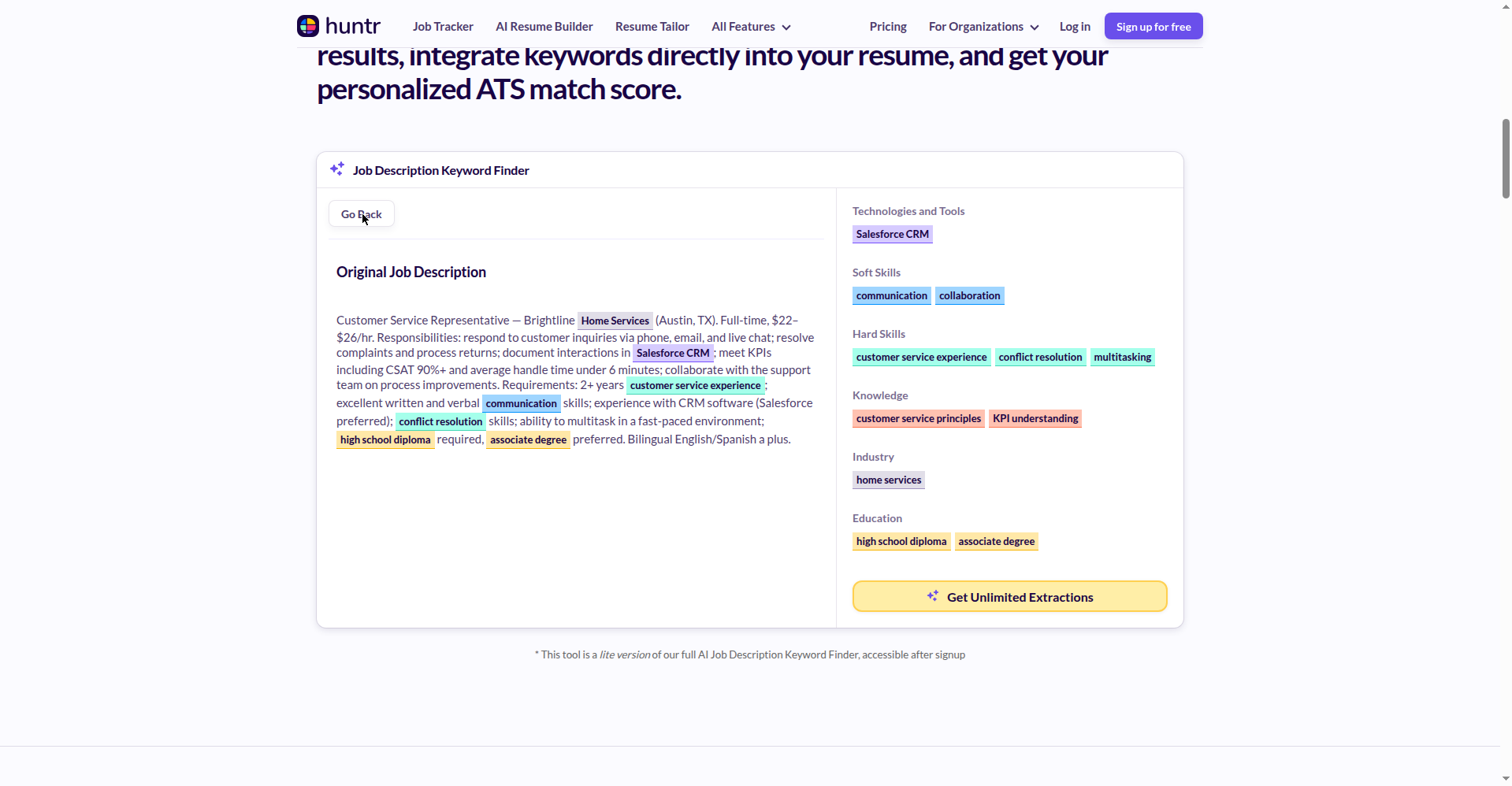
Huntr’s standalone keyword finder has a working scanner embedded in the page — no signup, no email. I pasted the posting; seconds later: 11 keywords in 6 color-coded categories — Technologies and Tools (Salesforce CRM, live chat software), Soft Skills (collaboration, verbal communication), Hard Skills (multitasking), Knowledge (customer service principles, KPI understanding, returns processing, complaint resolution), Industry (customer service), Education (high school diploma).
Honest catch: this is the lite version — the full suite unlocks after signup, and Pro is $40/month. Steep, but the free scanner does the core job, so skip Pro.
Best for: your first extraction on any posting — fastest no-signup result I found.
Watch out: the “add keywords in two clicks” upsell needs an account; no privacy statement on the tool page.
2. ChatGPT in guest mode — 15 grouped keywords, free forever
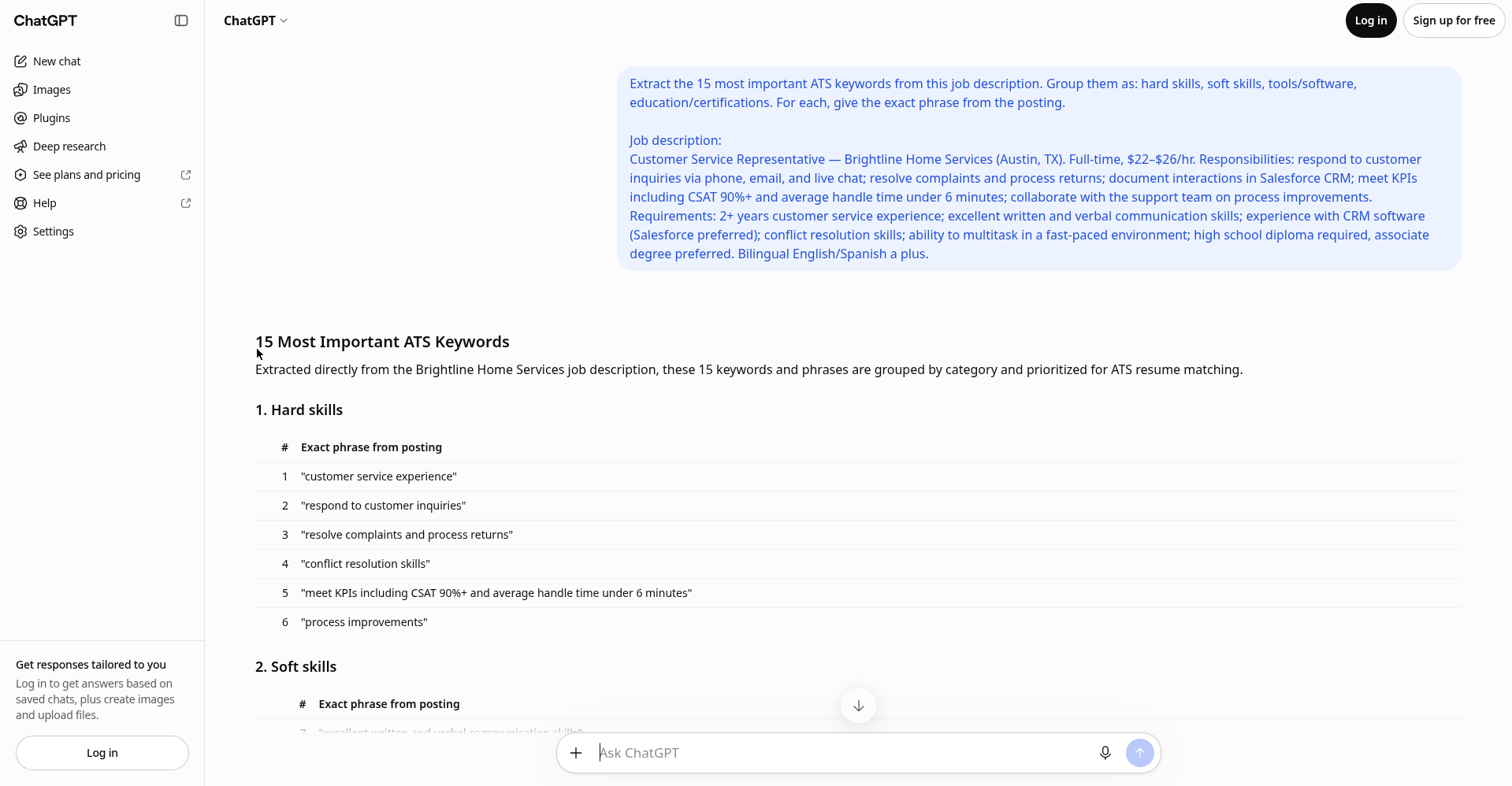
I pasted my extraction prompt and the posting into chatgpt.com without logging in: 15 keywords grouped into hard skills, soft skills, tools/software, and education, each with the exact phrase from the posting. No account, no expiry, no daily cap. (Gemini and Copilot do the same.) Tradeoff: no match score — use the copy-paste prompts below.
Best for: unlimited extractions, plus the resume-gap check (Prompt 2 below does matching and the honesty filter).
Watch out: strip your phone number and address before pasting your resume into any chatbot.
3. CVSmith — required-vs-preferred split (3 free lookups/day, no account)
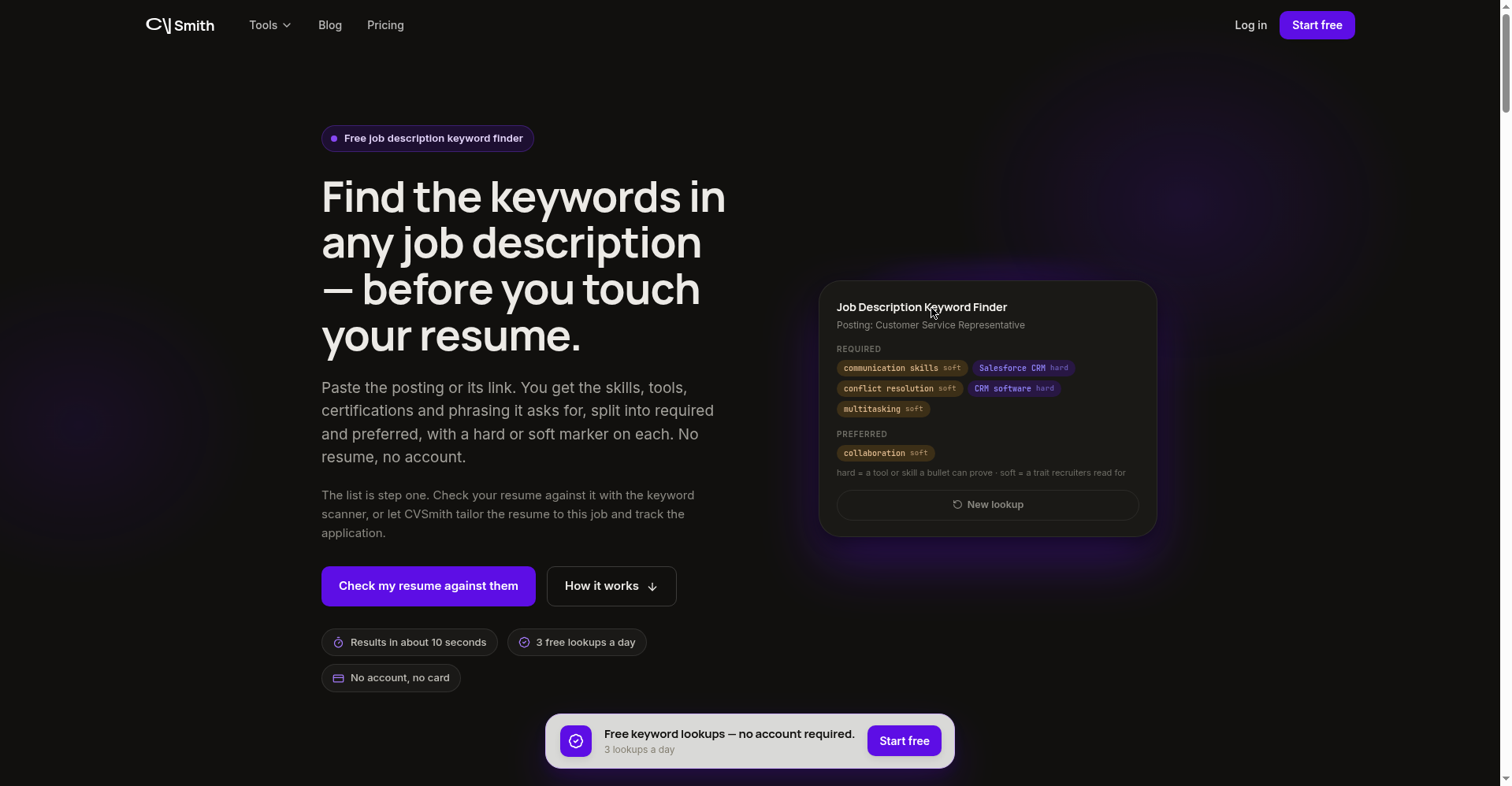
CVSmith’s “no resume needed” tool states it plainly: “3 free lookups a day. No account needed. No credit card.” My test: 6 keywords split Required (communication skills, Salesforce CRM, conflict resolution, CRM software, multitasking — tagged hard/soft) vs Preferred (collaboration).
Best for: knowing which keywords are must-haves versus nice-to-haves.
Watch out: no match score; batch your three daily lookups.
4. ResumeUp — 7 keywords free, the 8th behind an account wall
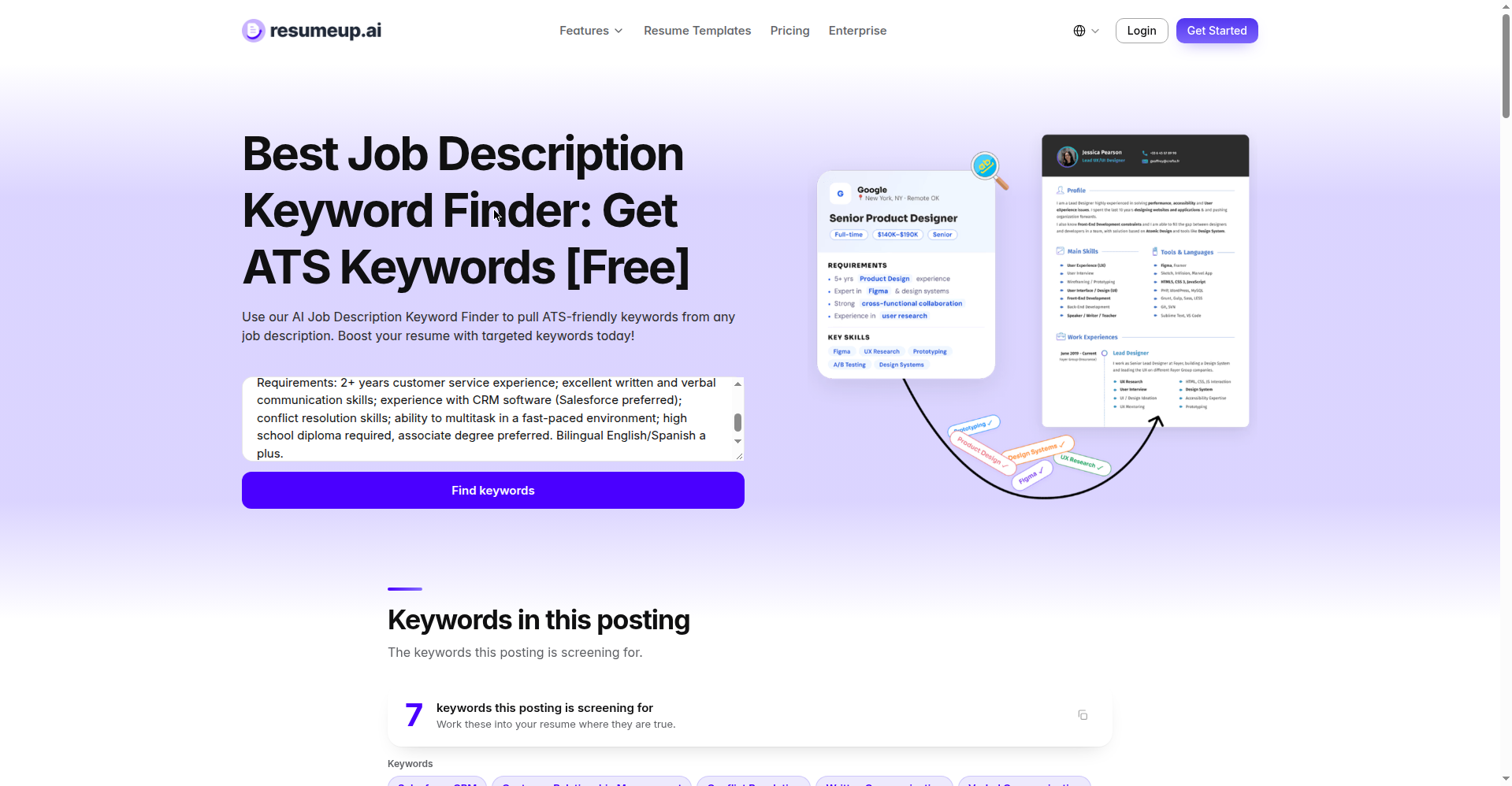
ResumeUp’s scanner showed 7 keywords free — then revealed “1 more” locked behind account creation. No categories or match score on the free side; Pro is $18/month.
Best for: a fast, clean keyword list with zero signup friction.
Watch out: that 8th keyword is the signup hook; no privacy statement on the scanner page.
5. GetInterviewIQ — “completely free, unlimited” (verified) — but bring your resume
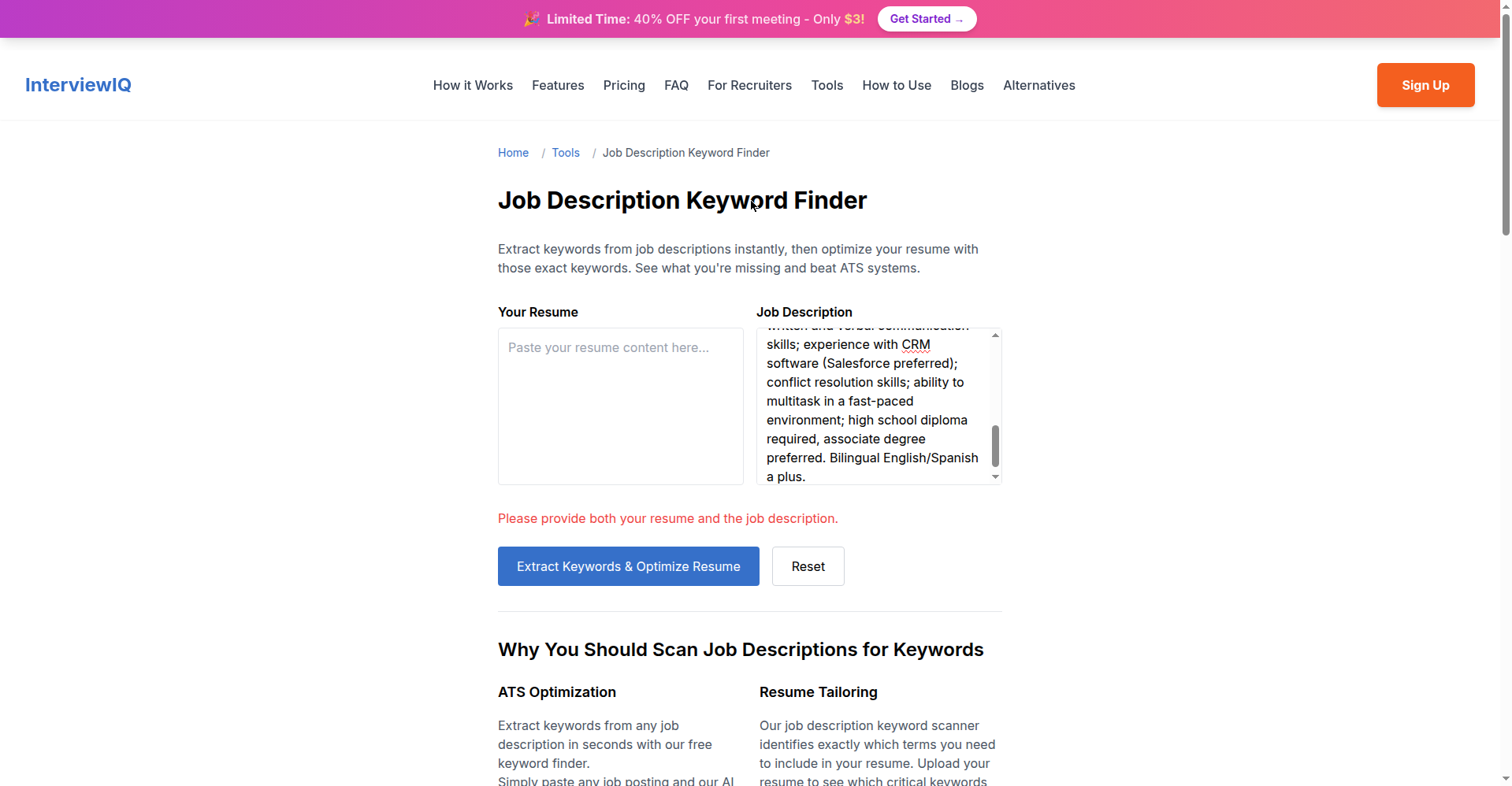
An honest incomplete test: GetInterviewIQ’s finder requires both your resume AND the job description — paste only the JD and it politely refuses. I had no spare resume and wouldn’t invent one, so I couldn’t run the full extraction. Verified on-page: “completely free” with “unlimited job descriptions,” plus the clearest privacy line I saw anywhere: “we don’t store any of your personal information.”
Best for: unlimited scans if you’re comfortable uploading your resume.
Watch out: JD-only extraction isn’t possible.
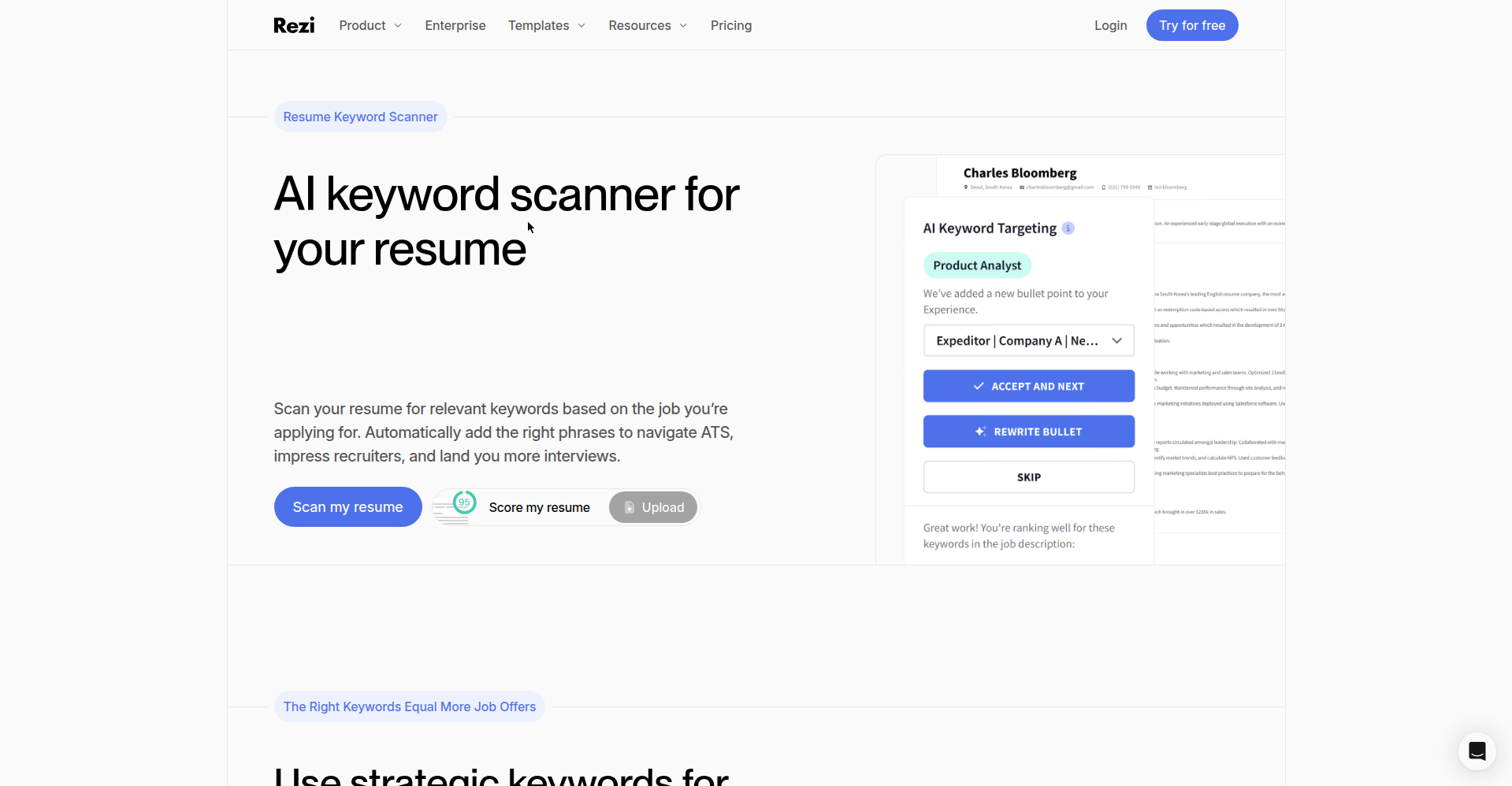
6. Rezi — the scan needs an account (despite “free & instant” on the page)
Rezi’s AI Keyword Scanner page promises “Free & Instant” with an ATS score feature — but actually scanning required uploading a resume through a Rezi account. The page is free; the scan isn’t, quite. Free plan: 1 resume, 1 AI interview, 3 PDF downloads; Pro is $29/month.
Best for: people already building in Rezi who want keyword targeting baked in.
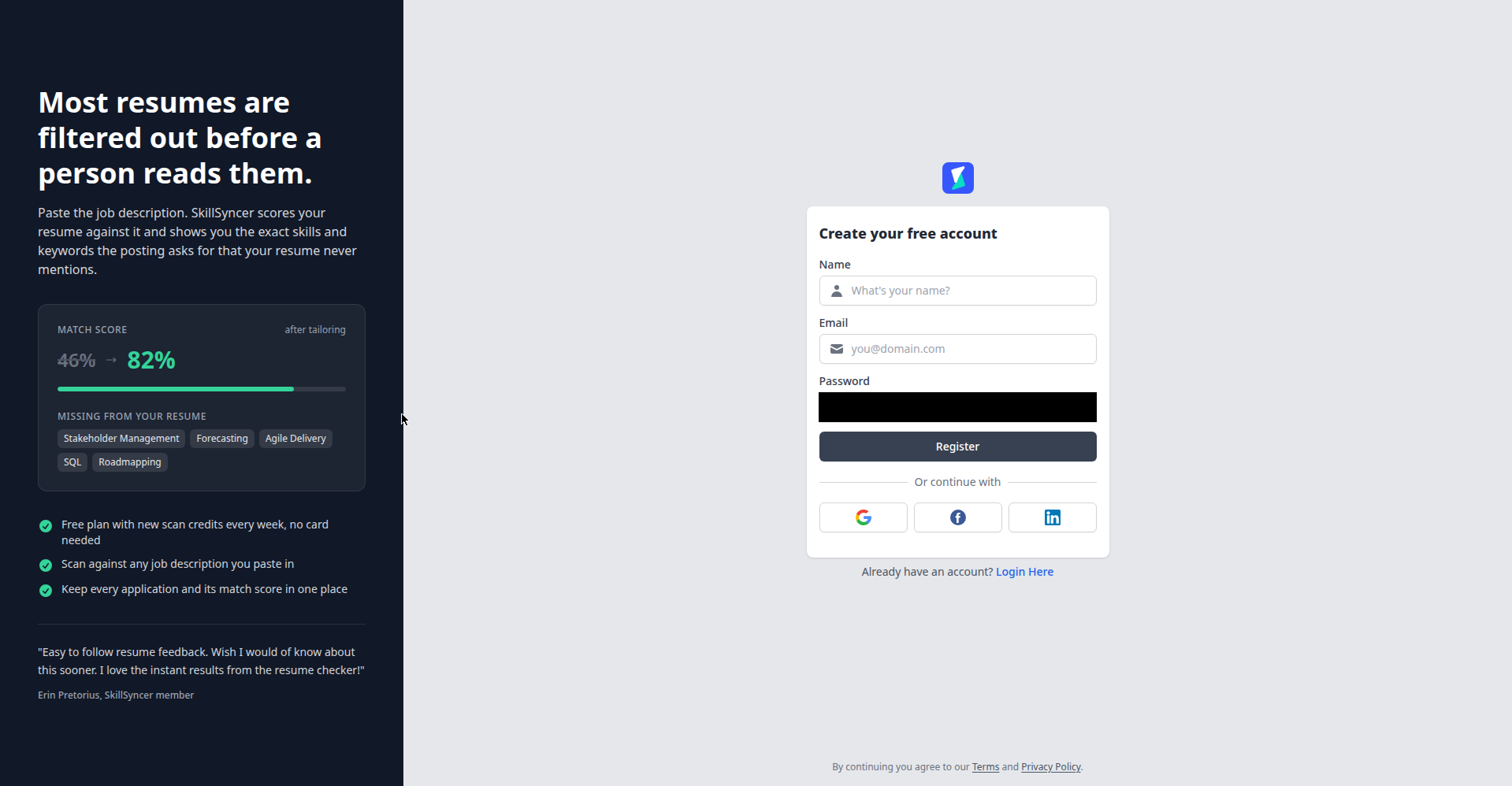
7. SkillSyncer — now gated behind signup (a correction)
Correcting my own earlier research: past roundups described SkillSyncer’s extraction as account-free. As of today, clicking “Reveal My Missing Keywords” bounces you to a registration page demanding name, email, and password. I couldn’t run a single scan without signing up, so I didn’t. The free plan promises “new scan credits every week” (no number stated). Included so you know about the wall before you click.
Watch out: full registration before any output; no pricing visible without signing in.
Two more worth knowing
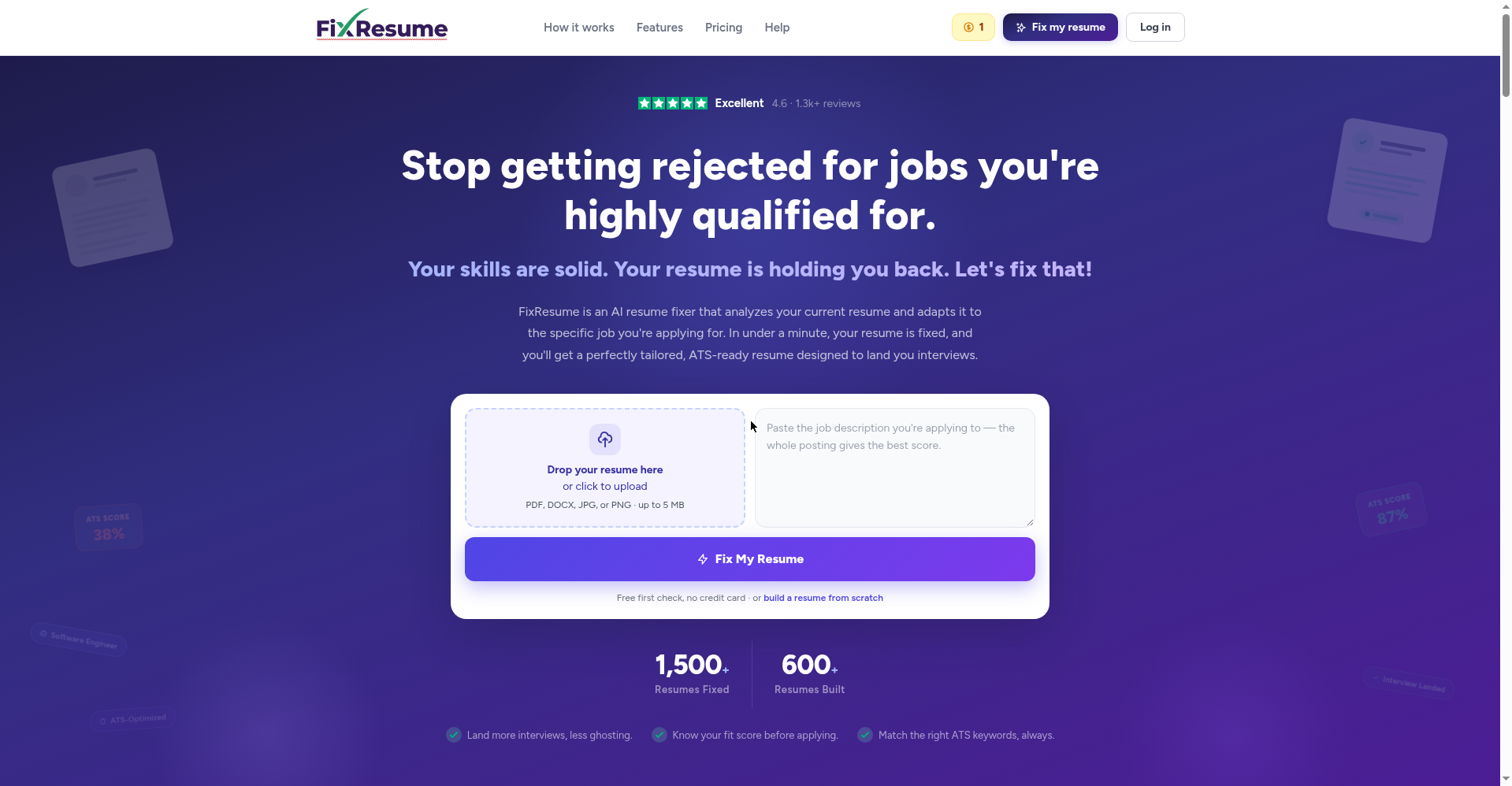
FixResume (fixresume.net): upload resume + JD, its AI rewrites your bullets with missing keywords added. Free tier: exactly 1 credit on signup (account required, no card), then $5 for 5 credits up. Best value here for one dream-job application — and an exemplary privacy line: “We never sell, share, or use your data to train models.”
Jobalytics gets a warning, not a review: jobalytics.com is dead — parked for sale. The tool seems to have moved to jobalytics.co, but that page rendered blank for me; its Chrome extension (4.3 stars, 200,000 users) is what’s left. If a guide still links jobalytics.com, that guide is out of date — and stale recommendations are exactly what I promised this site wouldn’t do.
Side-by-side: free limits compared
| Tool | Zero-signup? | Free tier gave me | Categories? | Match score? | Paid tier |
|---|---|---|---|---|---|
| Huntr | ✅ | 11 keywords, lite scanner | ✅ 6 types | No | $40/mo |
| ChatGPT guest | ✅ | 15 keywords, unlimited | ✅ via prompt | No | — |
| CVSmith | ✅ | 6 keywords, 3/day | ✅ req./pref. | No | None shown |
| ResumeUp | ✅ | 7 keywords, 1 gated | No | No | $18/mo |
| GetInterviewIQ | ⚠️ needs resume | Unlimited (stated) | Not tested | Not tested | None shown |
| Rezi | ❌ account+upload | 1 resume, 3 PDFs | In-app | Yes | $29/mo |
| SkillSyncer | ❌ registration | Weekly credits | Not tested | Not tested | Not visible |
| FixResume | ❌ account | 1 free credit | N/A | Yes | $5+/5 credits |
My honest recommendation: Huntr’s scanner for instant extraction, then Prompt 2 (the gap check below) in ChatGPT guest mode against your resume. $0, zero accounts — extraction and matching. Add CVSmith for prioritization. Unsure your formatted resume survives the parser? 7 free ATS resume checkers, same-resume comparison.
Pairs well with: our free ATS-friendly resume templates (keywords need a parseable layout), the free AI resume builders I tested (for drafting the bullets), and the cover letter generators roundup.
Made by the ToolsAxis team — we test free job-seeker tools hands-on so you don’t learn the paywalls the hard way.
Should you add every keyword to your resume? (Please don’t)
The wrong answer here can cost you the job, so let me be blunt: no — and right now is the worst possible moment to try. Checkr published its Hiring Hoax 2026 report today (October 15), surveying 3,000 US hiring managers: 68% say candidates are now better at faking applications with AI than companies are at detecting it, up from 62% last year. Employers are buying fraud-detection software specifically to catch generic AI-written resumes — one specialist quoted “a noticeable increase in AI-generated resumes, including applications that use nearly identical language, formatting and accomplishments.”
Nearly identical language — that’s what thousands of applicants stuffing the same keyword list looks like from the other side. My rule:
Recruiters aren’t rejecting keyword-optimized resumes — they’re rejecting ones where the keywords have no proof behind them. Give every keyword a bullet with a number or a result, and you’re playing a different game than the bot flood.
New this month: Novoresume’s AI resume generator
On October 11, Novoresume launched an AI resume generator with an unusual design choice: the AI drafts your resume but leaves every figure as a placeholder — “[X]%” — for you to fill in with real numbers. An explicitly anti-fabrication design, which tells you where the industry’s head is right now.
The keyword angle: an ATS-rule checker plus a resume matcher comparing your resume against the job’s requirements. Two stats from their HR survey: 82.3% of recruiters use an ATS, and workers keeping 4+ resume versions averaged 4.2 interview invitations versus 2.0 for one version — the strongest data I’ve seen for tailoring every serious application.
The $0 method: copy-paste prompts that extract keywords free forever
Two prompts I actually used in testing (guest mode, no login, no cost) — if every tool above disappeared tomorrow, these alone would still get you 90% of the value:
Prompt 1 — the extractor:
“Extract the 15 most important ATS keywords from this job description. Group them as: hard skills, soft skills, tools/software, education/certifications. For each, quote the exact phrase from the posting. Ignore generic filler words. Here’s the posting: [paste]”
Prompt 2 — the gap check:
“Here is my resume: [paste]. Here is the job description: [paste]. List the keywords from the job description that are missing from my resume, and for each one tell me whether it’s worth adding (only if it’s truthful for someone with my background) or skipping.”
Prompt 2 is the one I wish someone had given me years ago — matching and the honesty filter in one pass. (Gemini and Copilot handle both free without an account.) Strip contact details before pasting your resume into any chatbot, and never let it invent experience — that’s the fabrication pattern employers now screen for.
Frequently asked questions
What is a job description keyword finder?
A tool that scans a job posting and pulls out the key terms — skills, software, certifications, titles — that matter most for that role. Same thing as a “resume keyword finder” or “JD keyword extractor.” You use the prioritized list to tailor your resume’s wording to the posting.
Is there a free AI resume keyword finder?
Yes. In my October 2026 tests, Huntr’s scanner, ChatGPT guest mode, and CVSmith (3 free lookups/day) worked with zero signup; ResumeUp showed 7 keywords free. Others are “free” with limits — the comparison table shows where each tier ends.
What are ATS keywords, exactly?
The terms an applicant tracking system parses and weighs when ranking your resume: skills (“conflict resolution”), tools (“Salesforce”), qualifications (“associate degree”), job titles. Exact-phrase matches (“Salesforce CRM”) score better than paraphrases (“customer database software”).
Can employers tell if I used AI on my resume?
Increasingly they’re trying: Checkr’s October 2026 survey found 68% of hiring managers believe AI-assisted faking now outpaces detection, and fraud-detection tools are being bought to catch generic AI-written applications. Using AI to find keywords is fine; using it to invent experience is what’s getting flagged.
What’s the difference between keyword stuffing and natural placement?
Stuffing is keywords with no proof — a skills section listing 30 terms you never demonstrate. Natural placement is each keyword inside a bullet that proves it: “Resolved 40+ complaints weekly in Salesforce CRM,” not just “Salesforce CRM.” The two-minute interview test above is the line between them.
How many keywords should my resume have?
No magic number — cover the posting’s required keywords that are genuinely true about you. In my test, CVSmith’s required list was 5 terms; an honest 5 beats a stuffed 30. Cover the must-haves with proof, add preferred ones where truthful, stop there.
Last updated: 15 October 2026. I re-check tool pricing and free-tier claims before publishing and correct errors when I find them — if you spot one, tell me via the contact page.
Get One Useful AI Tool Tip Every Week
One practical AI tool tip in your inbox every week. No spam, unsubscribe anytime.

We’re the team behind ToolsAxis. We hands-on test free AI tools for job seekers — signing up for free plans, taking real screenshots, and fact-checking every claim before publishing. Our guides cover resumes, ATS optimization, interview prep, and LinkedIn.
Enjoying ToolsAxis guides?
Add us as a Preferred Source on Google — you'll see our latest tools and guides first in Search, Top Stories, and AI Overviews.