

8 Free AI Resume Builders That Are Actually Free in 2026 (I Checked Every Paywall)
Novoresume launched a brand-new AI resume generator today — and their survey of 2,000 job seekers found something sobering: 1 in 4 people who let AI write most of their resume lost a job over something on it. So which free AI resume builders can you actually trust with your job search? The short answer: Rezi and Resumai give you the most genuinely free AI help, Teal is best if you’re applying to lots of jobs, and FlowCV is beautifully free but has no AI writing at all. I opened all eight, clicked through every pricing page, and mapped exactly where each “free” plan asks for your card — so you don’t have to learn the hard way.
In this guide you’ll find:
- Today’s news: Novoresume’s brand-new AI Resume Generator (launched Oct 12, 2026) and what its free tier really includes
- 8 free AI resume builders compared side by side — what’s actually free, where the paywall hits, and whether your download gets watermarked
- My honest “free trap” audit: which tools let you download without paying a cent, and which ones just pretend to
- The 1-in-4 stat every job seeker should know before letting AI write their resume — plus how to use AI without lying
- A free ChatGPT/Gemini workflow (job description → keywords → bullets → ATS-safe format) with copy-paste prompts
- Guidance for students, fresh graduates, and career changers
- FAQ answering the exact questions Google’s “People also ask” box shows for this topic
TL;DR — the 30-second version:
- Most generous free AI: Rezi (AI writer included free; only 3 lifetime PDF downloads) and Resumai (free AI writing + job-description tailoring + ATS check, watermark-free downloads).
- Best for applying to lots of jobs: Teal (unlimited resumes, free PDFs; ~10 free AI credits, then they’re gone).
- Best free formatting, no AI: FlowCV (1 resume, 50+ templates, unlimited watermark-free PDFs — but zero AI writing on the free plan).
- Watch the paywall: Canva’s Magic Write gives 25 lifetime free uses; Kickresume’s free plan has no AI writer; Novoresume’s free tier covers one single-page resume.
- The golden rule: let AI draft, but you fill in every number and fact — 1 in 4 people who handed their whole resume to AI lost a job over something on it.
How we tested: On October 12, 2026, I opened all 8 builders in a browser and walked through each one’s homepage, builder page, and pricing page. I recorded exactly what the free plan includes, what triggers a paywall, whether signup or a credit card is required, and whether free downloads carry a watermark. I did not create paid accounts, and I won’t claim I tested anything I couldn’t see. Prices and limits below are what each company’s own site showed on the day I checked — the ToolsAxis Team re-verifies these before every update. (More about who’s behind this site on our About page.)
What does “free AI resume builder” even mean in 2026?
Here’s the thing nobody tells you: “free AI resume builder” means wildly different things depending on the site. Some give you a genuinely free builder with real AI help. Others give you a free template filler and charge the moment you want AI to write anything. And a few let you build the whole resume free, then hold your PDF hostage at the download button. That’s why I mapped the exact moment “free” stops for each one — deep breath, let’s walk through it together.
The 8 tools, compared: where “free” really ends
Before the individual reviews, here’s the whole picture in one table. This is the table I wish someone had handed me when I started.
| Tool | What’s genuinely free | Where the paywall hits | Free download watermark? | Signup needed? |
|---|---|---|---|---|
| Rezi | 1 resume; AI Resume Writer + AI Editor included (rare on free plans) | 3 PDF downloads, lifetime — then you pay; extra resumes, full keyword targeting → Pro | No | Yes |
| Resumai | Full builder, AI writing, rewrites resume for each job description, live ATS check, PDF + Word export | Unlimited AI rewrites, cover letters, interview practice → Pro | No | Email only (no card) |
| Teal | Unlimited resumes, unlimited job tracking, 10 templates, free PDF downloads | ~10 one-time AI credits — once used, AI help stops; full keyword matching → Teal+ | No | Yes |
| Novoresume | 1 single-page resume, 8 templates, AI content suggestions, free PDF download | Second page, multiple resume versions, cover letter, more templates → Premium | Yes — Novoresume branding on free PDFs; clean downloads need Premium | Yes |
| Kickresume | 4 resume templates + 4 matching cover letters; unlimited downloads on free options | AI Writer and ATS checker are paid-only; 40+ templates → Premium | No (paid features are labeled in-app) | Yes |
| Canva | Thousands of templates, drag-and-drop editor, free PDF/PNG export | Magic Write AI: 25 lifetime free uses; premium templates/elements cost extra | Only on premium elements (crown-marked) | Yes |
| FlowCV | 1 resume + 1 cover letter, 50+ templates, unlimited watermark-free PDFs, free forever | Second resume/version → paid; AI writing assistance is paid-only | No | Yes |
| ResumeUp.AI | 20 AI credits (≈2–3 resumes + cover letters); ATS-tested templates; free mock interviews | Credits run out; unlimited AI features → paid | No | Yes |
See the pattern? The AI part is the first thing to go behind a paywall. Honestly, that’s the single most useful thing I learned doing this: if a “free AI resume builder” doesn’t spell out its AI limits on the pricing page, assume the AI is the upsell.
1. Rezi — the most generous free AI writer (but count your downloads)
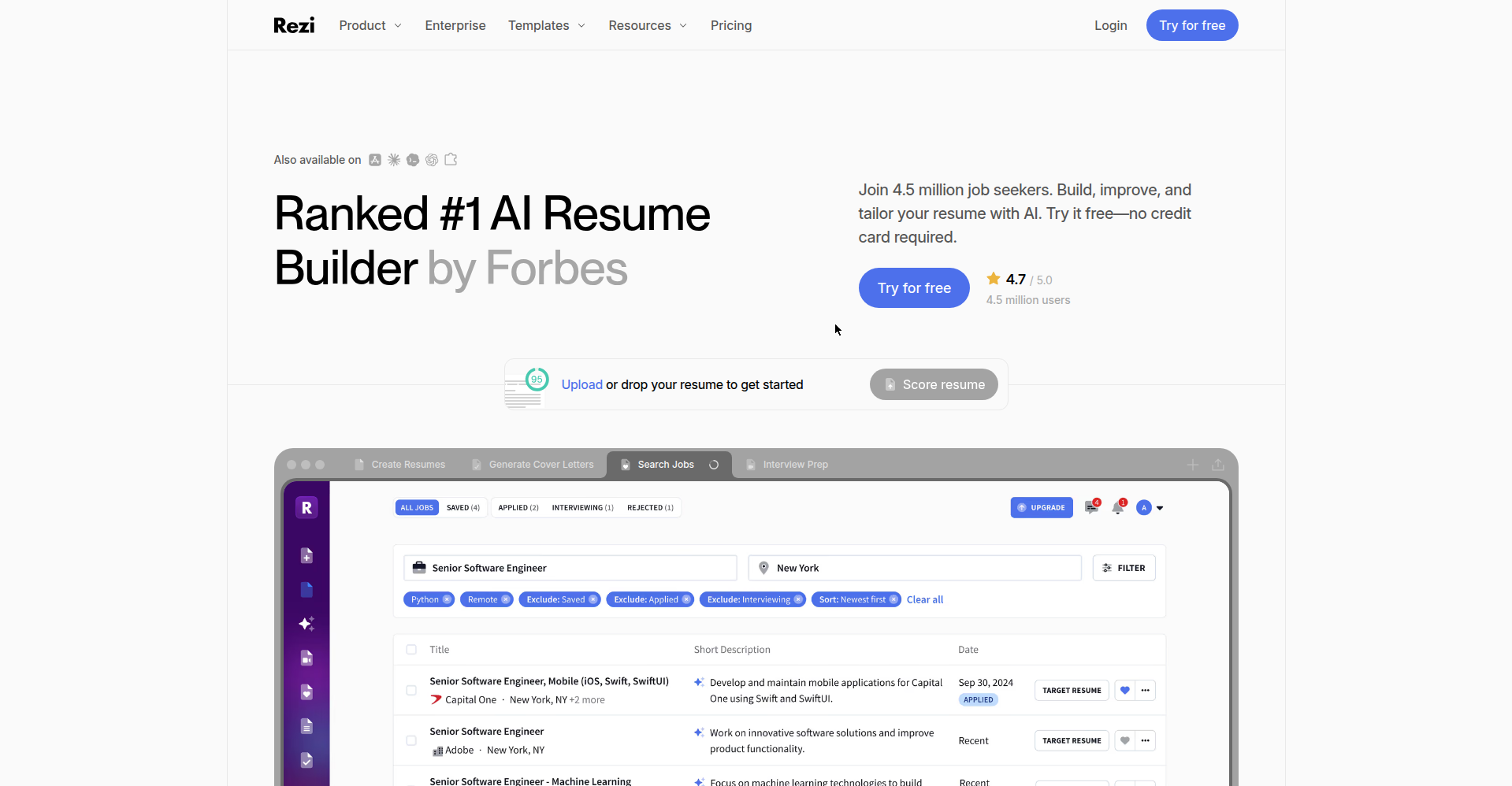
Rezi surprised me. Most builders treat AI writing as the premium carrot; Rezi just… includes its AI Resume Writer and AI Editor on the free plan. You get one resume, and the AI will genuinely help you draft and polish it. For a nervous first-timer, that’s a big deal — you’re getting real help, not a demo.
Now the catch, and it’s a specific one: 3 PDF downloads, lifetime. Not per month — ever. Download your resume a fourth time (say, after tweaking it for a new application) and you’ll hit the paywall. So here’s my advice: build and polish inside Rezi, and only hit download when the resume is truly final. Or download once and make small edits elsewhere.
Rezi Pro costs $29/month or $149 as a one-time lifetime payment (30-day money-back). The free tier also includes a limited version of their Rezi Score, which rates how your resume might fare. No watermark on free downloads, but you do need an account.
Best for: one carefully targeted application where you want maximum AI help for zero money. Watch out for: that 3-download lifetime cap — it’s the strictest download limit of all seven.
2. Resumai — the quiet overachiever (free AI + JD tailoring + ATS check)
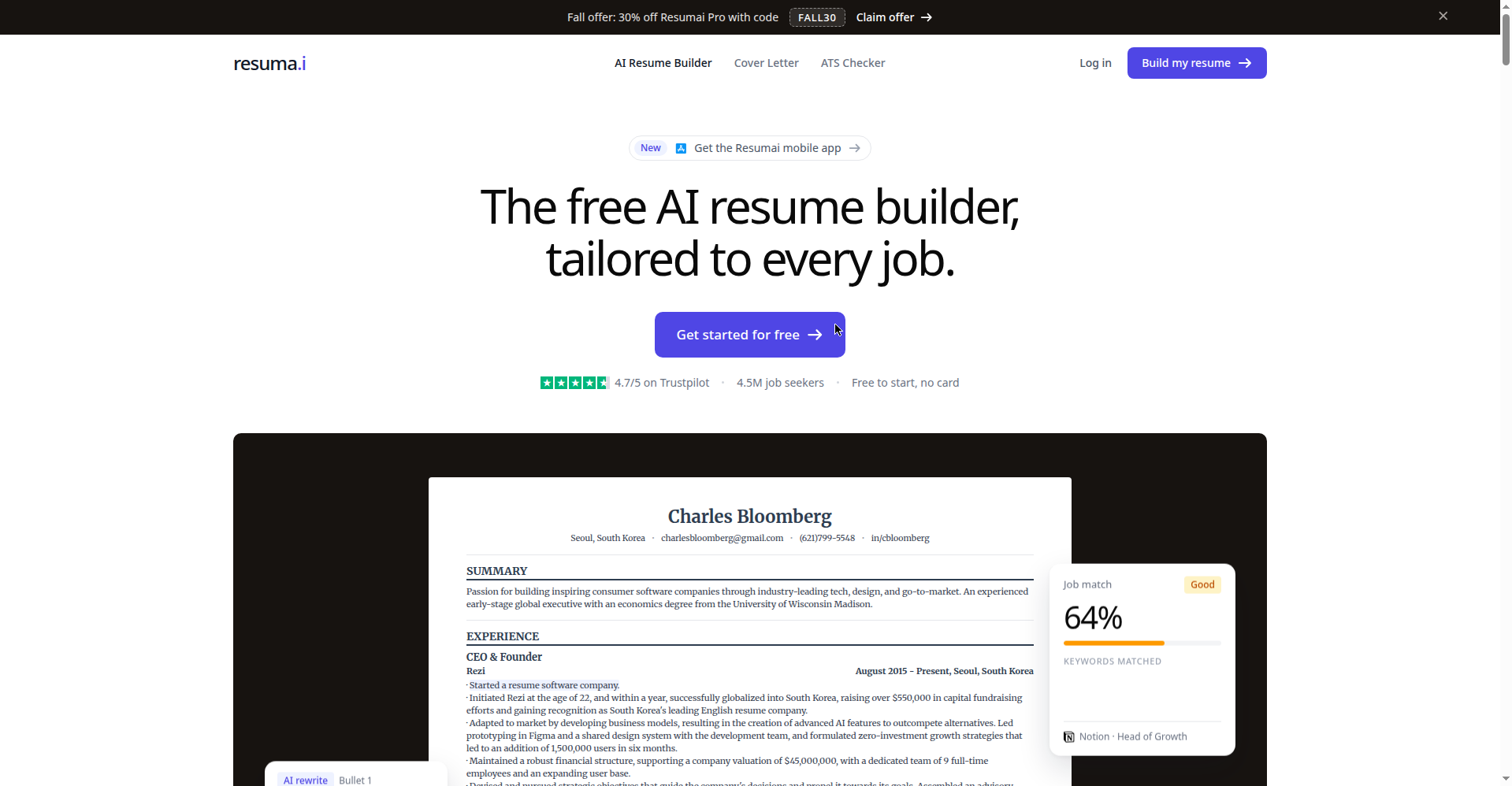
Resumai is Rezi’s free consumer product, and it might be the best-kept secret on this list. The free plan includes the full builder, AI resume and summary writing, and — this is the part that made me sit up — it rewrites your resume for each job description: new summary, reordered bullets, added keywords. Plus a live ATS checker. PDF and Word downloads, no watermark, no credit card. Just an email signup.
That’s… a lot for free. The paywall sits at Resumai Pro ($29/month or $149 lifetime): unlimited AI rewrites, tailoring for every single application, cover letters, and interview practice.
Best for: job seekers who want to tailor every application (which, by the way, is exactly what gets you past the ATS — more on that in the workflow section). Watch out for: nothing major on the free tier itself; the question is just how far the free AI rewrites stretch before Pro starts looking tempting.
3. Teal — the high-volume applier’s best friend
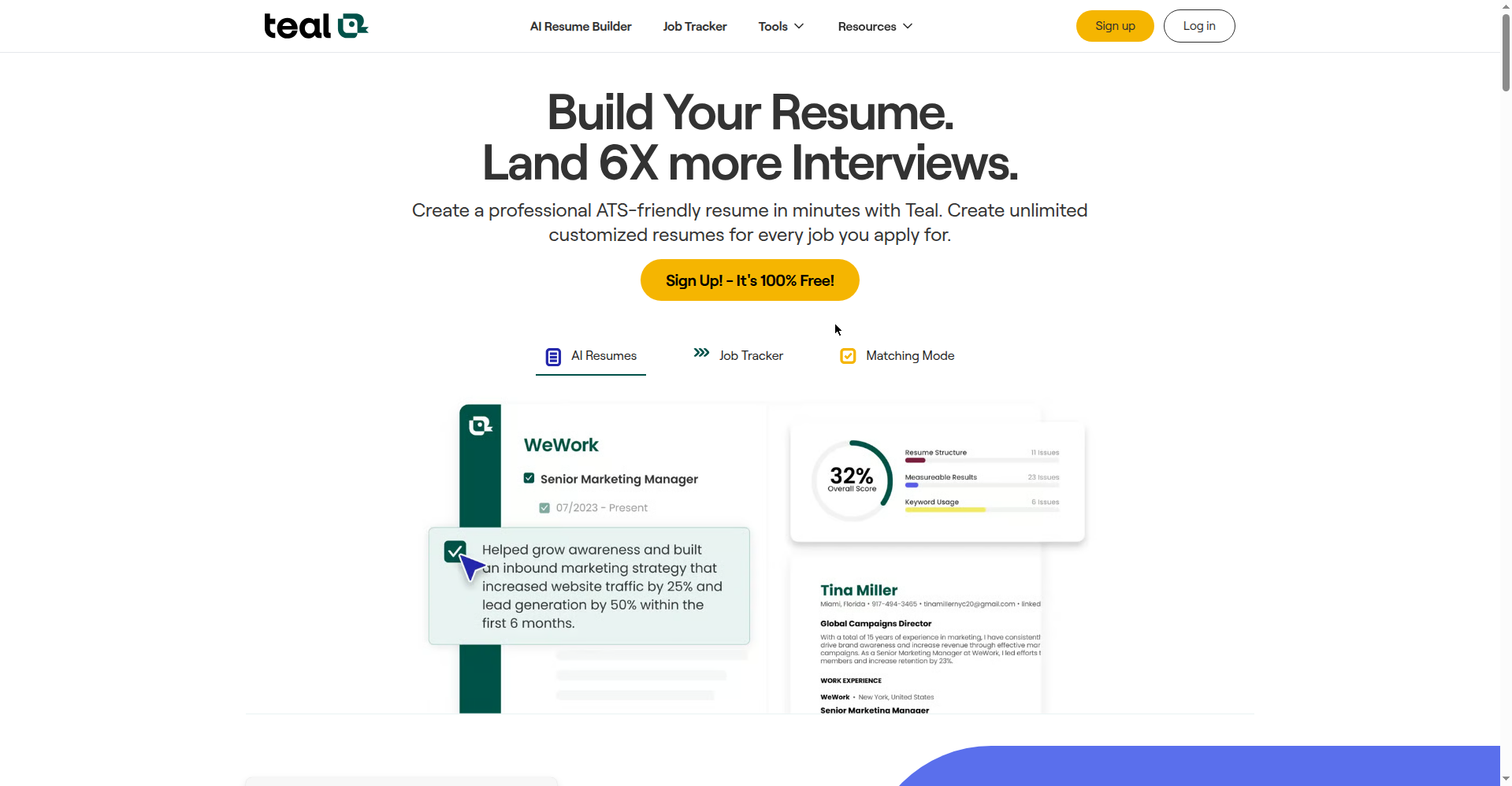
Applying to dozens of jobs? Teal was built for you. Unlimited resumes. Unlimited job tracking (it doubles as an application tracker, which I love — one less tool to juggle). Ten templates. Free PDF downloads. No watermark.
The AI situation: you get around 10 one-time AI credits for things like bullet points and summaries. Use them wisely, because once they’re gone, they’re gone — the AI well runs dry unless you upgrade to Teal+. Full keyword matching against job descriptions is also a paid feature, though you do get your top-5 keyword matches free.
Teal+ runs $13/week, $29/month, or $79/quarter. There’s also a Chrome extension and two free interview-practice sessions thrown in, which is a nice touch.
Best for: anyone playing the numbers game — new grads, career changers casting a wide net. Watch out for: spend those 10 AI credits on your hardest sections (bullets and summary), not on fiddling.
4. Novoresume — solid free basics, plus big news today
Okay, today’s headline first: Novoresume launched a brand-new AI Resume Generator today (October 12, 2026). You feed it a job posting plus a short career history, and it drafts a full resume — summary, experience bullets, skills — for that specific role. The clever bit: every number and personal fact comes out as a blank, like “[X]%”, for you to fill in yourself. That’s a direct response to their own survey finding (more on that below), and honestly, it’s the most responsible AI resume design I’ve seen.
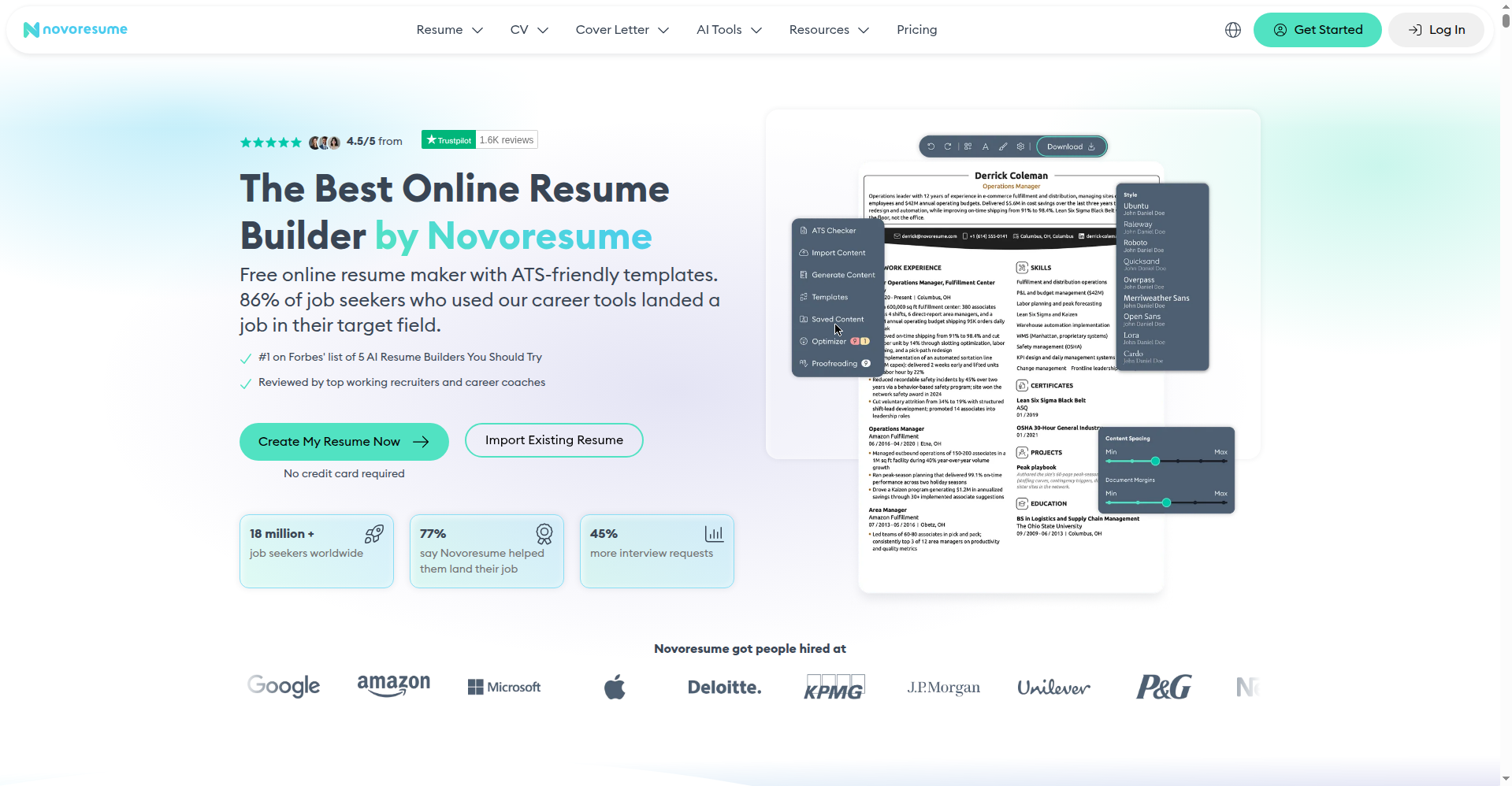
The regular free Basic plan: one single-page resume, predefined layouts, 8 templates, 3 fonts, AI content suggestions while you write, and free PDF download. The paywall hits at page two — want a second page, multiple resume versions, a cover letter, or the full template library? That’s Premium: $23.99/month, $49.99 for 3 months, or $199.99/year. Fair play to them: those are one-time payments with no auto-renewal, which is refreshingly honest in this industry.
One honest caveat: free Novoresume PDFs carry Novoresume branding. Their pricing page lists “No Watermark/Branding” as a Premium feature, and their own comparison table confirms “Novoresume branding stays” on the Basic plan. So your free resume downloads fine — it just advertises Novoresume at the bottom. If that bothers you, Premium removes it.
Best for: anyone who wants structure and guidance — reviewers consistently say it “teaches good resume practice as you build.” Watch out for: the single-page limit on free; experienced professionals with long histories will feel squeezed.
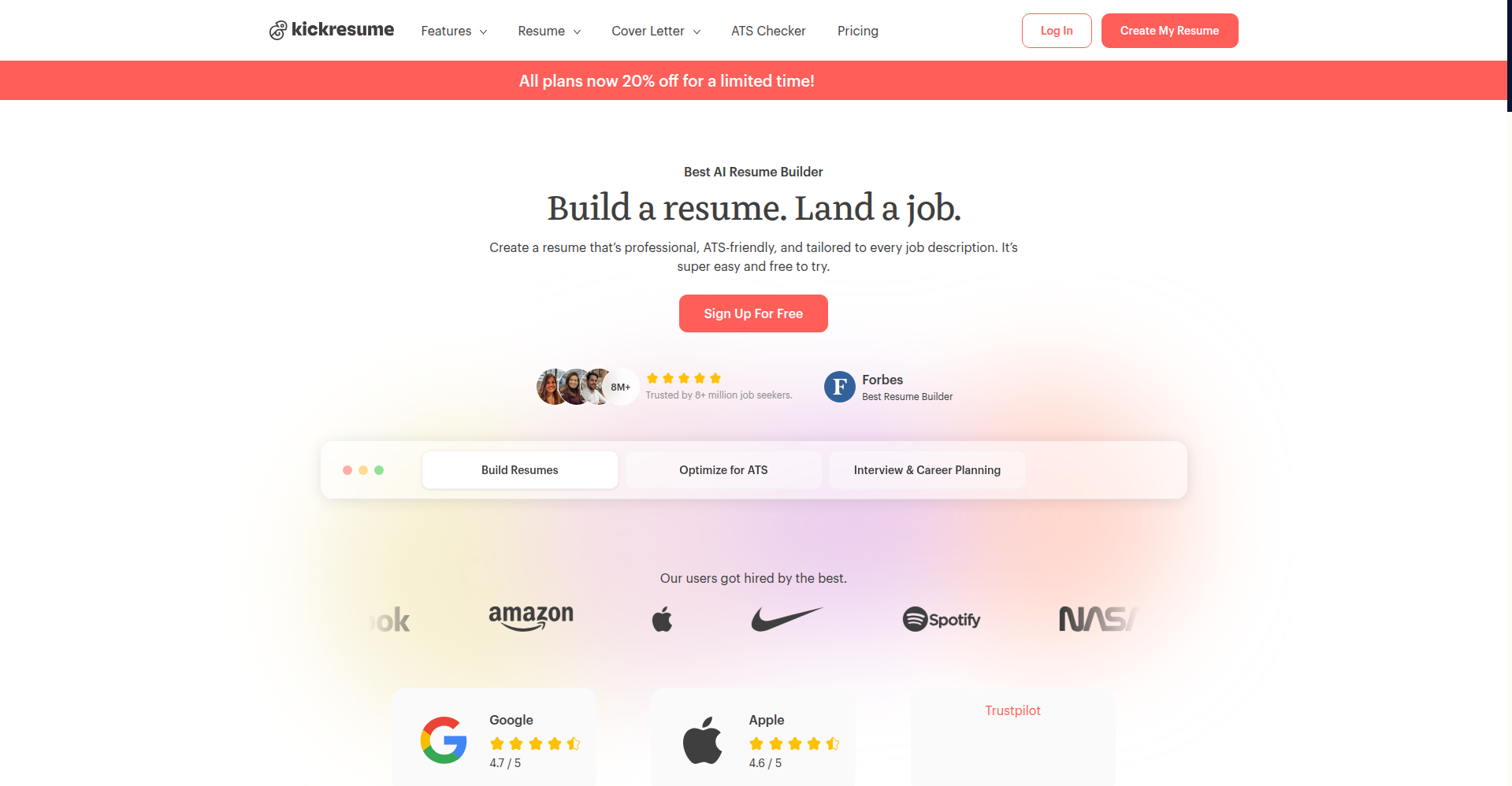
5. Kickresume — clean free templates, but the AI costs extra
Kickresume’s free plan is straightforward: 4 resume templates plus 4 matching cover letters, and unlimited downloads as long as you stick to the free customization options. Exports come out clean with no watermark, and paid features are clearly labeled inside the app so you’re never ambushed.
Here’s the honesty bit: the free plan has no AI Writer and no ATS checker. Those are Premium-only ($24/month, $54 for 3 months, $96/year). So is it really a “free AI resume builder”? Only loosely — it’s a genuinely free resume builder with AI as the upsell. Still useful, especially since students can get 6 months of Premium free through student discount programs.
Best for: design-conscious job seekers who mainly need beautiful formatting for free. Watch out for: don’t come here expecting free AI writing — that’s the paid tier.
6. Canva — endless templates, tiny AI allowance, ATS caveat
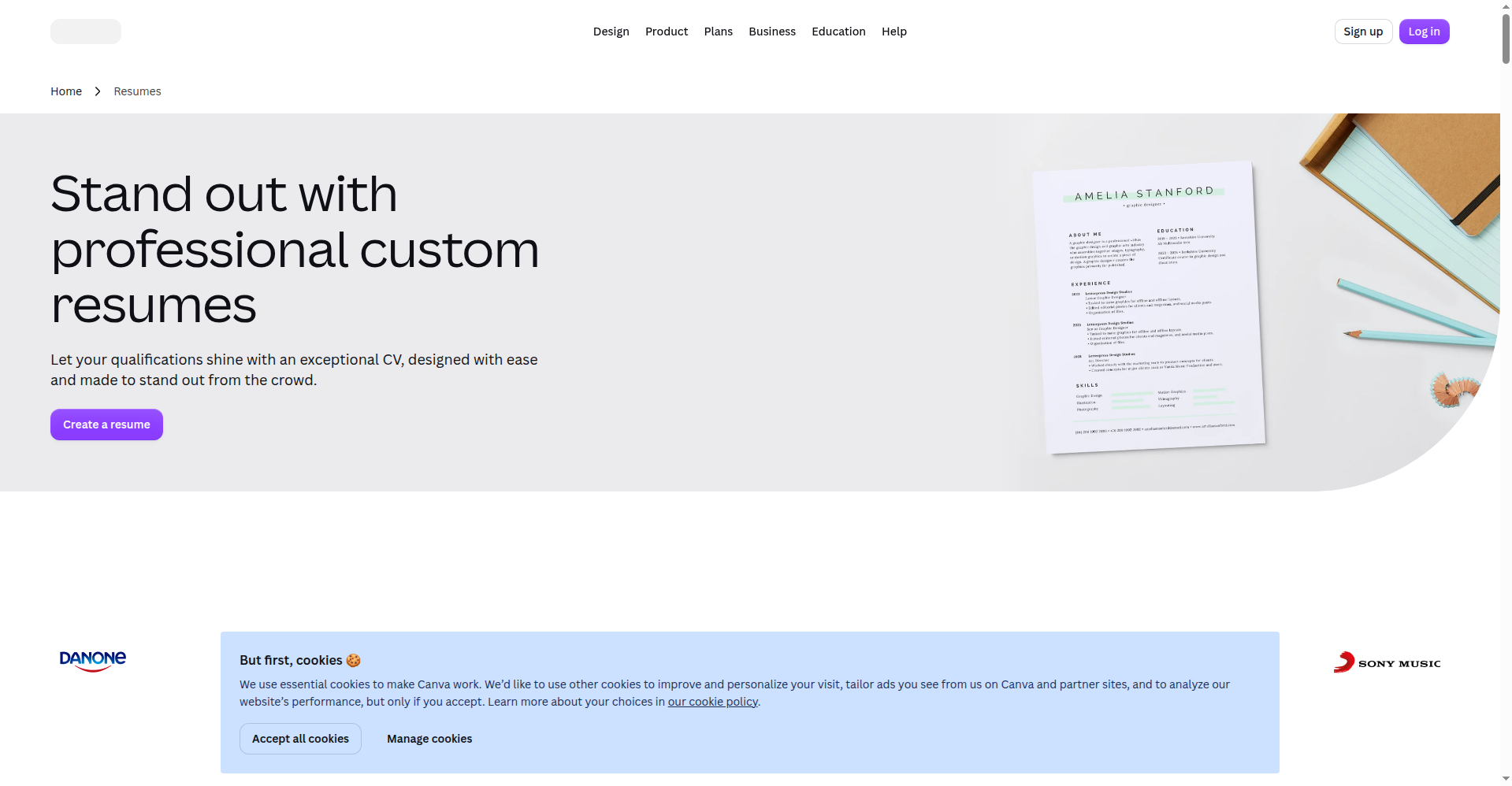
You already know Canva. Thousands of resume templates, the drag-and-drop editor everyone can use in five minutes, free PDF/PNG/JPG export. For pure design freedom, nothing free touches it.
Two caveats, and the second one matters more. First, the AI: Magic Write gives you 25 lifetime uses on the free plan (250/month on Pro at ~$15/month). Twenty-five sounds fine until you’re tailoring ten applications. Second — and please hear me on this — those gorgeous graphic templates can choke an ATS. Fancy layouts with graphics, tables, and unusual fonts don’t always parse correctly in applicant tracking systems, which means a human might never see your beautiful resume. If you use Canva, stick to its simplest, single-column templates, and check our free ATS-friendly resume template guide before you export.
Also note: templates and elements marked with a crown are premium — they’ll export with watermarks unless you swap them for free alternatives.
Best for: creatives and anyone who wants total visual control. Watch out for: ATS parsing on graphic templates; keep it simple.
7. FlowCV — free forever, but bring your own words
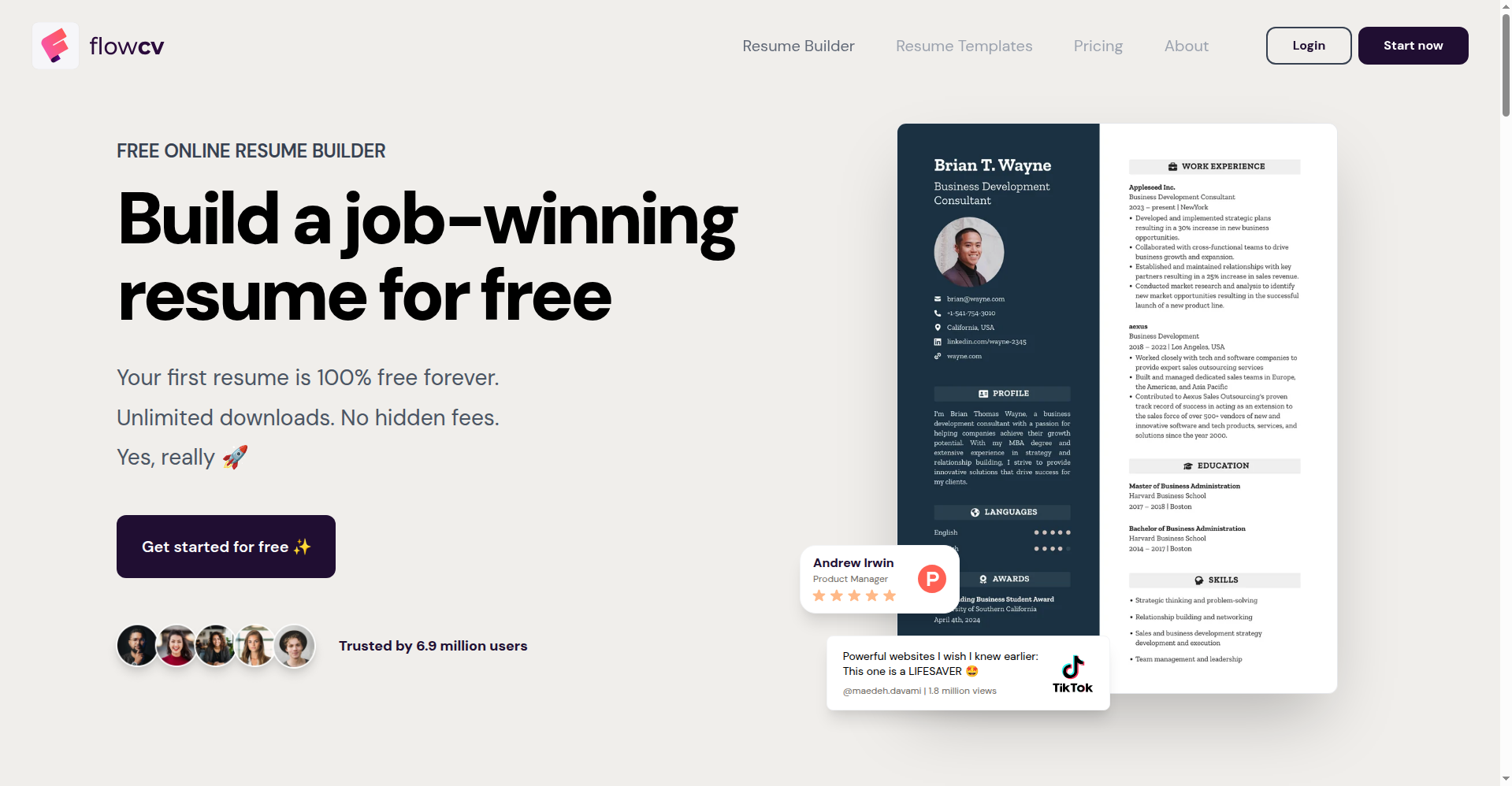
FlowCV wins the “most honestly free” award: one resume plus one cover letter, 50+ templates, full design control, unlimited watermark-free PDF downloads — free forever, no trial games, no credit card. I respect that enormously.
But let’s be straight with each other: the free plan has no AI writing at all. AI assistance and saving multiple resume versions are the paid extras (FlowCV’s own site confirms both are paid-only). So FlowCV is the answer to “I need a beautiful, ATS-safe resume for free,” not “I need AI to write my resume for free.” Pair it with the free ChatGPT workflow below and you’ve got a genuinely $0 setup.
Best for: anyone who can write it themselves but wants it to look professional. Watch out for: one resume only — if you’re tailoring per application, you’ll be editing and re-downloading the same file.
8. ResumeUp.AI — the all-in-one: resume + cover letter + mock interview
ResumeUp.AI is the only tool on this list that bundles the full job-search stack. The free tier gives you 20 AI credits — enough for about 2–3 tailored resumes plus matching cover letters, according to their own FAQ. And it’s not just a builder: you get free AI mock interviews (2–3 sessions, no credit cost) and a LinkedIn optimizer, all without a credit card.
The standout claim: ResumeUp.AI says it tests its templates against five major ATS platforms every quarter — Workday, Greenhouse, Lever, iCIMS, and Oracle Taleo. That’s the most specific ATS-testing promise I’ve seen from any free builder. If you’re nervous about whether your resume will parse, this is reassuring.
Best for: job seekers who want resume, cover letter, and interview practice in one free account. Pair the mock interviews with our free AI mock interview tools guide, and use the cover letter generator alongside our free AI cover letter generator guide. Watch out for: 20 credits go fast if you’re tailoring for many jobs — use them for your top-priority applications.
Two more worth knowing: Quillbot and Genspark
Quillbot isn’t a resume builder — it’s a paraphrasing tool, and that’s exactly why it’s useful. The free tier lets you paraphrase up to 100 words in two modes (Standard and Fluency) plus fix basic grammar errors. Paste a weak bullet like “Responsible for helping customers” and Quillbot suggests stronger phrasings. The honest limitation: 100 words at a time means you’re polishing bullet-by-bullet, not generating a full resume. And it won’t help with structure or ATS formatting — pair it with FlowCV for the layout.
Genspark takes a different approach: instead of form fields, you describe what you want in plain language (“Write a resume for a retail associate with 2 years of experience”) and its AI builds it. You get free credits to start, no card required. It can tailor to job postings and handles career changes well. The honest limitation: it’s credit-based, so the free credits run out — and it’s not a traditional template builder, so you have less visual control than FlowCV or Canva.
The stat that should change how you use all of these
Remember that Novoresume survey from today’s launch? Let me put the numbers in front of you, because they stopped me cold:
- 42.6% of job seekers used AI the last time they updated their resume.
- 27.1% sent an employer a resume written almost entirely by AI, with no real edits.
- People who let AI write most of their resume were 3 times more likely to admit something on it was inaccurate (74.8% vs 24.6%).
- 1 in 4 of them lost a job over something on their resume.
And just this week, the Financial Times asked an even spicier question: “What if AI prefers CVs written by AI?” — reporting signs that AI screening tools may favor AI-written applications. Think about what that means: the machines might reward AI polish while human recruiters punish AI inaccuracies. You’re caught in the middle.
So here’s my older-sibling advice, and I mean it kindly: let AI do the structure and the wording. You do the facts. Every number, every date, every achievement — that’s yours to fill in. Novoresume’s new generator literally leaves them as blanks, and I think every tool should steal that idea. As their co-founder put it: a quarter of people who handed their whole resume to AI lost a job over something on it. Don’t be the quarter. Be the person whose resume is AI-polished and 100% true.
The 2-minute honesty check (do this before every application):
- Read every bullet out loud. If you can’t explain it in an interview, cut or fix it.
- Check every number — percentages, dollar amounts, team sizes. AI loves inventing these.
- Ask: “Did I actually do this?” If the AI upgraded “helped with” to “led,” change it back.
- Run the final version through a free ATS check (Resumai and Novoresume both include one free).
No budget? The $0 AI workflow (job description → application)
Here’s a secret the tool roundups won’t tell you: you don’t need any builder’s AI at all. Free ChatGPT or Gemini plus a free formatter like FlowCV gives you the whole pipeline for $0. (One heads-up: Google moved free Gemini accounts to its lighter Flash-Lite model on October 9, so keep prompts simple and specific — it handles structured tasks like this just fine.)
Step 1 — Steal the job description’s keywords. Paste the JD into ChatGPT or Gemini with this prompt:
“Here is a job posting: [paste]. List the 12 most important skills and keywords the hiring manager is screening for, as a plain bullet list.”
Step 2 — Turn your duties into achievement bullets. For each role:
“Turn these duties into 4 resume bullet points with strong action verbs. Leave [brackets] anywhere you’d need a real number from me: [paste your duties]. Keep each bullet under 25 words.”
Step 3 — Fill in YOUR numbers. Replace every [bracket] with a real figure. This is the step AI can’t do for you — and the step that keeps you out of that 1-in-4 statistic.
Step 4 — Format it ATS-safe. Paste your finished text into FlowCV (free) or check it against our ATS-friendly template guide: one column, standard headings (Experience, Education, Skills), no graphics, no tables.
Step 5 — Practice talking about it. Once the resume is done, run a free AI mock interview using your own bullets as material — if you stumble explaining an achievement, the bullet needs rewriting.
Quick picks by situation
Students and fresh graduates: start with Resumai (free AI writing turns coursework and part-time jobs into real achievement bullets) or Teal (unlimited resumes while you experiment). No judgment here: everyone starts thin — phrase what you have done as results, not duties.
Career changers: Novoresume’s new generator was designed for your situation — paste the target posting and let it reframe your history. Do the honesty check above with extra care, since reframed duties are where AI exaggerates most.
Applying everywhere, fast: Teal’s unlimited resumes + built-in tracker, or the $0 ChatGPT + FlowCV combo once AI credits run out.
One dream job, maximum polish: Rezi’s free AI writer for the draft, Resumai’s free ATS check before sending. Remember Rezi’s 3-download lifetime cap — download once, when it’s final.
No signup, no account: open-source options like Reactive Resume run entirely in your browser with no account. I haven’t hands-on tested it for this article, so take it as a lead worth exploring if signup walls bother you.
Match the builder to your situation
Different job searches need different tools:
- Career changer: Genspark (describe your target role in plain language and let it reframe your history) or Resumai (free AI rewrites your resume for each job description).
- Experienced professional: Rezi (the free AI writer gives you maximum polish for that one dream-job application; just remember the 3-download lifetime cap).
- High-volume applier: Teal (unlimited resumes + built-in job tracker; spend the ~10 free AI credits on your hardest bullets, then switch to the $0 ChatGPT + FlowCV workflow).
ATS sanity checklist for any builder’s output
Before you submit a resume from any of these builders, run this 2-minute check:
- Single-column layout. No two-column designs, no sidebars — parsers read top-to-bottom, left-to-right.
- Standard headings. Use “Experience”, “Education”, “Skills” — not “My Journey” or “What I Bring”.
- No tables, text boxes, or graphics in the parse path. If the builder inserted them, remove or replace with plain text.
- Keywords mirrored. The exact terms from the job posting appear in your summary, skills, and bullets.
- Export and re-check. Download as both .docx and PDF, then paste the text into a plain text editor — if it comes out garbled, the ATS will struggle too.
For the full breakdown of what makes a template parse correctly, see our ATS-friendly resume template guide.
Frequently asked questions
Is there a completely free AI resume builder?
Yes — several, with limits. Resumai offers free AI writing, job-description tailoring, and ATS checks with watermark-free downloads. Rezi includes a free AI writer but caps you at 3 lifetime PDF downloads. Teal gives unlimited free resumes with about 10 one-time AI credits. No tool gives you unlimited everything for free; the AI features are always the first thing paywalled.
Can I download an AI-built resume as a PDF for free?
With most tools here, yes: Rezi (3 lifetime downloads), Resumai, Teal, Kickresume, Canva, and FlowCV (unlimited) all export free PDFs. Two branding notes: Canva’s premium templates export with watermarks, and Novoresume’s free PDFs carry Novoresume branding (removing it needs Premium).
Which free AI resume builder is best for ATS?
Resumai and Novoresume both include free ATS checkers inside the builder, which puts them ahead for ATS safety. Rezi was built specifically around ATS optimization. Whatever tool you use, choose a simple single-column template — graphic-heavy designs from Canva-style editors are the biggest ATS risk, not the AI text.
Is it okay to use AI to write my resume? Will recruiters know?
Using AI for structure, wording, and tailoring is fine and increasingly normal — 42.6% of job seekers did it on their last resume update, per Novoresume’s 2026 survey. ATS software doesn’t detect AI authorship — it parses text regardless of who wrote it. What’s not okay is sending AI-invented facts: 1 in 4 people who let AI write most of their resume lost a job over something on it. Recruiters may not detect AI wording, but they will catch fake numbers in an interview. Let AI draft; you verify every fact.
Can AI tailor my resume to a specific job description?
Yes — this is one of AI’s best uses. Resumai rewrites your summary and reorders bullets for each job posting on its free plan, and Novoresume’s new AI Resume Generator (launched October 12, 2026) drafts from the posting directly. Or use the free ChatGPT workflow above with any job description.
Do I need to sign up or give a credit card?
You’ll need an account (usually just email) for all eight tools here. None of them required a credit card for the free plans I checked — if any resume builder asks for card details “for verification” before showing you the free tier, close the tab. That’s the classic free-trial trap, and legitimate free tiers don’t need it.
Resume or CV — which do I need?
In the US and Canada, “resume” means the 1–2 page summary employers expect; in the UK, Australia, and most of Europe, “CV” is the standard term for the same document (an academic CV is the longer exception). All eight tools work for either — just pick the template length your market expects.
Which free builder is best for students with no experience?
Resumai or Teal. Resumai’s free AI writing helps turn coursework, projects, and part-time jobs into real achievement bullets, and Teal’s unlimited resumes let you experiment. No judgment here: everyone starts with a thin experience section — the trick is phrasing what you have done as results, not just duties.
Resume builder vs CV maker — what’s the difference?
It’s the same product wearing a different name tag. “Resume builder” is the US term, “CV maker” is what the same tool calls itself in the UK, Europe, and Australia. The underlying product — templates, AI writing, PDF export — is identical. Don’t pay extra for a “CV maker” thinking it’s a different or better tool; it’s marketing, not a feature difference.
What is the 7-second rule?
Recruiters spend about 7 seconds on an initial resume scan before deciding to keep reading or move on. That’s why the top third of your first page matters most: clear name and contact, a 2–3 line summary with your strongest result, and a skills section with the posting’s exact keywords. If those 7 seconds don’t hook them, the rest doesn’t get read.
Finding this useful? Add ToolsAxis as a Preferred Source on Google — tap the star icon next to our name in search results. It tells Google you want our job-search guides to surface first, including in AI Overviews. One tap, and every future guide finds you faster.
Last updated: October 12, 2026. The ToolsAxis Team re-checks every price, limit, and free-plan detail in our guides — if something changed since our last look, tell us and we’ll fix it.
Get One Useful AI Tool Tip Every Week
One practical AI tool tip in your inbox every week. No spam, unsubscribe anytime.

We’re the team behind ToolsAxis. We hands-on test free AI tools for job seekers — signing up for free plans, taking real screenshots, and fact-checking every claim before publishing. Our guides cover resumes, ATS optimization, interview prep, and LinkedIn.
Enjoying ToolsAxis guides?
Add us as a Preferred Source on Google — you'll see our latest tools and guides first in Search, Top Stories, and AI Overviews.