
Last updated: October 15, 2026 · Tested October 14, 2026
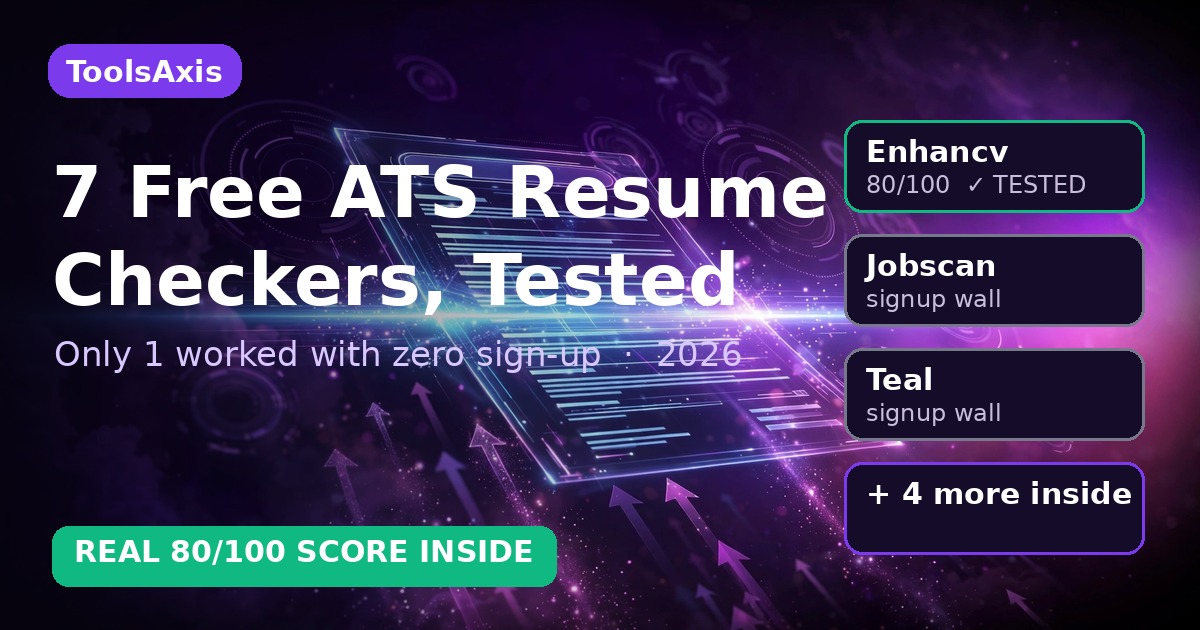
A free ATS resume checker scans your resume like an employer’s hiring software, then flags what would get you filtered out before a human reads it. I ran the same deliberately-flawed sample resume through 7 popular “free” checkers. Only one — Enhancv — gave me a real score with zero sign-up (80/100, with genuinely useful flags). Five hid their free scan behind a mandatory account; one had no signup wall but I couldn’t complete the upload from my setup. Below: what each free tier really gives you, and the workflow that turns a score into interviews.
TL;DR — Key takeaways
- Only Enhancv scanned free with no account: 80/100, specific flags (no quantified achievements, missing summary, no LinkedIn URL).
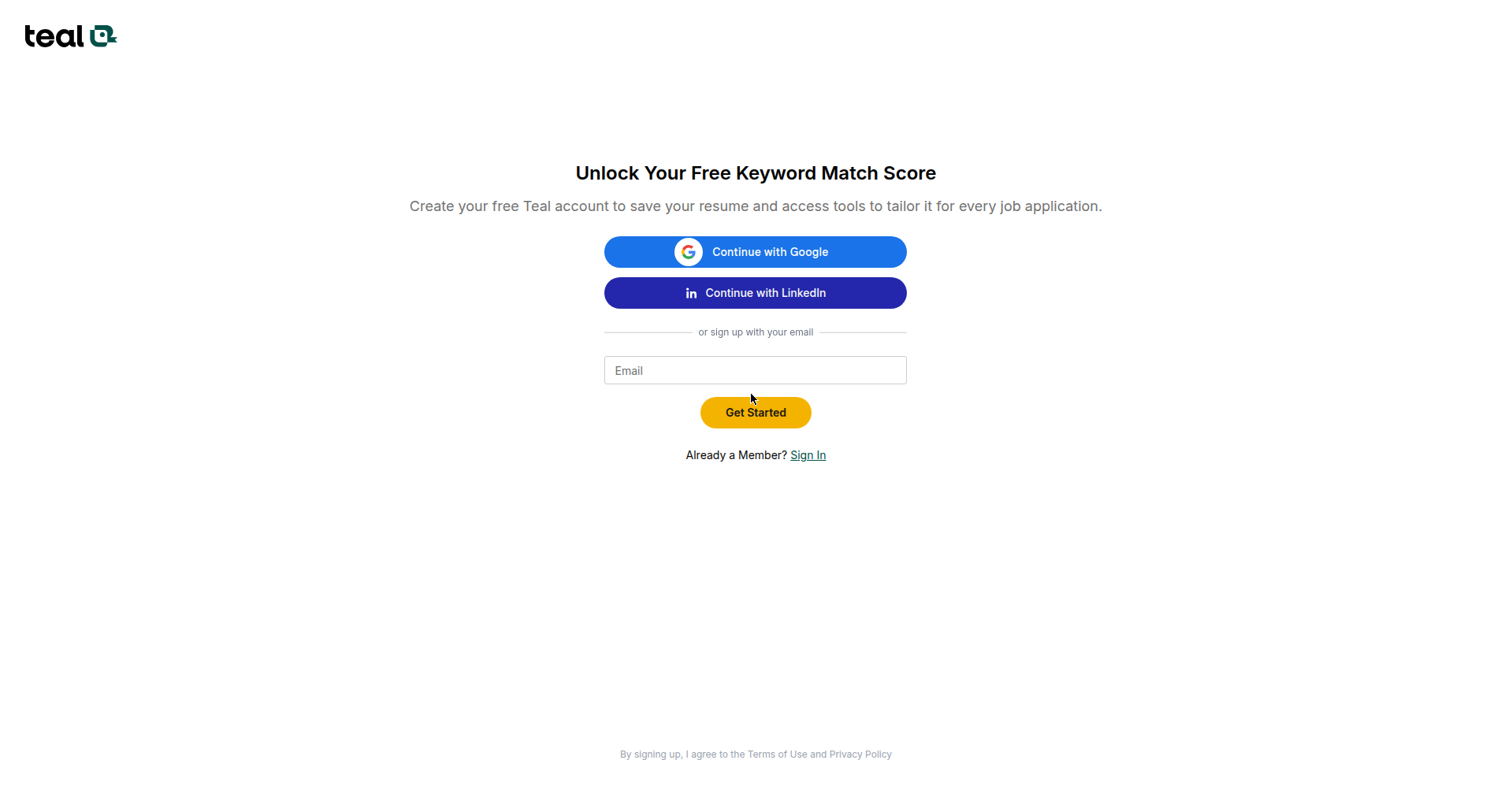
- 5 of 7 “free” checkers need a free account first — Jobscan, Rezi, SkillSyncer, Teal, Kickresume. Teal is sneakiest: it lets you attach your resume before revealing the signup wall.
- Privacy varies wildly: Enhancv never uses your resume for AI training; Teal may use your career content to improve its models.
- Don’t stop at the score — the JD-matching workflow near the end turns a number into interviews.
In this guide: all 7 checkers tested · my real 80/100 Enhancv scan · signup-wall honesty table · privacy comparison · JD-matching workflow · score-band actions.
Why this matters more in October 2026 than ever
Two things happened this month. Employ Inc’s Recruiter Nation 2026 found 33% of HR professionals now cite AI-polished resumes as their #1 stressor — a first in 19 years — and 27% report confirmed AI-driven candidate fraud. And this week, AI hiring platform Humanly acquired CareerArc to bundle recruitment marketing with automated screening.
The reassuring part: the UK’s ISE Student Recruitment Report 2026 found 64% of graduate employers accept AI help with CVs. A free ATS checker is the employer-approved kind of AI help — fixing formatting and keywords, not inventing experience. (Novoresume’s 2026 survey: 1 in 4 people who let AI write most of their resume lost a job over it.)
How we tested (so you know this is real)
🔬 How we tested
- Built one deliberately imperfect test resume — a one-page PDF for a fictional customer service rep: vague bullets with no numbers, no summary, “References available upon request,” skills as a paragraph, no LinkedIn URL.
- Ran it through 7 free checkers — Jobscan, Rezi, Resume Worded, SkillSyncer, Enhancv, Teal, Kickresume — free tiers only, exactly as a job seeker would.
- Rule: no accounts. If a “free” scan demanded signup, I recorded the wall and moved on.
- Recorded everything: exact scores, flags raised on this resume, free-vs-locked features, and each tool’s stated privacy policy.
- Tested October 14, 2026. Free tiers change fast — if something’s different when you try it, tell us and we’ll re-test.
The headline result: 7 “free” checkers, 1 real no-signup scan
| Tool | Free scan without signup? | What I got | Privacy note |
|---|---|---|---|
| Enhancv | ✅ Yes | 80/100 — full category breakdown, 86% ATS parse rate, specific flags | Never used for AI training; one-click report deletion |
| Resume Worded | ✅ No signup gate… | …but I couldn’t complete the upload from my setup. Bands: 90+ exceptional, 85–89 strong, 80–84 solid. | “100% privacy” badge |
| Jobscan | ❌ Free account required | 5 scans/month free — after signup. “Match Rate” vs. a pasted job description. | Couldn’t verify (cookie wall) |
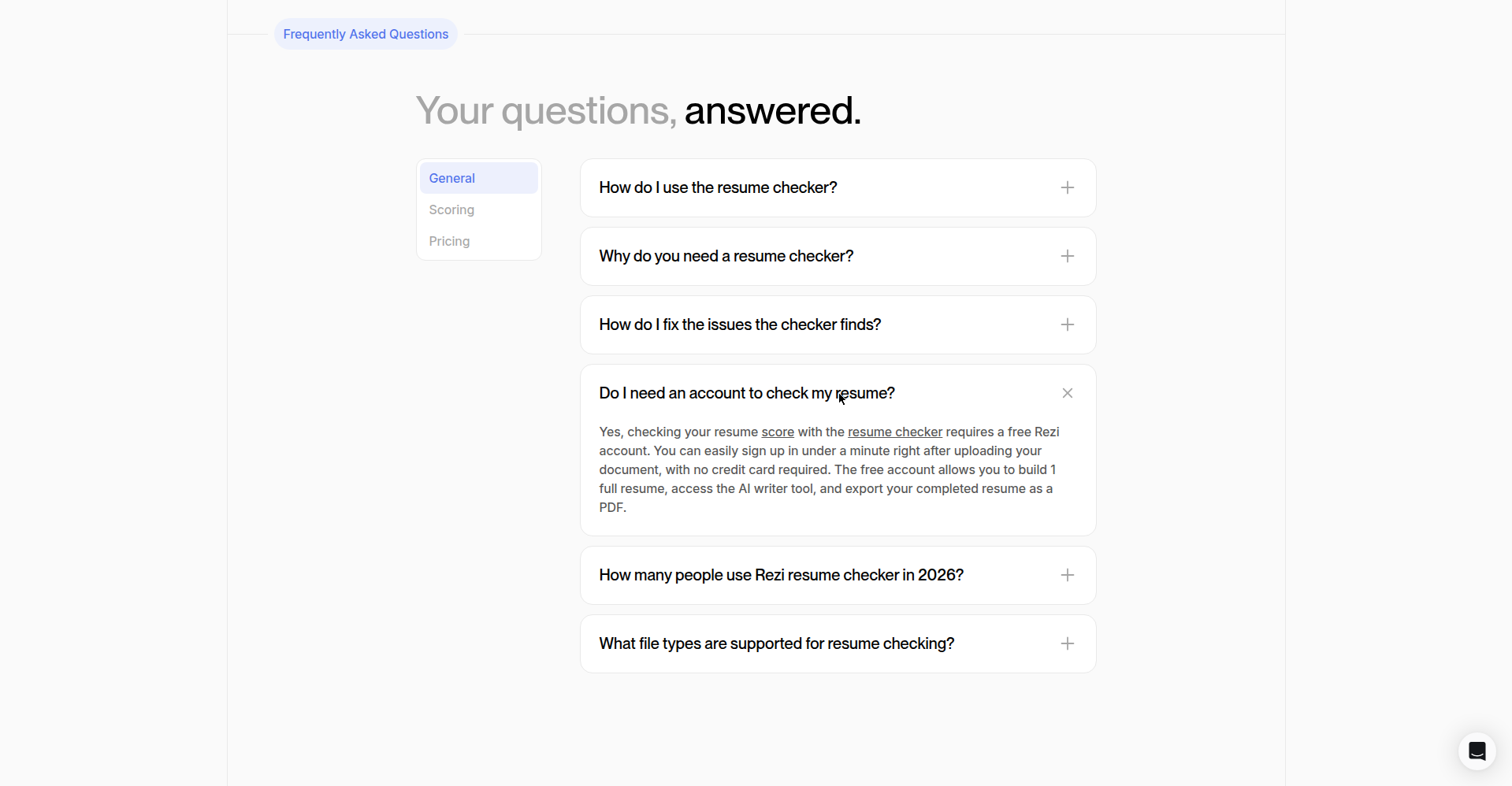
| Rezi | ❌ Free account required | Their FAQ: “checking your resume score requires a free Rezi account.” Free = 1 resume, 3 lifetime PDF downloads. | No sale of data; AI-training use not stated |
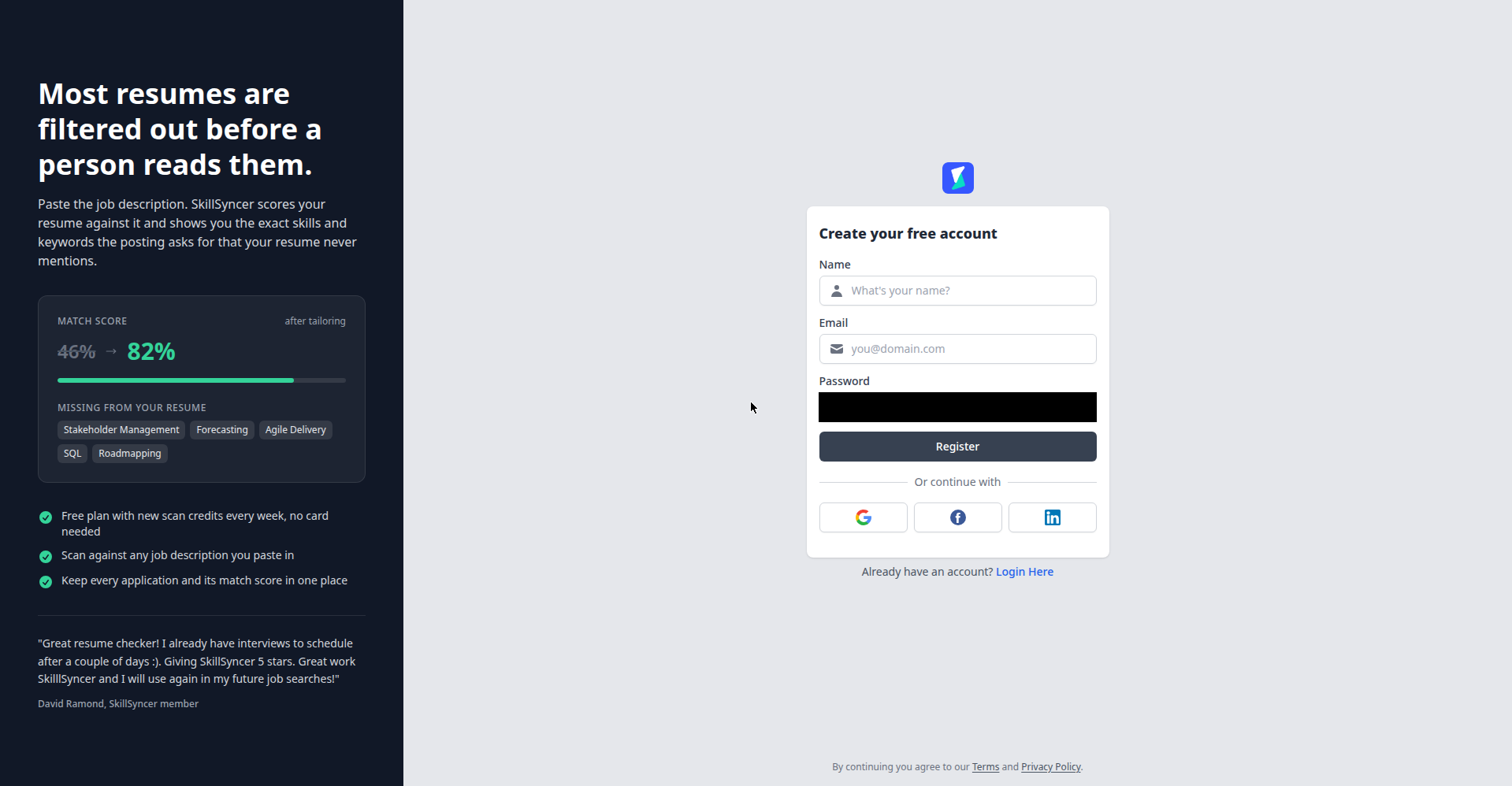
| SkillSyncer | ❌ Account required | 2 job-match scans/week, inside the account. No anonymous scan. | Never sells data; AI-training not stated |
| Teal | ❌ The sneaky one | Lets you attach your resume, then reveals the signup wall before showing the score. | Career content “may be used to improve our AI models” |
| Kickresume | ❌ Account required | “Get Your Matches” redirects straight to a registration form. | EU/GDPR; AI-training use not stated |
Enhancv: the only true no-signup free scan (80/100)
I uploaded the test PDF to Enhancv’s free resume checker — no account, no email. About a minute later: 80/100 across 27 checks in 6 categories (Content 84%, Sections 75%, ATS Essentials 62%, HR Red Flags 61%, Discrimination 69%, Seniority 66%) plus an ATS parse rate of 86%.
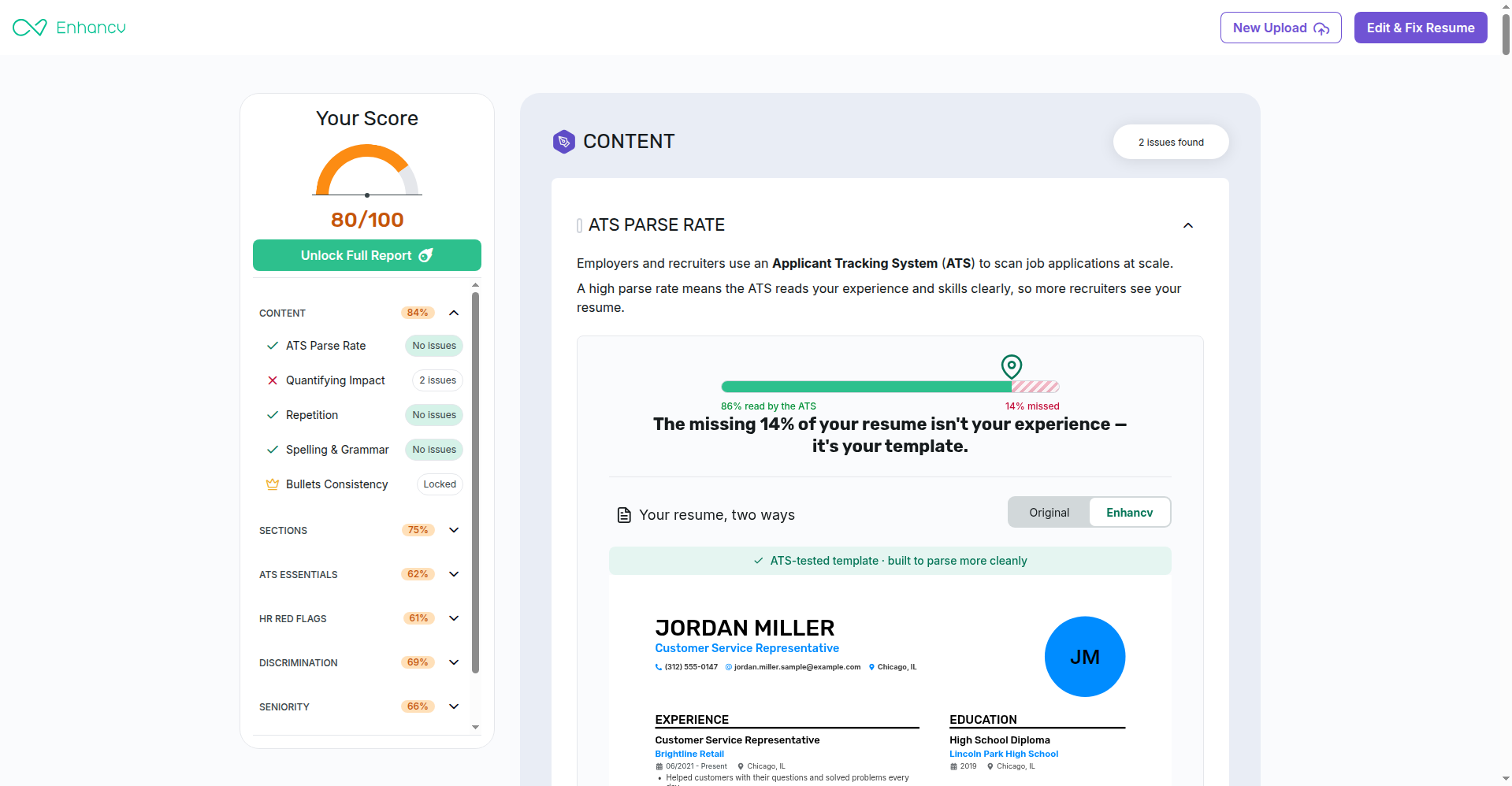
The flags were specific to my resume’s actual flaws:
- “Your experience section lacks quantifiable achievements” — quoting my two worst bullets back at me. Fair. Brutal, but fair.
- Missing Summary section and missing LinkedIn URL in the contact info.
- “Your resume is using a generic layout and has little chance of standing out.” That one stung a little.
It also confirmed what was fine: no repetition or spelling issues, PDF is ATS-friendly. A decent checker doesn’t invent problems to upsell you.
What’s locked: 9 deeper checks behind “Unlock Full Report” (PRO) — bullets consistency, file-name check, employment gaps, ageism/date-bias analysis. The free tier still gave me the overall score, all six category percentages, and full detail on the free checks.
Privacy — the best on this list: “We never share your data with 3rd parties or use it for AI model training,” plus a “Permanently Delete Report Data” option on the results page. For a tool you’re handing your career history to, that sentence matters.
The catch: the “Edit & Fix Resume” button funnels you toward their builder app, and the locked sections are a steady upsell. Nothing aggressive. If you try one thing from this article, make it this scan.
Resume Worded: promising, but I hit a wall (honestly reported)
Resume Worded’s “Score My Resume” is free with no signup gate — 0–100 across 30+ checks (impact, brevity, style, skills); bands: 90–100 exceptional, 85–89 strong, 80–84 solid, below 80 room to grow. “100% privacy” badge next to the drop zone.
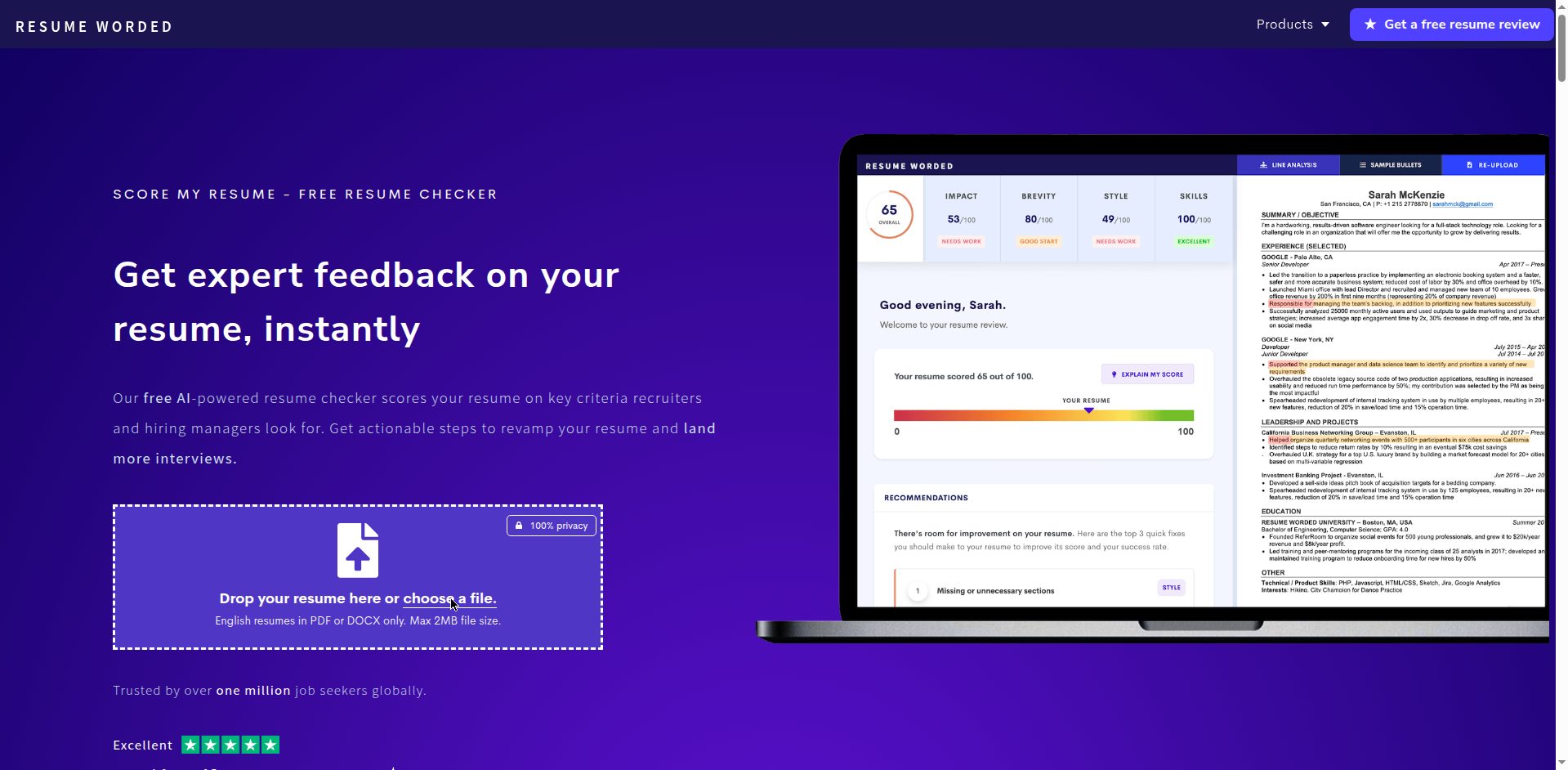
My honest limitation: I couldn’t complete the upload. Their file picker wouldn’t accept my test file from my setup — a technical friction issue on my end, not a paywall, and no signup was demanded. A lesser review would quietly skip it; I’d rather tell you. The line-by-line report, AutoFix AI, and JD-match report are paid-only — but I can’t give you a first-hand score I didn’t get. Worth trying yourself? Yes — no signup gate, and it works for most people.
The signup-wall five: what each free account actually gets you
Five of seven require a free account before showing anything. Not a dealbreaker — but know before you upload. Ranked by what the free tier is worth once you’re in:
1. Jobscan — best for job-description matching (5 free scans/month)
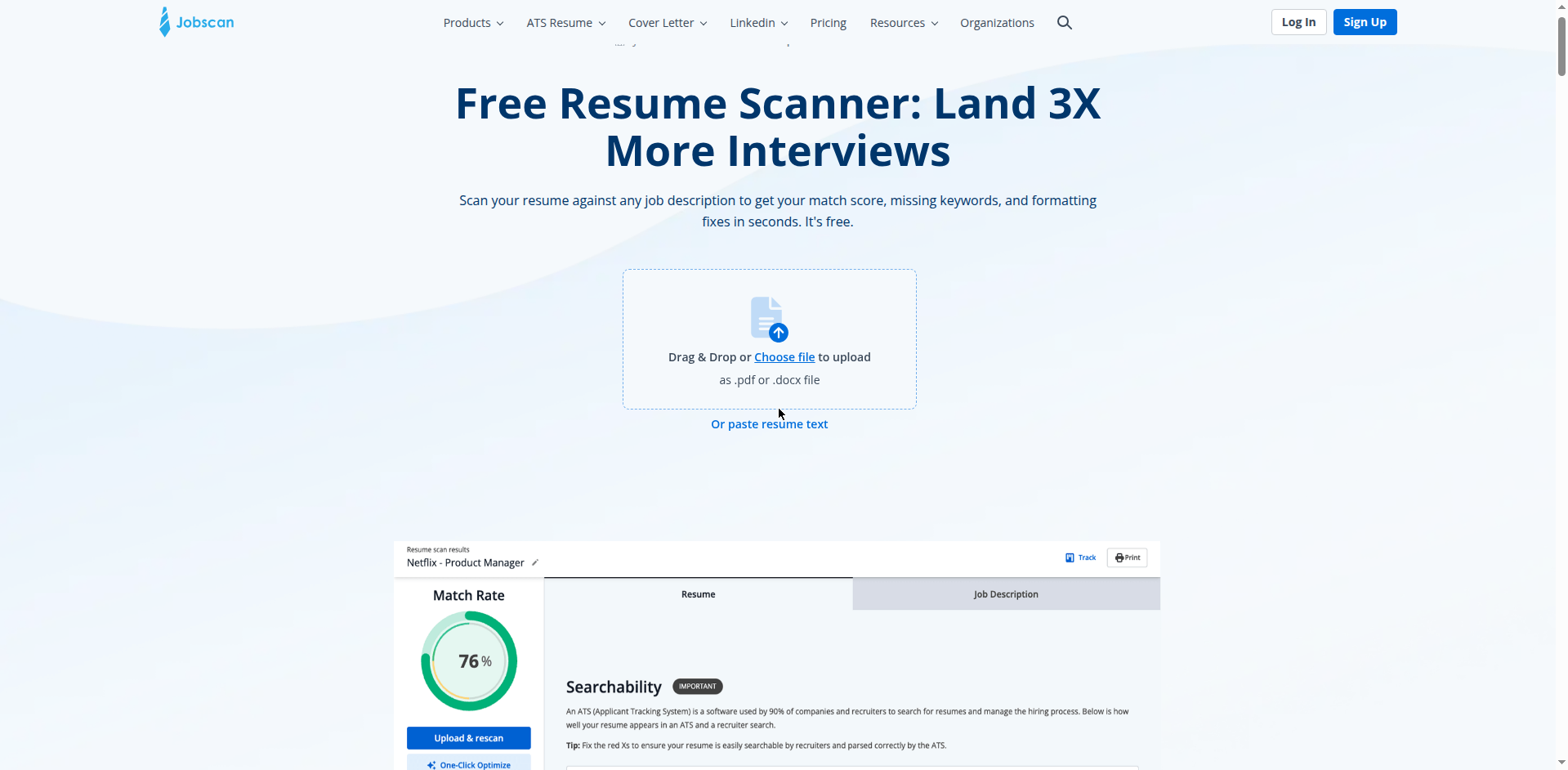
The original resume-vs-job-description matcher. Jobscan free: 5 scans/month on a free account. Upload your resume, paste the posting, get a “Match Rate” plus missing keywords and formatting fixes.
Pick this if “I’m qualified but hear nothing back” is your problem. Paid plans run $49.95/month or $89.95/quarterly — steep, but 5 free scans/month covers a focused search.
2. Teal — generous free tier, sneaky signup wall
Teal’s free-forever is genuinely generous: unlimited resumes, job tracking, 10 templates, basic analysis and keyword matching, unlimited PDF downloads. But “Scan your resume for free” lets you attach your file first, then demands the account. A dark pattern, even if the underlying tier is good.
Privacy flag — the worst on this list: “career content may be used to improve our AI models and services in an anonymized and aggregated form.” Compare that with Enhancv’s sentence before uploading. Teal+ runs $29 per 30 days.
3. Rezi — clean free tier, account required
Rezi’s FAQ is explicit: “checking your resume score requires a free Rezi account” (screenshot in my test). Free gets you 1 resume, 3 lifetime PDF downloads, the AI writer/editor, and the Rezi Score with limited keyword targeting. No card. Privacy is decent — no sale of data, deletion on request — though AI-training use isn’t stated. Pro is $29/month, with an honest $149 lifetime option.
4. SkillSyncer — built for JD matching (2 free scans/week)
“Paste the job description, see the exact skills and keywords the posting asks for that your resume never mentions” — that’s SkillSyncer’s pitch. Free: 2 job-match scans/week, 10 AI credits/week, no card — inside the account; no anonymous scan exists. Two scans a week is a sensible budget for deliberate tailoring. Premium is $14.95/month; students/military get a year free with a .edu/.mil email. They never sell your data to recruiters.
5. Kickresume — the thinnest free offering
Kickresume promises an overall score plus three category scores (design, content, structure), but “Get Your Matches” just redirects to a registration form — no anonymous checker exists. EU/GDPR compliant, no stated AI-training policy. Pro starts at $24/month. Maximum signup friction for minimum documented free value: try this one last.
Privacy comparison: who does what with your resume
You’re uploading your work history and contact details. This table took longer to build than the testing:
| Tool | What they say about your uploaded resume | My take |
|---|---|---|
| Enhancv | “We never share your data with 3rd parties or use it for AI model training.” One-click report deletion. | ✅ Gold standard |
| Resume Worded | Kept private, used only to serve your review; anonymized data “may occasionally” improve their engine. | ⚠️ Mostly fine |
| Rezi | No sale of private info; deletion on request. AI-training: not stated. | ⚠️ Your call |
| SkillSyncer | Nothing uploaded is public or shared with employers; never sells to recruiters. AI-training: not stated. | ⚠️ Same caveat |
| Kickresume | EU/GDPR; no sharing with third parties or job sites. AI-training: not stated. | ⚠️ GDPR backstop |
| Teal | “Career content may be used to improve our AI models and services in an anonymized and aggregated form.” | ❌ Think twice |
| Jobscan | Couldn’t verify directly (privacy page behind a cookie wall during my test). | ❓ Check it yourself first |
My rule of thumb: if a checker won’t say what it does with your resume, assume the answer isn’t flattering. Strip your street address before uploading anywhere — city and state is plenty.
The workflow that actually gets interviews: JD matching step by step
A score is a vanity metric until you act on it. Here’s the workflow I’d walk a friend through:
Step 1: Baseline (10 min). Run your resume through Enhancv’s free checker — no signup. Note your score and top 3 flags. That’s your “before” photo.
Step 2: Pick ONE posting you actually want. Copy the full job description. Tailoring to a real posting beats generic optimization every time.
Step 3: Run the JD match (20 min). Use Jobscan’s free scan (5/month) or SkillSyncer’s weekly scans: paste the posting next to your resume. The gold is the specific keywords the posting uses that your resume doesn’t — usually obvious words (“stakeholder management,” “Zendesk,” “forecasting”) you’d never guess were the filter.
Step 4: Fix in priority order. Add missing keywords only where they’re true. Quantify one bullet per role (“handled 40+ inquiries daily” beats “helped customers every day”). Add a 2–3 line professional summary if you’re missing one — the cheapest score boost there is. (If your resume needs bigger surgery, see the free AI resume builders I tested — several let you rebuild and re-export free.)
Step 5: Re-scan and compare. Run the revised resume through Enhancv again and watch the score move. Save both reports — seeing the climb teaches you what the machines reward.
Do this for your top 2–3 target roles — more ATS optimization than 90% of applicants manage.
What your score band means
| Score | What it usually means | Next move |
|---|---|---|
| Below 70 | Structural problems: unparseable formatting, missing sections, scanned/image PDF. | Rebuild on a clean single-column template (see our free ATS-friendly resume templates) first. |
| 70–79 | Readable but leaking points: vague bullets, missing keywords, no summary. | Quantify 3–5 bullets, add a summary, mirror the posting’s language. |
| 80–89 | Solid and parseable — where my test resume landed. You’re losing to tailoring, not formatting. | Stop reformatting. JD-match every application. |
| 90+ | Excellent — diminishing returns. | Put the checker away; network, practice with free AI mock interview tools, and write better cover letters. |
One caveat the honest checkers will tell you: scores aren’t portable between tools. Pick one checker as your baseline and track your own improvement.
The one thing you should never do
You may have heard about hiding white-on-white prompt-injection text in your resume to trick AI screeners. Terrible idea: Duke researchers found ~1% of 200,000 real resumes now contain hidden prompt injections — a 7x rise since ChatGPT launched — and detection is catching up. Remember: 27% of HR pros report confirmed AI candidate fraud. The screeners are now screening for the trick.
The honest way to “beat the ATS” was never a trick: clean formatting the parser can read, keywords that truthfully match the posting, quantified achievements a human would respect. Be genuinely clearer, not sneakier.
Frequently asked questions
What is a free ATS resume checker?
An online tool that scans your resume the way an employer’s applicant tracking system would — parseability, formatting, keywords, red flags — then gives you a score and fixes. Truly free no-signup options are rare: of the 7 I tested in October 2026, only Enhancv delivered a full scan without an account.
Are free ATS resume checker scores accurate?
Directionally, yes. Enhancv’s 80/100 came with specific, verifiable flags matching flaws I’d deliberately planted. But every checker uses its own model, so scores aren’t comparable across tools — use one consistently and track your own improvement.
Which free ATS resume checker doesn’t require signup?
In my test: Enhancv. Jobscan, Rezi, SkillSyncer, Teal, and Kickresume all required a free account before showing any score. Resume Worded has no signup gate, but I couldn’t complete an upload from my setup.
Is it safe to upload my resume to a free ATS checker?
Depends on the tool. Enhancv promises never to use your data for AI training and offers one-click deletion — the best policy I found. Teal allows anonymized use of career content to improve its models. Strip your street address before uploading anywhere.
Will a high ATS score guarantee interviews?
No — be suspicious of any tool implying otherwise. A high score means the machine can read your resume; it doesn’t mean a human finds it compelling. The score gets you past the filter; quantified achievements and per-posting tailoring get you the interview.
The bottom line
Your resume has two audiences — the machine and the human — and most job seekers only write for the human. Start with Enhancv’s no-signup scan, use Jobscan’s or SkillSyncer’s free JD-matching for the roles you want most, and fix things in priority order instead of redesigning your resume a fifth time.
And remember: 64% of UK graduate employers are fine with AI help on your CV — but 1 in 4 people who let AI write most of it lost a job over something on it. Use the machines to check your work, not invent it. (And when the resume is ready, pair it with a cover letter from one of the free generators I ranked.) Your first ATS-friendly resume is ten minutes and one honest scan away. Or skip the sign-up walls entirely and use our own free ATS resume checker — no account needed.
Tested October 14, 2026. Free tiers change fast — if one looks different when you try it, tell us and we’ll re-test.
Once your resume passes the scan, make every bullet earn its place — I tested 8 contenders for the best free AI resume bullet point generator to find which ones are actually free.
And if you haven’t pulled the right keywords from the posting yet, start with our hands-on test of 7 free AI resume keyword finder tools.
Free limits at a glance
A quick-reference version of what my hands-on test actually found — anything I couldn’t verify is marked “not tested” rather than guessed:
| Tool | Free scans per month | Account required? | Privacy note |
|---|---|---|---|
| Enhancv | Not tested | No — real scan, zero sign-up | Never used for AI training; one-click report deletion |
| Resume Worded | Not tested (upload failed in our test) | No signup gate | “100% privacy” badge |
| Jobscan | 5/month | Yes — free account required | Couldn’t verify (cookie wall) |
| Rezi | Not tested | Yes — free account required | No sale of data; AI training not stated |
| SkillSyncer | 2/week (job-match scans) | Yes — account required | Never sells data; AI training not stated |
| Teal | Not tested | Yes — signup wall after resume attach | Career content “may be used to improve our AI models” |
| Kickresume | Not tested | Yes — account required | EU/GDPR; AI training not stated |
How to read your score
My test resume scored 80/100 on Enhancv with an 86% ATS parse rate — yet the report still flagged missing quantified achievements, no summary, and no LinkedIn URL. That’s the key insight: the number isn’t a grade on you, it’s a checklist of what the parser can and can’t see. A high score means the machine reads you fine; it doesn’t mean a recruiter will love you.
Treat low scores as formatting flags, not verdicts. A sub-70 usually points at structural problems — missing sections, an unparseable layout, vague bullets — all fixable in an afternoon, and the score-band table above tells you where to start. And re-scan after each round of fixes: a score’s real value is measuring your own improvement, not comparing yourself to a stranger’s 95.
How each tool scores
Every checker promises a score, but the number means something different on each one. Here’s what I could actually observe in testing:
- Enhancv: 0–100 across 27 checks in 6 categories (Content, Sections, ATS Essentials, HR Red Flags, and two more), plus a separate ATS parse-rate percentage — 86% on my resume. The most transparent scoring I saw.
- Resume Worded: 0–100 across 30+ checks covering impact, brevity, style, and skills, with published bands (90+ exceptional, 85–89 strong, 80–84 solid). From their site, since my upload failed.
- Jobscan: a “Match Rate” comparing your resume against a pasted job description — not disclosed in our test, gated behind a free account.
- Kickresume: promises an overall score plus three category scores (design, content, structure) — not disclosed in our test, since “Get Your Matches” bounced to a registration form.
- Rezi, SkillSyncer, Teal: not disclosed in our test — all three gated behind free accounts before showing any score.
Get One Useful AI Tool Tip Every Week
One practical AI tool tip in your inbox every week. No spam, unsubscribe anytime.

We’re the team behind ToolsAxis. We hands-on test free AI tools for job seekers — signing up for free plans, taking real screenshots, and fact-checking every claim before publishing. Our guides cover resumes, ATS optimization, interview prep, and LinkedIn.
Enjoying ToolsAxis guides?
Add us as a Preferred Source on Google — you'll see our latest tools and guides first in Search, Top Stories, and AI Overviews.