

Last updated: October 19, 2026 · Tested October 18, 2026
My first resume had a bullet that said “Responsible for customer service.” Zero callbacks. That one flat line was costing me interviews — recruiters skim each resume for about seven seconds, and weak bullets are the first thing their eyes slide past.
A free AI resume bullet point generator turns a plain job duty — “answered customer calls” — into a sharp, quantified bullet that starts with an action verb and shows your impact. I ran the same duties through 8 free tools to see which ones actually deliver: 4 worked with zero signup, 3 needed a free account, and 1 keeps its AI rewriter on paid plans only. Below: every tool’s real free limit, side-by-side outputs from the same input, and the copy-paste prompts I now use instead of most of them.
TL;DR — Key takeaways
- 4 of 8 worked with zero signup: ChatGPT (guest), Gemini, Junia AI, and SWE Resume generated usable bullets without an account.
- 3 need a free account first: Molixa (25 batches/day), Teal (10 credits), Kickresume (“limited” uses, then Premium). VerbCraft’s AI rewriter is paid-only — though it promises never to invent your numbers.
- The prompts matter more than the tool — the copy-paste library below gets better bullets out of free ChatGPT than most paid tools.
- Watch for invented numbers. Gemini and SWE Resume both fabricated metrics from my plain duty — the honesty check below shows how to stay truthful.
In this guide you’ll find: all 8 tools tested with the same duty · real output samples · honest free-limit table · copy-paste prompts for 5 situations · how to de-robot AI bullets · the no-experience walkthrough.

What makes a bullet point actually work?
The 30-second theory — once you see the pattern, you’ll judge every AI output like a recruiter. A bullet that gets interviews has three parts:
- Action verb first. “Resolved,” “Trained,” “Grew” — not “Responsible for” or “Helped with.” The verb is the first word a skimming recruiter reads.
- What you did + how. The duty plus the skill or tool: “resolved billing complaints using the Salesforce queue.”
- A quantified result. A number, a percent, a timeframe: “cut average call handling time by 18%.” This is the part most people skip — and the part hiring managers remember.
Two formatting rules from the ATS side: keep each bullet under ~120 characters and use plain text. Every tool below was judged against this bar.
How we tested (so you know this is real)
Our method (who’s behind these tests)
- Same input everywhere: one customer-service duty run through all 8 tools, plus a retail duty and a no-experience student case for the prompt tests.
- Free tier only: no paid plans, no trials. If a tool needed an account, I noted exactly where the wall appeared.
- Scored on: action-verb openings, quantification, human tone (not robotic), ATS-safe formatting, and honesty — did it invent numbers I never gave it?
- Verified October 18, 2026 from the tools’ own pages and pricing. Free tiers change fast; the limits table says what I saw on test day.
A note on screenshots: my testing setup can’t save screenshots as image files, so this post uses illustrations instead of tool screenshots. Every output quoted below was typed out from the real generated result — nothing paraphrased, nothing invented.
The 8 tools, tested head-to-head
Here they are in the order I’d recommend — for each: the real free tier, what it did with my sample duty, and who it’s best for.
1. Junia AI — the best truly-free dedicated tool
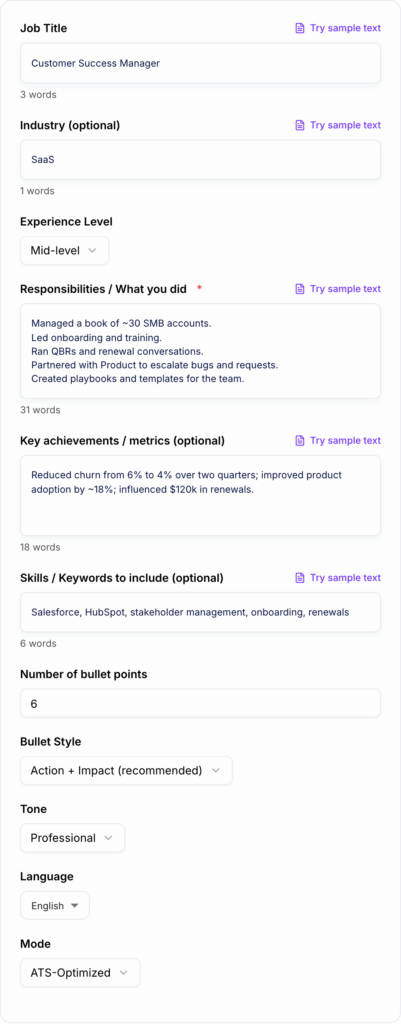
No signup, no account, no credit counter. I pasted the duty, picked “ATS-Optimized” mode, and got three strong bullets in seconds: “Handled 40+ inbound customer calls per day using CRM and call center systems, providing account support and troubleshooting to maintain high customer satisfaction.” It quantified only from my input and invented nothing — no phantom percentages. Clean ATS-friendly structure, natural tone. Best for: anyone who wants a purpose-built tool without handing over an email.
2. ChatGPT (guest mode) — the honest all-rounder
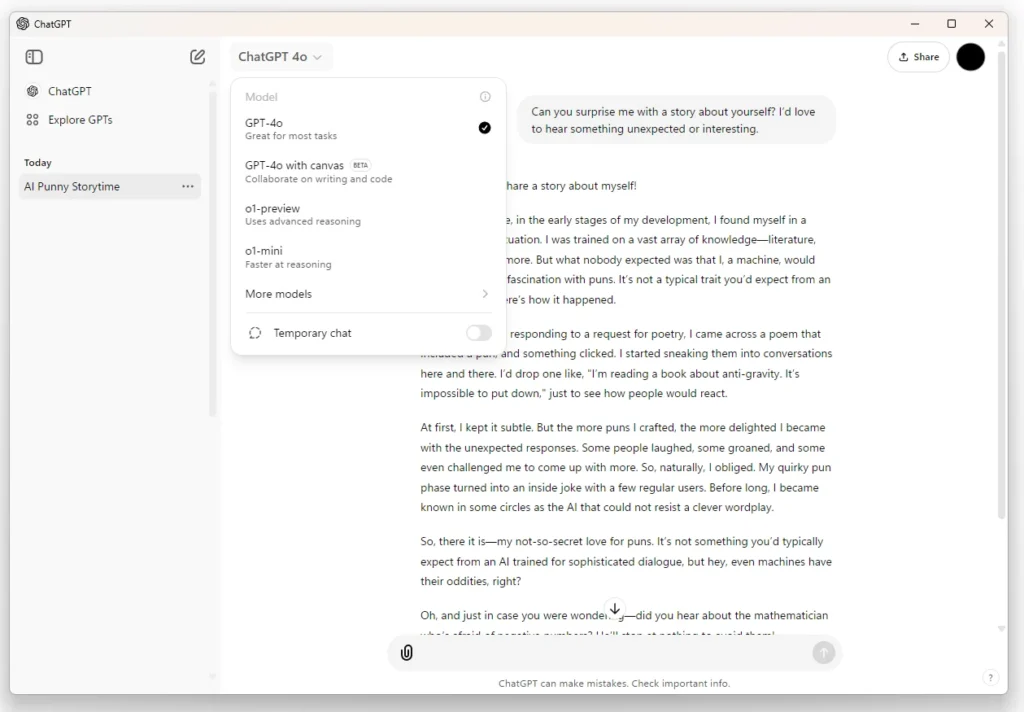
chatgpt.com‘s guest chat needed zero signup: “Resolved 40+ customer calls daily, addressing billing disputes and service concerns to deliver efficient customer support.” It reused my numbers honestly and added no fake metrics — but the bullets were generic, with no real outcomes. Free tier means unlimited text chats within abuse guardrails. Catch: guest chats may train AI models (toggle it OFF in Settings). Best for: quick drafts with the prompts below.
3. Gemini — the most polished, and the most dangerous
Gemini’s temporary chat wrote the best-sounding bullets of all eight: “…achieving a 95% first-call resolution rate and raising customer satisfaction scores by 18%.” Beautiful — and completely invented. The 95%, the 18%, the “$15K+ in annual account revenue” came from nowhere in my input. Use only with the [NUMBER] guardrail in my prompt template. Privacy plus: temporary chats aren’t used for AI training. Best for: confident writers who verify every number.
4. SWE Resume — slick drafts, same honesty problem
No signup, three styled variants in seconds. The “Metrics-Focused” bullet claimed “a 98% first-call resolution rate… exceeding monthly KPIs by 15% across 24 consecutive months” — I gave it none of those numbers, and “Spearheaded the onboarding of 3 new hires” oversells training three people. Polished but formulaic. Best for: brainstorming phrasing, then fact-checking ruthlessly.
5. Molixa — best structure, account required
Clicking “Generate STAR bullets” hit the wall: “Create a free account to use AI tools” — the generator went untested. On paper it’s the most purpose-built: STAR method baked in, 200+ action verbs, 30+ languages, ATS-safe output, and a generous free tier (25 batches of 5–7 bullets/day; Pro $4.99/mo). Privacy standout: “We do not store the duties or company names you type.” Best for: trading an email for STAR-structured bullets.
6. Teal — 10 free credits, account required
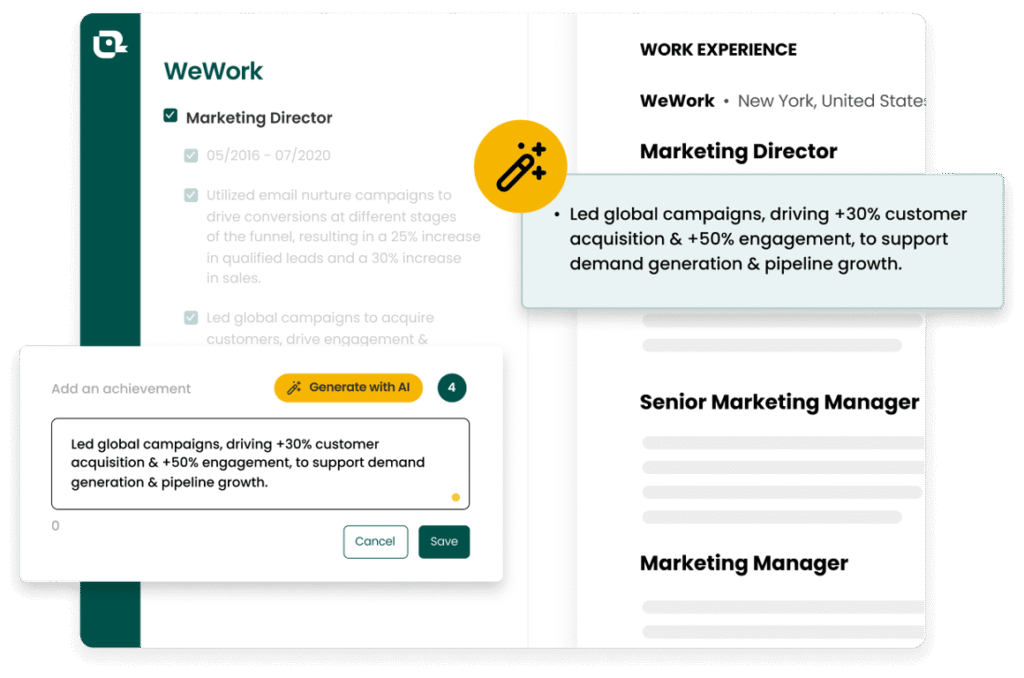
Teal’s generator lives behind a free account (“no credit card ever”). Its pricing page confirms exactly 10 AI Resume Bullet credits on the free plan, then Teal+ at $13/week. Untested — no account created. Best for: existing Teal users, not a fresh signup for bullets alone.
7. Kickresume — the paywall arrives fast
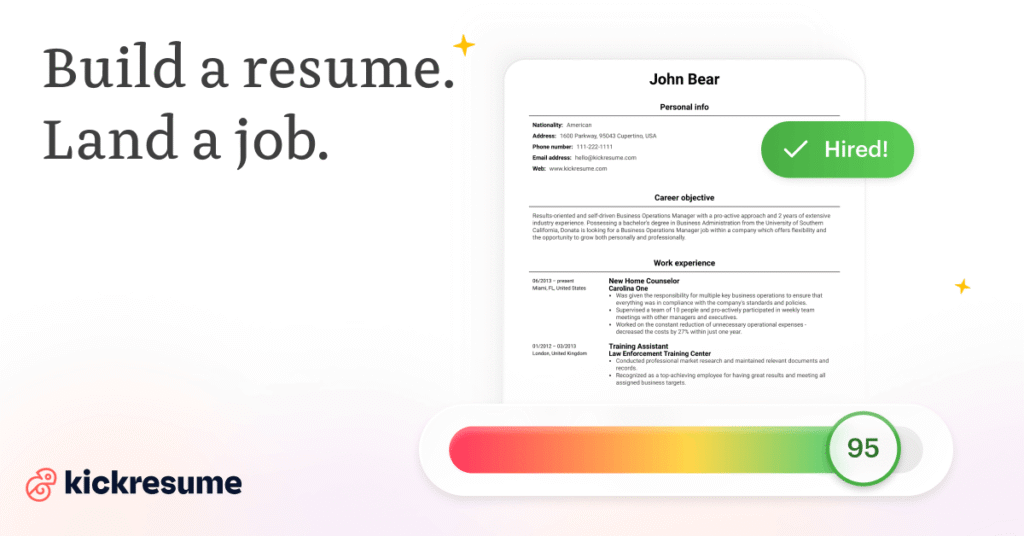
The generator sits inside the logged-in builder — “Generate” led straight to registration, so nothing was produced. Its FAQ promises “a limited number of uses” free, then Premium ($24/mo monthly, $18/mo quarterly, $8/mo yearly; students/teachers get 6 months free). Best for: one resume, done quickly — not a 40-application hunt.
8. VerbCraft — the AI rewriter is paid-only
The honesty standout on paper — “Will the AI invent numbers? No. It only quantifies what you tell it.” But AI rewriting is paid-only; the free plan builds resumes plus a rule-based score, with zero AI generations. One-time pricing: Basic $19, Pro $24, Max $29, Lifetime $149. Best for: skipping, unless you want the paid rewriter specifically.

Same duty, 8 different results
Every tool got the identical customer-service duty:
| Tool | What it did with my duty | Honesty check |
|---|---|---|
| Junia AI | 3 strong bullets, ATS structure, no signup | ✅ invented nothing |
| ChatGPT (guest) | 3 solid but generic bullets, no signup | ✅ invented nothing |
| Gemini | Most polished, STAR-flavored, no signup | ❌ invented 95% FCR, 18% CSAT, $15K revenue |
| SWE Resume | 3 styled variants, punchy, no signup | ❌ invented 98% FCR, 15% KPI, 10,000 users |
| Molixa | Blocked — free account required | not tested |
| Teal | Blocked — free account required | not tested |
| Kickresume | Blocked — free account required | not tested |
| VerbCraft | AI rewrite is paid-only | not tested (promises no invented numbers) |
Copy-paste prompts that beat most tools
Here’s the honest secret from all this testing: a good prompt in free ChatGPT or Gemini outperformed half the dedicated tools. Steal these — the exact templates I refined during testing:
The all-purpose bullet builder
“Turn this job duty into 3 resume bullet points: start each with a strong action verb, one quantified result per bullet, under 2 lines each, plain text, no buzzwords. If I didn’t give you a number, write [NUMBER] instead of inventing one. My duty: [paste yours]”
That last instruction — [NUMBER] instead of inventing one — is the most important line in this whole guide. More on why below.
For retail, hospitality, and customer-facing roles
“I’m a [cashier / server / sales associate] with [X] years at [store]. Turn these duties into 4 resume bullets. Emphasize reliability, customer satisfaction, and any numbers (transactions per shift, upsells, team size). Use everyday language — nothing corporate.”
For nursing and healthcare
“I’m a [new-grad / experienced] nurse. Turn this clinical experience into 3 resume bullets: clinical action verb first, patient load or unit type where true, mirror keywords from this job posting: [paste posting]. Plain text.”
For students and freshers with no job experience
“No work experience. Turn this into 3 resume bullets: [a class project, volunteer shift, gig, or club role — what you did, how long, any outcome]. Treat coursework and volunteering as real experience. Action verb first; quantify whatever can honestly be quantified.”
For career changers
“Moving from [old field] to [new field]. Rewrite these 3 bullets to highlight transferable skills for [target role]: [paste bullets]. Reframe, don’t invent — keep every claim truthful. Mirror 2-3 keywords from this posting: [paste posting].”
The humanizer pass (use on ANY AI output)
“Rewrite these resume bullets to sound human: vary the sentence openings, cut buzzwords (‘leveraged’, ‘utilized’ → ‘used’), keep all numbers exactly as they are, under 2 lines each: [paste AI bullets]”

Why AI bullets sound robotic — and the 5-minute fix
Every tool I tested had the same tell: grammatically fine, structurally correct — and all sounding like the same bland robot. That matters: 33% of HR professionals now cite AI-polished resumes as their #1 stressor (Employ Recruiter Nation 2026). A bullet that screams “AI wrote this” can hurt more than a weak-but-human one.
The red flags I kept seeing:
- Every bullet starts the same way. “Spearheaded… Spearheaded… Orchestrated…” — real humans vary their verbs.
- Corporate buzzwords nobody says out loud. “Leveraged cross-functional synergies to optimize stakeholder outcomes.” You would never say this about your own job. Neither should your resume.
- Suspiciously round numbers. “Increased efficiency by 50%” — exactly 50? Recruiters can smell invented metrics.
- Inflated seniority. You “assisted with” something; the AI says you “directed” it. That’s not polishing, that’s misrepresentation.
The fix: run the humanizer prompt above on any AI output, then read each bullet out loud. If you wouldn’t say it to a friend describing your job, rewrite it until you would.

Free vs paid: the honest limits table
| Tool | Free tier | The catch |
|---|---|---|
| ChatGPT | Unlimited text chats (guest mode) | Chats may be used for AI training (toggle OFF in Settings) |
| Gemini | Free, temporary chat available | No published numeric limit — but it invents metrics |
| Junia AI | Free generator, no signup | No numeric limit published; advanced modes may be premium |
| SWE Resume | Free generator, no signup | Upsell to $5+/mo builder; invents metrics |
| Molixa | 25 batches/day (5–7 bullets each) | Free account required |
| Teal | 10 AI bullet credits | Free account required; then Teal+ $13/week |
| Kickresume | “Limited number” of AI uses | Free account required; then Premium from $8/mo |
| VerbCraft | $0: builder + rule-based bullet score | AI rewriting is paid-only (one-time $19+) |

No experience? Start here.
This section is for students, recent grads, and career restarters — the people most bullet generators ignore. Good news: both tools I tried on a real no-experience case handled it well and invented zero numbers. The walkthrough:
- List everything, not just jobs. Class projects, volunteer shifts, part-time gigs, club leadership. Write each as one messy sentence: what you did, for how long, any outcome.
- Run the student prompt above on each messy sentence, one at a time. One at a time matters — batch-pasting gives you generic mush.
- Fill in the [NUMBER] placeholders honestly. “Helped 15+ customers per shift” beats an invented “increased satisfaction 40%.” Small true numbers beat big false ones — always.
- Put your 2–3 strongest bullets first under each entry. Recruiters read top-down; your best proof goes first.
Real example — input: “Ran my college coding club for a year, organized weekly meetups, taught Python basics to newcomers.” Junia’s output: “Led a college coding club for 1 year, organizing 52 weekly meetups and coordinating agendas, speakers, and logistics to maintain consistent member engagement.” The “52” is honest arithmetic from “weekly for a year” — no invented members, no phantom percentages. That’s a real bullet from a real year of your life.

The formula I wish someone had shown me first
Most bullet advice goes in one ear and out the other because it’s abstract. Here’s the concrete formula I actually use, and it fixes roughly nine out of ten weak bullets:
Strong action verb + what you did + how or at what scale + the result.
That’s it. Let me show it on two real-feeling examples — these are made-up illustrations so you can see the shape, not claims about anyone’s real job:
Before: Responsible for customer onboarding.
After: Onboarded 40+ new customers per month with a 3-step email sequence, cutting time-to-first-value from 2 weeks to 4 days.
What changed: “onboarded” (verb), “40+ new customers per month” (scale), “3-step email sequence” (how), “2 weeks to 4 days” (result).
Before: Helped with social media marketing.
After: Ran a weekly Instagram series that grew followers from 5,000 to 22,000 in 9 months, driving a 30% lift in profile-driven website visits.
What changed: “ran” (verb), “weekly Instagram series” (what/how), the follower count (scale), the website-visits lift (result).
Two warnings, because AI generators get sloppy here. First: never let a generator invent your numbers. If you don’t know the exact figure, write [X] as a placeholder and fill it in from a dashboard, a performance review, or a polite message to your old manager — a real smaller number beats a fake big one every time. Second: keep each bullet under two lines. Recruiters skim, and anything longer gets skipped no matter how impressive the result is.
Frequently asked questions
Are free AI resume bullet generators actually free?
Four of the eight I tested are free with no signup at all (ChatGPT guest mode, Gemini, Junia, SWE Resume). Three more are free with a free account (Molixa, Teal, Kickresume) — with real limits: 25 batches/day, 10 credits, and “limited uses” respectively. VerbCraft’s AI rewriting is paid-only. “Free” usually means “free with limits” — the limits table above has the exact numbers from test day.
Will recruiters know I used AI for my bullets?
They might — if you paste raw output. The tells are identical verb openings, buzzwords like “leveraged,” and suspiciously round numbers. The humanizer prompt plus a read-aloud pass removes nearly all of them. And 64% of UK graduate employers accept AI help with CVs (ISE 2026) — they object to fabrication, not assistance.
Can AI bullet points pass ATS scans?
Yes — it’s a formatting question, not an AI question. Plain text, ~120 characters max, keywords mirrored from the posting. Paste your posting into the prompt (the nursing and career-changer templates above do this) and the keywords come along automatically.
What if I don’t have any numbers for my bullets?
Use scope instead of results: team size, customers per day, timeframe. “Trained 3 new hires” is a number too. Never invent metrics — the [NUMBER] placeholder trick forces the AI to leave blanks you fill honestly.
Which free bullet generator is best for students?
It’s a tie: free ChatGPT (guest mode, no signup) with the student prompt above, or Junia’s dedicated generator — both handled my real no-experience test honestly, inventing zero numbers.
The verdict: which tool for which person
Zero signup and honest output? Junia AI. Maximum flexibility? ChatGPT guest mode with the prompts above (toggle OFF model training in Settings first). Tempted by Gemini’s polish? Only with the [NUMBER] guardrail. Everyone else: Molixa for STAR structure (free account), Teal if you already use it, Kickresume for a one-off resume.
And when the bullets are ready, don’t stop there: run the resume through a free ATS checker, then tailor it to each job description — that’s the combination that actually turns applications into interviews. Your first interview-worthy resume is closer than you think.
Tested October 18, 2026. Free tiers change fast — if a limit looks different when you try it, tell us and we’ll re-test.
Add ToolsAxis as a Preferred Source in Google Search — open any of our articles in Google, tap the star/source icon, and choose ToolsAxis. You’ll see our newest job-seeker-tested AI guides first.
Get One Useful AI Tool Tip Every Week
One practical AI tool tip in your inbox every week. No spam, unsubscribe anytime.

We’re the team behind ToolsAxis. We hands-on test free AI tools for job seekers — signing up for free plans, taking real screenshots, and fact-checking every claim before publishing. Our guides cover resumes, ATS optimization, interview prep, and LinkedIn.
Enjoying ToolsAxis guides?
Add us as a Preferred Source on Google — you'll see our latest tools and guides first in Search, Top Stories, and AI Overviews.