
A free AI skills section generator writes a tailored skills list for your resume in seconds — but most of them either invent skills you don’t have or hide the good stuff behind a signup wall. I tested 7 free options hands-on — chatbots, dedicated generators, and one brand-new toolkit launched yesterday — and only 4 gave me genuinely usable output with zero signup. Below: real outputs, hidden free limits, copy-paste prompts, and ATS formatting rules.
In this guide: the 7 tools head-to-head, a free-limits table, 4 copy-paste prompts, a before-and-after rewrite, ATS formatting rules, the honesty line, and the 5 questions job seekers ask most. Beginner-friendly throughout.

TL;DR — the short version
- Your skills section is the keyword bridge between your resume and the job description.
- 4 of 7 tools produced genuinely usable, honest output with zero signup.
- Chatbots are the most flexible — but add an honesty guardrail to the prompt or they’ll invent credentials.
- Dedicated generators are faster but narrower — good for a first draft.
- The two-minute interview test: if you can’t talk about a skill for two minutes, delete it.
How we tested (so you know this is real)
Our method, step by step:
- Same persona everywhere: a customer service rep with 2 years at a telecom company, applying for senior rep roles. Same input, fair fight.
- Zero-signup rule: we only counted what a tool gave without an account. Signup wall = stop, noted.
- Honesty audit: every output checked for invented certifications, tools, or numbers.
- Free-limit check: real free tiers from each tool’s own pricing page — not the marketing headline.
- ATS sanity check: formatting advice verified against how parsers actually read resumes.
No tool paid us or knew we were testing.

Why your skills section matters more than you think
Here’s a number that changed how I think about resumes: in Novoresume’s 2026 survey of HR professionals, 74% of recruiters decide in 20 seconds or less whether to keep reading — and 82.3% use an applicant tracking system to screen candidates first. Your skills section serves both audiences at once: the machine scans it for keyword matches, the human skims it in about three seconds.
Most people treat it as an afterthought — a sad comma-separated pile of “communication, teamwork, Microsoft Office.” Done right, it’s the fastest way to mirror the job description’s language (exactly what the ATS checks) while staying 100% honest. Done wrong — stuffed with tools you’ve never touched — it’s the fastest way to embarrass yourself in an interview.
A quick note on images: I couldn’t capture live screenshots this week, so where a genuine vendor product image exists I’ve used the official one and labeled it. Concept illustrations are AI-generated and labeled honestly too.
The 7 tools, tested head-to-head
Same persona, same ask. Here’s what each one actually did.
1. ChatGPT (temporary chat) — the most honest drafter
Guest mode worked with zero signup — the model identified itself as GPT-6 and produced 6 hard skills (issue resolution, telecom product knowledge, billing support, troubleshooting, escalation handling, account documentation) and 6 soft skills (active listening, clear communication, empathy, conflict resolution, time management, adaptability). It invented nothing — no certifications, no named tools — and volunteered the caveat itself: “Only keep the skills you can support with examples from your actual work.” It even added a copy-ready pipe-delimited version for pasting into a resume.
No account needed, and it’s the only tool here that argues back — prompt it right and it flags unverifiable skills. Caution: guest chats may train models, so nothing sensitive.
2. Gemini (temporary chat) — the most polished, needs a leash
Temporary chat worked (Gemini 3.6 Flash): 6 hard skills — CRM & ticketing systems, account & billing management, technical troubleshooting, retention & escalation handling, product & policy knowledge, multi-channel communication — and 6 soft skills including de-escalation, active listening, and peer mentorship. It invented nothing it asserted as fact, added interview tips (quantify results, prep STAR stories), and volunteered its own guardrail: no “specific proprietary software or certifications you haven’t taken.” No signup wall, no free limits stated.
Gemini writes the prettiest lists — confident phrasing, nice grouping. That’s why it needs the honesty guardrail in the prompt below; in past tests it’s invented tools out of thin air. Verify every line.
3. ResumeMaker.online’s skills generator — the fastest dedicated tool

Zero signup, no name needed. I entered the target role, mid-level experience, and six background skills — it returned 15 selectable skills, all pre-checked: phone support, billing inquiries, account management, complaint resolution, call documentation, upselling, CRM, conflict resolution, data entry, product knowledge, SLA adherence, time management, multi-channel communication, problem-solving, and feedback analysis. Everything stayed inside the background I gave it. Stated limits: 12–16 selectable skills, fair-use AI limits, no account. Pricing: free tier $0; Pro $12/month.
Rebuilt for the 2026 job market and genuinely quick — with “keep only the skills you can genuinely support” printed next to the results.
4. BeamJobs’ skills generator — promising, but walled
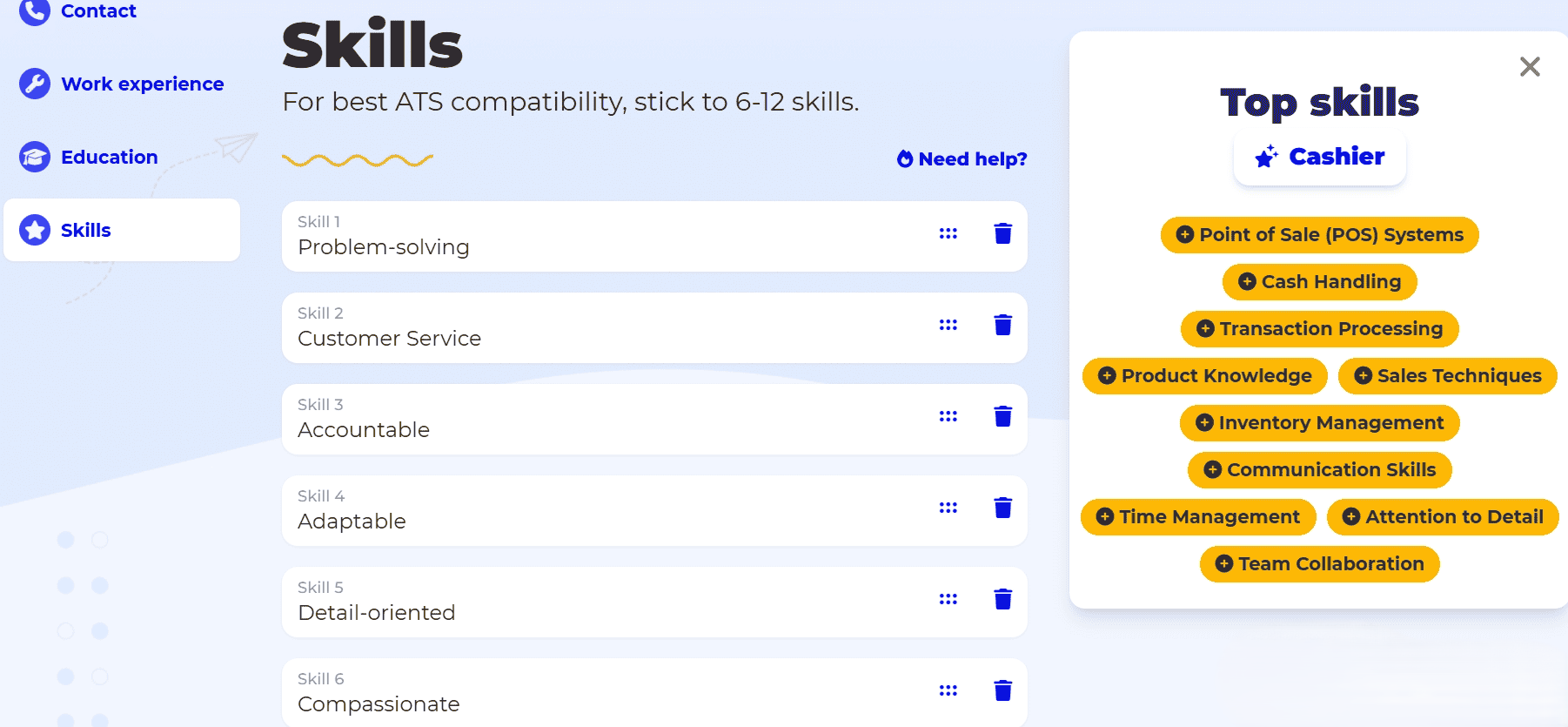
Honest catch: BeamJobs’ skills page is an article, and the “generate” button routes into their AI resume builder — which demands your full name, email, job title, location, and phone number at step 1 of 5 before generating anything. Entering personal data was off-limits for this test, so I stopped there. The page promises 6–12 tailored skills with ATS-friendly phrasing. Pricing fact: building and editing is free; downloading costs less than a dollar.
If you’re comfortable handing over contact details, it may be worth it — but for a zero-data test, it doesn’t make the cut.
5. Repixify’s job skills generator — couldn’t get in
Full honesty: I couldn’t test this one. Clicking “Generate Job Skills” triggered a Cloudflare human-verification challenge, and four attempts all failed — the checkbox kept resetting. The page advertises 100% free with no signup, which sounds great, but I couldn’t verify a single output, so I won’t recommend it on claims alone.
6. Novoresume’s new AI Toolkit — the fresh arrival (launched yesterday)

On October 19, 2026 — yesterday — Novoresume announced 10 free AI job search tools in 4 categories: 6 for resumes (generator, ATS checker, objective generator, rewriter, summary generator, bullet generator), plus cover letter, job matcher, AI bio generator, and salary calculator. Every AI tool is free twice a month, and you can use any tool once with no signup.
I tested the AI Resume Bullet Generator with our persona: no signup, first free use worked instantly. It produced 48 bullets across 6 skill categories (phone support, billing, account management, complaints, documentation, upselling), each with responsibility and achievement variants tagged ATS-Friendly, Technical Depth, High Impact, or Leadership Signal — genuinely telecom-tailored (“wireless, broadband, and TV”). Best of all: achievement bullets use [X] placeholders instead of inventing metrics. Pricing: builder Basic tier free; Premium pay-once at $199.99/year or $23.99/month.
7. Claude — blocked at the door (honest note)
Same as last week: claude.ai sits behind a Cloudflare verification that never resolves for logged-out visits. If you already have a Claude account its resume prompts are excellent; don’t create one just for this.
Free-limits comparison: what “free” actually means
Every tool says “free.” Here’s the fine print, from each tool’s own pages:
| Tool | Free tier (verified) | Best for |
|---|---|---|
| ChatGPT (temporary chat) | Free plan: unlimited text chats (GPT-6), no account needed | Tailored, JD-mirrored skills lists |
| Gemini (temporary chat) | No signup wall hit; no free limits stated in the flow | Polished phrasing (verify everything) |
| ResumeMaker.online | 12–16 selectable skills, fair-use AI limits, no account; Pro $12/mo | Fast dedicated skills list |
| BeamJobs | Generation gated behind contact-info form (name, email, phone); untested | Only if you’ll share contact details |
| Repixify | Cloudflare-blocked in testing; advertises 100% free — unverified | Try in a normal browser |
| Novoresume AI Toolkit | Each tool free twice a month; first use no signup | Whole-job-search bundle |
| Claude | Free tier exists, behind login | Skip unless you have an account |
Copy-paste prompts that actually work

The tool matters less than the prompt. Replace the bracketed bits with your details.
Prompt 1: The honest skills draft (ChatGPT / Gemini)
I need a skills section for my resume. I'm a [your role] with [X] years in [industry], applying for [target role] roles. Suggest 12 skills — hard and soft — that I can honestly back up in an interview. Don't invent certifications, tools, or software I haven't mentioned. After the list, flag any skill you're unsure I actually have.
Prompt 2: The JD mirror (paste the job description)
Pairs with our full JD-tailoring guide.
Here's a job description I want. Pull the 10 most important skills from it, then write my skills section mirroring the employer's language — but ONLY using skills consistent with this background: [paste 3-4 lines about your real experience]. Mark each skill "direct match" or "adjacent".

[paste job description]
Prompt 3: The fresher / career-changer version
I'm a [student / graduate / career changer from X] with no direct experience as a [target role]. Build an honest skills section from my transferable experience: [coursework, projects, volunteering, part-time work]. Suggest 10 skills, each tagged in brackets with where it comes from. Don't invent job titles or employers.
Prompt 4: The honesty audit (run on ANY AI-generated list)
An AI wrote this skills list for my resume: [paste list]. My real background: [3-4 honest lines]. Flag every skill I can't prove, that sounds inflated for my level, or that a recruiter would question in a 2-minute follow-up. Be blunt.
Run Prompt 4 on every list. Thirty seconds, and it’s the difference between confident and caught-out.
Before and after: the same skills section, rewritten
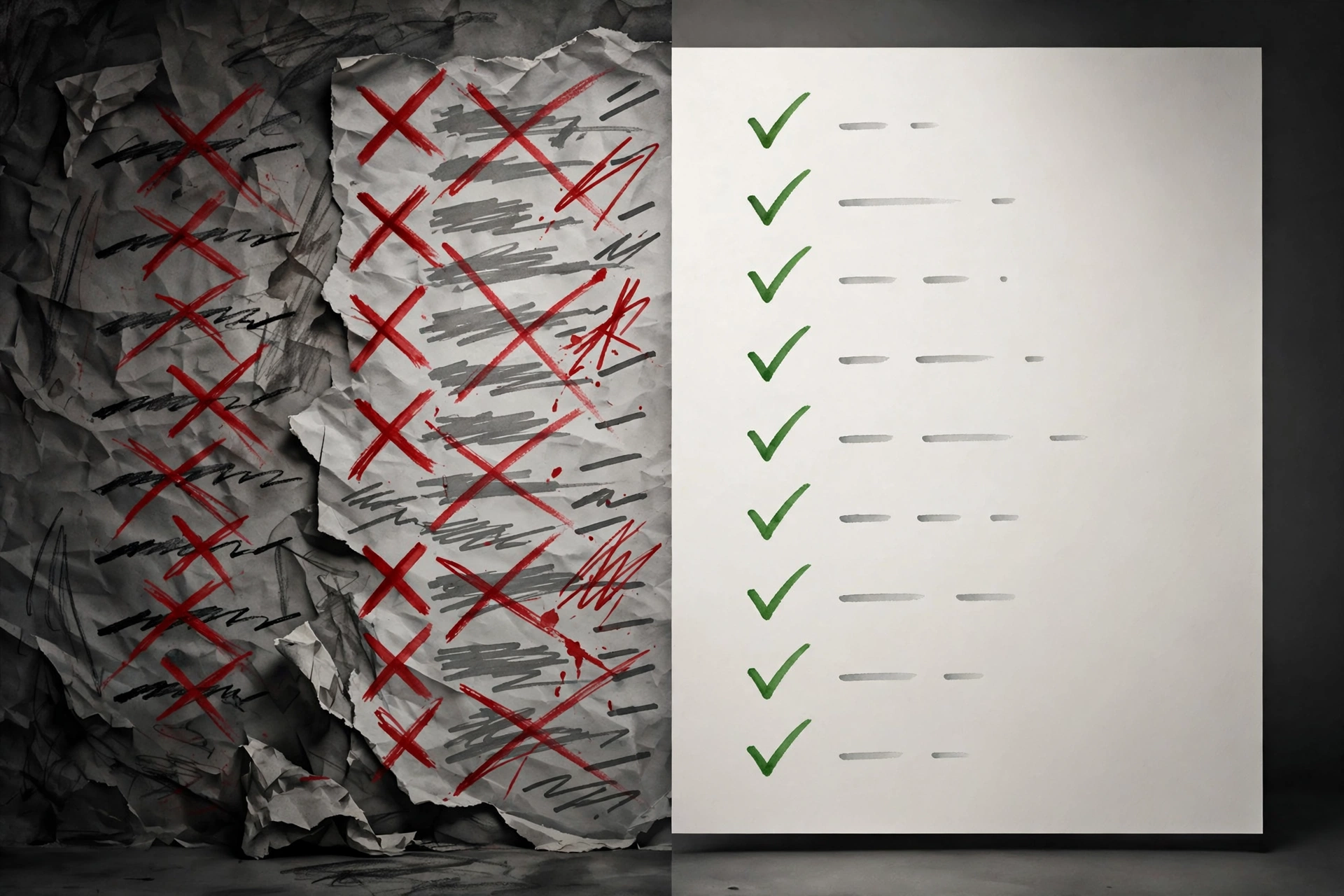
Our test persona started with the classic pile:
Before (what most people write):
Communication, teamwork, problem-solving, Microsoft Office, customer service, hard worker, detail-oriented, multitasking — “hard worker” isn’t a skill, “Microsoft Office” is vague, and an ATS searching for “CRM” or “de-escalation” finds nothing.
After (AI draft + honesty audit + JD mirror):
Hard skills: CRM ticketing, de-escalation & complaint resolution, first-contact resolution, billing & account troubleshooting, live chat support, KPI reporting
Soft skills: active listening, clear written communication, patience under pressure, cross-team collaboration
Same person. Same two years. But now the language matches what senior rep postings ask for — and every line survives the two-minute interview test. For the wording side, our free AI resume bullet point generator test covers turning duties into proof.
Will the ATS actually read your skills section? (formatting rules)

Short answer: yes — if you format it like a machine expects. The ATS isn’t smart; it’s literal:
- Use a standard heading. “Skills”, “Technical Skills”, or “Core Competencies.” Not “What I Bring to the Table.” Parsers look for known labels.
- No tables, text boxes, or graphics for the skills section. Many parsers read left-to-right and mangle columns — your beautiful two-column layout becomes word salad.
- Mirror the job description’s exact terms. If the posting says “client onboarding” and you write “customer setup,” the keyword match fails — our AI keyword finder test shows free tools that extract those terms.
- Hard skills first, soft skills second. The ATS weights concrete terms — software, methods, certifications — far more than “team player.”
- Keep it to 10–15 skills. More reads as stuffing to humans and dilutes the matches that matter.
- One page, standard fonts. Then run the finished resume through a free ATS resume checker before you send it.
The honesty line (please read this part)

Here’s the uncomfortable truth: AI tools are designed to please you, not protect you. Left unsupervised, they’ll hand you skills you’ve never used — and recruiters have noticed. A Novoresume report from October 12 found 25.2% of job seekers lost a job over an AI-written resume — not because they used AI, but because the AI invented things they couldn’t defend.
My rule: the two-minute interview test. For every skill, imagine the interviewer saying “tell me about a time you used that.” Can’t talk for two minutes with a real example? Delete it.
Three more guardrails:
- Never list a certification you don’t hold. “AWS Certified” when you’re not is a background-check failure, not a white lie.
- Soften, don’t invent. “Familiar with Salesforce” (after a trailhead module) is honest; “Salesforce administrator” is not.
- Keep your own voice. If every skill sounds like a press release, a recruiter who’s read 200 AI resumes this week will smell it.
For the full picture on building resumes that survive both the ATS and the interview, our ATS-friendly resume template guide and free AI resume builder test walk through the whole document.
Frequently asked questions
Are AI-generated skills sections ATS-friendly?
They can be — the phrasing is drawn from real job descriptions, which is what ATS software matches. But a list inside a table or under a creative heading still parses badly. Generate with AI, format like someone who knows parsers.
Will recruiters know I used AI for my skills section?
Probably not — lists don’t carry the stylistic fingerprints recruiters flag. What gets people caught is content they can’t defend, not the drafting help. The UK’s Institute of Student Employers found 64% of employers accept some AI use — the line is misrepresentation, not assistance.
How many skills should I list on my resume?
Ten to fifteen, roughly two-thirds hard skills. Students and freshers: 8–10 honest skills beat 15 padded ones.
Should I tailor my skills section for every application?
Yes — it’s the cheapest tailoring there is. Ten minutes with Prompt 2 per application is the highest-ROI habit in this guide.
What’s the best free AI skills section generator with no signup?
From this test: ChatGPT’s temporary chat (GPT-6) — 12 honest skills, zero account, and it volunteers its own honesty caveats. ResumeMaker.online gave 15 selectable skills with no signup; Novoresume’s toolkit is the best guided option.
The bottom line

Best overall: ChatGPT’s temporary chat — honest, flexible, zero signup. Best dedicated generator: ResumeMaker.online — 15 skills, no account. Best for beginners: Novoresume’s toolkit — guided, first use free. Skip BeamJobs unless you’ll share contact details; Repixify and Claude were unreachable in testing.
Your first ATS-friendly skills section is one honest prompt away: generate the draft, run the honesty audit, mirror one real job description, format it boring — the ATS likes boring. Then go get the interview.
About us: we’re the ToolsAxis Team — we test free AI tools hands-on so you don’t have to. Every claim here comes from tools we actually opened this week.
Enjoying ToolsAxis? Add us as a Preferred Source on Google — search for any of our guides, tap the star icon, and our newest tool tests will surface right at the top of your results and in AI Overviews. It takes ten seconds and it genuinely helps a small independent site like ours keep testing.
Get One Useful AI Tool Tip Every Week
One practical AI tool tip in your inbox every week. No spam, unsubscribe anytime.

We’re the team behind ToolsAxis. We hands-on test free AI tools for job seekers — signing up for free plans, taking real screenshots, and fact-checking every claim before publishing. Our guides cover resumes, ATS optimization, interview prep, and LinkedIn.
Enjoying ToolsAxis guides?
Add us as a Preferred Source on Google — you'll see our latest tools and guides first in Search, Top Stories, and AI Overviews.