
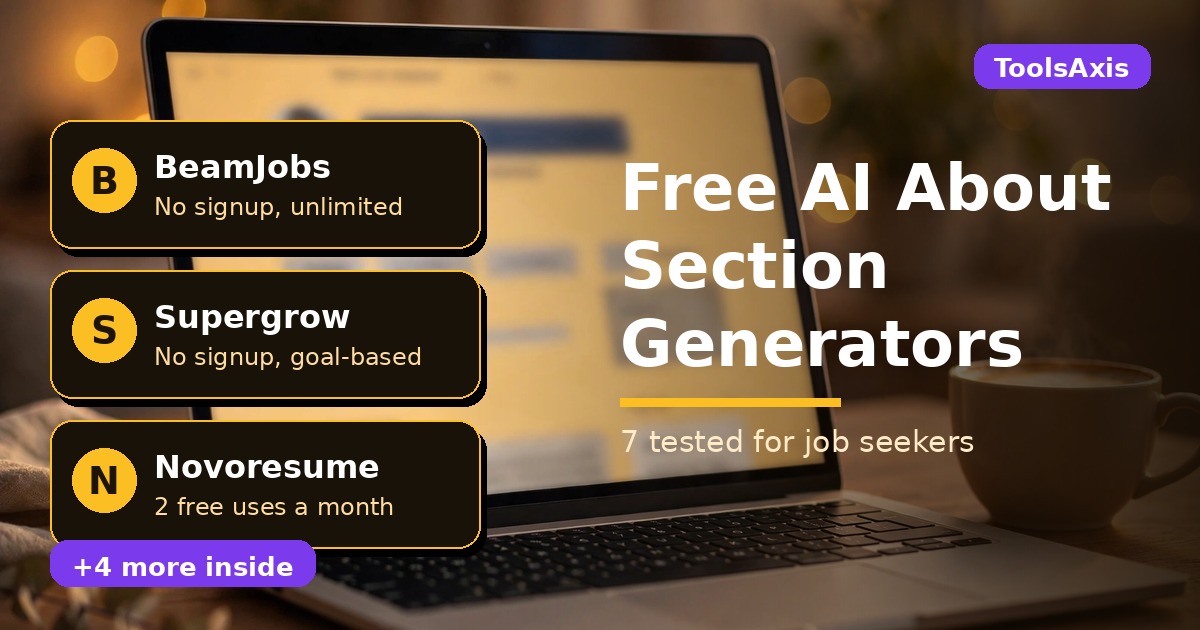
Best Free AI LinkedIn About Section Generator Tools for Job Seekers: 7 Tested
An AI LinkedIn about section generator is a free tool that turns a few facts about you — your target role, skills, and one real achievement — into a draft for the About section on your LinkedIn profile. I checked seven of them, and the good news is simple: you can get a solid, human-sounding draft without paying and, in most cases, without creating an account. Pick the right tool, then edit the draft like it matters.
In this guide you’ll find: the seven free tools I checked, compared on signup walls and free limits; the five-part structure of a strong About section; copy-paste prompts for ChatGPT and Gemini; a worked example; versions for students, freshers, and career changers; and honesty checks that keep a draft from sounding like an AI draft.

TL;DR: the short version
Start with BeamJobs for a guided form, or Supergrow to pick a goal first and get a draft in under a minute. Both are free with no signup, per their own pages. Use Novoresume’s AI Bio Generator if you already have a resume — first use needs no signup, two free uses a month. Then rewrite with the prompts below. Never paste a draft straight onto your profile: ten minutes of editing is what makes it believable.
How we tested: honest about what “tested” means
Let me be straight with you: these tools are mostly simple web forms, not dashboards you can click around in for an hour. So my test was this: I opened each tool’s official page, read its stated free terms, checked whether it demanded an account, and compared the inputs it asks for. I created no accounts to get past a wall — if a wall existed, I recorded it as a wall — and I pasted no real resume into any of them. The sample About section below is one I wrote myself for a fictional job seeker, labelled as an example. We’re the ToolsAxis Team, writing for job seekers — more on our About page.
Why your About section matters more right now
LinkedIn has been gradually retiring its classic, filter-based job search in favour of AI-powered search, where job seekers describe the role they want in their own words — a shift already rolling out through September and October 2026. When search understands plain language, the words in your About section carry more weight, not less. Yours gets up to 2,600 characters, and only about the first 300 show before the “See more” fold on mobile — so your opening lines do the heavy lifting.

What a strong About section actually looks like
Before the tools, let’s agree on the shape. Across all seven tools’ guidance, the pattern is consistent — five parts, in this order:
- A hook in the first two lines. Your target role and who you help, not “I am a passionate professional.” For example: “I help retail teams turn frustrated callers into repeat customers.”
- Proof, not adjectives. Two or three strengths tied to something real you did. Numbers help only when they’re true.
- A short thread of your story. One or two sentences on how you got here — this explains a career move.
- Keywords, used like a human. Your target title, core tools, and industry, woven into sentences, not dumped in a list.
- A clear next step. “I’m looking for customer-service roles in Chicago — message me if your team is hiring.”
The 7 free AI LinkedIn about section generators, compared
| Tool | Signup needed? | Free limit (as stated on its site) | Best for | Watch out for |
|---|---|---|---|---|
| BeamJobs | No | Free, multiple versions | A guided form | Outputs lean formal |
| Supergrow | No | Free, no stated limit | Picking a goal first | Also built for creators and sales |
| Novoresume AI Bio Generator | No, for the first use | 2 uses a month | Turning a resume into a bio | The monthly limit runs out fast |
| Reepl | No | Free, no stated limit | Choosing a story template | A trial banner for its wider platform |
| Kontentino | No login needed | Free, multiple options | Comparing tones at once | A social tool’s side project, not a career tool |
| ChatGPT | No, in guest mode | Free tier | Full control with a prompt | Guest chats may be used for training |
| Gemini | Temporary chat, no saving | Free tier | A second draft to compare | Full app needs a Google account |
1. BeamJobs: the guided form that asks the right questions
BeamJobs is the tool I’d hand to a friend who says “I don’t even know where to start.” It asks for your role, years of experience, three to six skills, one measurable achievement, your career goal, and a tone — professional, conversational, storytelling, bold, or creative. That’s the five-part structure above, turned into a form. It’s free with multiple versions, and it publishes example summaries. The weakness is tone — the examples read a bit formal. Loosen them up, and don’t let “use metrics” push you toward inventing numbers. No number? Use a concrete detail instead.
2. Supergrow: pick your goal, then write
Supergrow does one thing differently, and I like it: it asks for your goal before anything else. For a job seeker, that’s “Attract Job Opportunities,” not thought leadership, leads, or recruiting. Then it asks what you do, who you’re targeting, your key skills or achievements, what readers should do next, and a tone. Its page states the generator is 100% free with no signup and no limits, optimised for the 2,600-character limit. Two cautions: its claim that complete profiles get 21 times more views is Supergrow’s marketing, not something I verified.
3. Novoresume AI Bio Generator: the one that reads your resume
Novoresume launched ten free AI job-search tools in October 2026, and the bio generator is one of them. It writes a LinkedIn About section or headline, an answer to “tell me about yourself,” a speaker profile, or a company-page bio. Start from your resume, an existing bio, or a short form, and pick from four tones. Free terms, per its page and October 19 launch release: two uses a month, first use needs no signup. The catch is the limit: draft facts in a notes app first, run it once, keep the second use for a rewrite.
4. Reepl: six story templates, no account
Reepl asks you to pick a template first: story-based, achievement-focused, value proposition, mission-driven, expertise showcase, or problem-solution. Then share your background and goals, generate, and copy the draft into LinkedIn. Its page states the tool is free with no account required, and it writes in the first person by default — exactly right for a profile. The template choice stops every About section having the same shape: mission-driven suits a nurse or teacher, problem-solution suits support or operations. Ignore the 3-day trial banner for Reepl’s wider platform — if it ever asks for card details, close it.
5. Kontentino: compare several tones in one go
Kontentino is a social-media scheduling company, and its About generator is a free side tool — but a useful one. Pick a tone (professional, confident, creative, bold, and more), a language, and whether to include emojis, then describe yourself and generate multiple options at once. Its page says plainly: no hidden fees, no login needed, and it understands the 2,600-character limit. The multiple options are the real value: most people pick the first draft they’re given and stop, but here you can steal the best opening from one and the best closing from another.
6. ChatGPT: the most control, if you write a good prompt
ChatGPT in guest mode needs no signup, and with the right prompt it beats every form tool above on specificity: a form gives you a template, a good prompt gives you a draft built around your actual story. The risk is bigger too — ChatGPT will happily invent a metric you never earned. The fix is in the prompt:
Write a LinkedIn About section, 180–220 words, first person, conversational but professional. I am a [target role] with [years] in [industry]. Skills: [skill 1, skill 2, skill 3]. One real achievement: [something you actually did; a real number only if you have one]. I seek [role, city or remote]. Rules: use only my facts. Invent nothing. Start with my target role and who I help. End with a call to action inviting recruiters to message me. No buzzwords.
Two habits: don’t paste your full resume, phone number, or employer’s details into a guest chat (guest chats may be used for training), and cut any sentence that makes you think “I never actually did that.”
7. Gemini: the second opinion
Gemini’s temporary chat lets you draft without saving the conversation — a genuinely useful second opinion. Generate a draft in one tool, then ask Gemini to tighten it, not rewrite it. Try this, then paste your draft underneath:
Tighten this LinkedIn About section to under 200 words without changing any facts. Keep the first person and the call to action. Flag any generic sentence and suggest a more specific replacement. Add no achievements or numbers.
You usually get back a shorter version — and a list of sentences doing nothing. Keep what sounds like you.

A worked example: Maya, customer service, three years in
Here’s an example I wrote for a fictional job seeker — Maya, a customer-service representative with three years in retail support, now seeking a remote role. My own example draft, not any tool’s output, showing the five-part structure:
I help retail customers get unstuck — and stay customers. For three years, I’ve handled phone, chat, and email support for a national home-goods retailer, mostly for customers who are frustrated by the time they reach me.
What I’m best at is the awkward middle of a support conversation: the part where an order is late, the system says something different from what the customer was promised, and I have to sort out which one is true. I’ve trained four new starters on returns and refunds.
I’m now looking for a remote customer-service role where that mix — patience, product knowledge, and clear writing — is the job, not an extra. If your support team is hiring, message me and tell me what your hardest tickets look like.
Notice what’s there and what isn’t: a target role, a real thread, a call to action. No invented percentages, no “passionate about delivering excellence.” After editing, yours should look roughly like this — specific, human, defensible in an interview.
For students, freshers, and career changers
Most generator pages are written for mid-career professionals. Students and freshers should use coursework, part-time work, volunteering, and projects as material — and say so plainly. “Final-year business student” beats a vague title you haven’t held. Pick the prompt tools (ChatGPT or Gemini): forms built around “years of experience” will fight you.

Career changers need a bridge sentence: what you did before, what you carry across, where you’re headed. Example: “After six years running a shop floor, I’m moving into operations support, where scheduling, suppliers, and calm under pressure are the same skills with a different title.” Reepl’s problem-solution template works well here. Don’t hide the change — a confident explanation beats a confusing profile. Experienced and worried about sounding dated? Lead with the present.
Privacy: what these tools do with your words
Free form tools like BeamJobs, Supergrow, Reepl, and Kontentino run in your browser and, per their public pages, need no account — so there’s no profile of you to leak, but no verifiable promise about what happens to text you type either. Paste a short summary of your background, never your full resume, address, phone number, or employer’s private details.

Your 15-minute workflow
Minutes 0–3: write down your target role, three skills, and one real achievement. Minutes 3–8: run one form tool (BeamJobs or Supergrow) and one prompt tool (ChatGPT with the prompt above). Minutes 8–12: steal the best opening from one and the best closing from the other, cutting every buzzword and indefensible claim. Minutes 12–15: paste it into LinkedIn and check the first two lines on your phone.
Frequently asked questions
What is an AI LinkedIn about section generator?
It’s a free tool that drafts your LinkedIn About section from a few inputs — role, skills, experience, goals — instead of leaving you staring at a blank box. A first draft machine, not a finished biography. You still have to edit it.
How long should my LinkedIn About section be?
LinkedIn allows 2,600 characters. Aim for roughly 150 to 300 words in three or four short paragraphs. Only the first 300 characters or so show on a phone before “See more,” so put your target role and strongest proof first.
Should I write my About section in first or third person?
First person, almost always. “I help…” sounds like a person talking; “John is a results-driven professional…” sounds like a brochure. Every tool here either defaults to first person or lets you choose it.
Will recruiters know I used AI?
They’ll know if you paste the draft untouched — untouched AI drafts all sound alike. If the final version sounds like you and every claim is true, they won’t care that you used a tool.

The verdict: which tool should you actually use?
Here’s my honest ranking, not a tie where everyone wins. Least fuss: BeamJobs. Start from a goal: Supergrow. Already have a good resume: spend one of your two monthly Novoresume uses on it. Compare tones: Kontentino or Reepl. Best final draft: any form tool first, then ChatGPT or Gemini with the prompts above for the rewrite. Form first, prompt second.
Spend fifteen minutes on this today, then go apply. You’ve got this.
Last updated: October 31, 2026.
Related reading on ToolsAxis: our LinkedIn headline generator guide, our guide to tailoring your resume with free AI tools, and our free AI job application tracker guide.

We’re the team behind ToolsAxis. We hands-on test free AI tools for job seekers — signing up for free plans, taking real screenshots, and fact-checking every claim before publishing. Our guides cover resumes, ATS optimization, interview prep, and LinkedIn.
Enjoying ToolsAxis guides?
Add us as a Preferred Source on Google — you'll see our latest tools and guides first in Search, Top Stories, and AI Overviews.